Manual · Symbol
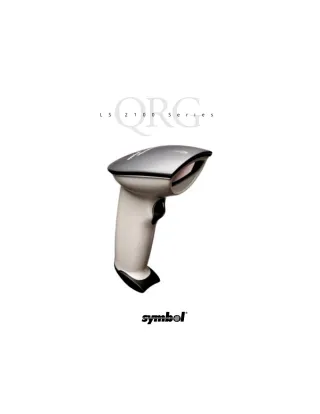
LS 2100 Series Quick Reference
Manual40 pagesPDF 1.1 MB
Multilingual quick reference for the Symbol LS 2100 Series hand-held laser scanners (LS 2100, LS 2104, LS 2106): setup, aiming, beeps.
Names · 3 models
The models it names
 Symbol LS-2100Hand-held laser barcode scanner from$295.002 in stock Symbol LS-2104Hand-held laser barcode scanner from$225.003 in stock Symbol LS-2106Hand-held laser barcode scanner from$225.00106 in stock
Filed with · 1 model
Also filed with these models on the old site
Summary
What is in it
Quick reference guide for the Symbol LS 2100 Series lightweight laser scanners, in English, French, German, Italian, Spanish, Japanese, Chinese and Korean. It names the three versions (LS 2100 undecoded, LS 2104 RS-232 and Synapse, LS 2106 keyboard wedge and Synapse) and explains attaching the interface cable, scanning, aiming at an angle to avoid specular reflection, what the beep means, basic troubleshooting and cleaning. It ends with ergonomic recommendations, regulatory information, laser labeling and the warranty.
Its parts
- Introduction
- Setting up the LS 21xx
- Scanning with the LS 21xx
- Aiming
- What Does The Beep Mean?
- Ergonomic Recommendations
- Regulatory Information
From the manual
Key facts from this manual
Some pages are scans or cannot be read; this says only what the readable text supports. Each line names its page in the PDF.
The Symbol LS 2100 Series Quick Reference (70-32817-02, revision D, November 2001) for the LS 2100, LS 2104 and LS 2106 laser scanners; it does not name the LS 2108. It shows how to attach the cable, scan and aim, what the beep means, basic troubleshooting and cleaning, with the same instructions repeated in several languages and regulatory notes at the end.
- Device
- Lightweight trigger-operated laser bar code scanner p. 3, 4
- Host interface
- LS 2100: undecoded; LS 2104: RS-232 and Synapse; LS 2106: Keyboard Wedge and Synapse p. 3
- Cable
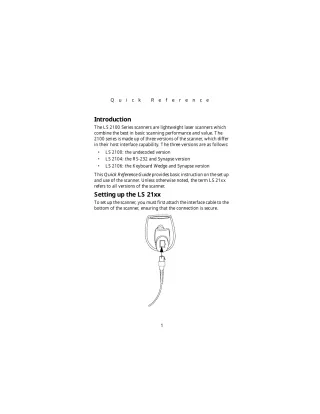
- Interface cable attaches to the bottom of the scanner p. 3
- Good-read signals
- Orange light at the rear while scanning; on a good read it beeps, the light turns green and the laser turns off p. 4
- Scan angle
- Tilt up to 55° forward or back; not straight over the bar code p. 5
- Beeper
- One short high beep means a successful decode p. 6
- Maintenance
- No user maintenance; wipe the window with lens tissue p. 6
- Regulatory
- The guide states the device complies with FCC Part 15 Class B and Canadian ICES-003 p. 35
- Laser standards
- The guide states Symbol laser products comply with US 21CFR1040.10, IEC825-1:1993 and EN60825-1; the class is marked on a product label p. 36
What this manual walks you through
- Attaching the interface cable p. 3
- Scanning a bar code p. 4
- Aiming at an angle and covering the whole symbol p. 5
- Reading the beep p. 6
- Troubleshooting a scanner that does not read p. 6
- Cleaning the scanner window p. 6
- Ergonomic recommendations p. 35
Good to know
- Holding the scanner directly over the bar code reflects the laser back and can blind it (a dead zone). p. 5
- Do not pour, spray or spill liquid on the scanner. p. 6
- The scanner must already be installed and programmed; setup is in the LS 21xx Product Reference Guide. p. 4
- With a Class 2 laser scanner, avoid staring directly into the beam. p. 36
Questions this manual answers
What is the difference between the Symbol LS 2100, LS 2104 and LS 2106?
They differ in host interface: the LS 2100 is undecoded, the LS 2104 has RS-232 and Synapse, and the LS 2106 has Keyboard Wedge and Synapse. p. 3
What does the beep on the LS 2100 mean?
One short high beep means the bar code was decoded; for any other beeps, contact the person in charge of scanning. p. 6
My LS 2100 scanner will not read bar codes. What should I check?
Check the system power and cable connections, make sure the system is programmed for that bar code type, and check that the symbol is not defaced. p. 6
What do the lights on the LS 2100 mean?
An orange light at the rear shows the scanner is scanning; it turns green when the symbol has been read. p. 4
How do I clean an LS 2100 scanner?
Wipe the window with lens tissue or other material made for optics, and never pour, spray or spill liquid on it. p. 6
Contents
Chapters and sections
Each line opens the PDF at its page.
- Introduction3
- Setting up the LS 21xx3
- Scanning with the LS 21xx4
- Aiming5
- What Does The Beep Mean?6
- Introduction7
- Installation du LS 21xx7
- Maniement du LS 21xx8
- Visée9
- Signification du bip10
- Einführung11
- Einrichten des LS 21xx11
- Scannen mit dem LS 21xx12
- Zielen13
- Was bedeutet der Piepton?14
- Introduzione15
- Impostazione dello scanner LS 21xx15
- Lettura con lo scanner LS 21xx16
- Mira17
- Cosa indica il segnale acustico?18
- Introducción19
- Configuración del LS 21xx19
- Lectura con el LS 21xx20
- Para apuntar correctamente21
The whole text · 4 parts
Read the manual here as text
Its text as extracted from the PDF, unedited, in parts; each page opens the PDF at that page.
The file