Manual · Symbol
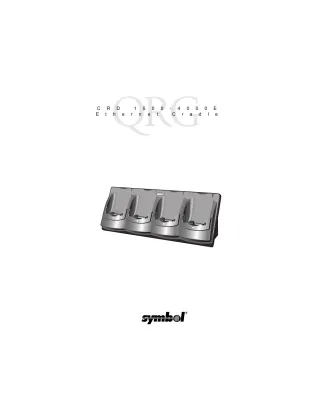
CRD1500-4000E Ethernet Cradle Quick Reference
Manual20 pagesPDF 316 KB
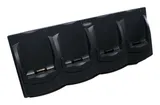
Quick reference guide for the Symbol CRD1500-4000E 4-slot Ethernet cradle for SPT 1500 terminals: setup, NetSync and HotSync.
Filed with · 1 model
Also filed with these models on the old site
Summary
What is in it
The quick reference guide for the Symbol CRD1500-4000E, a 4-slot Ethernet cradle that lets SPT 1500 terminals communicate with host computers on a local area network. It covers unpacking, connecting power, network setup with a DHCP server, daisy-chaining CRD1500-4000S serial cradles, stacking and wall-mounting, installing and configuring NetSync, modem sync, upgrading to HotSync 3.01, performing a HotSync, indicator lights, troubleshooting and regulatory information.
Its parts
- Introduction
- Theory of Operation
- About This Guide
- Set Up
- Software Configuration
- The HotSync Process
- Indicator Lights
- Troubleshooting
- Ergonomic Recommendations
- Regulatory Information
From the manual · read page by page
Key facts from this manual
Some pages are scans or cannot be read; this says only what the readable text supports. Each line names its page in the PDF.
Symbol quick reference guide (Revision A, September 2002) for the CRD1500-4000E 4-slot Ethernet cradle for SPT 1500 terminals. It covers setup, power, network connection, daisy-chaining CRD1500-4000S serial cradles, stacking and wall mounting, the NetSync and HotSync software settings, indicator lights and troubleshooting.
- Device
- CRD1500-4000E: 4-slot Ethernet cradle that lets up to 4 SPT 1500 terminals talk to their host computers on a LAN p. 3
- Network
- Standard 10 Base-T cable to the middle rear connector; needs a DHCP server on the subnet; one IP address shared by all slots p. 6
- Power
- 12V wall-cube power supply; each daisy-chained serial cradle needs its own 9V supply p. 4, 5, 7
- Expansion
- Up to 7 CRD1500-4000S serial cradles daisy-chained, 32 slots in all; one inter-cradle cable (p/n 70246-001) per cradle p. 3, 7
- Stacking kit
- CRD1500-4000KT, stacks up to 4 cradles on a table top p. 8
- In the box
- Cradle (p/n CRD1500-4000E), wall-cube power supply, Quick Reference Guide (p/n 72-52665-xx); no Ethernet cable p. 4
- Host software
- SPT 1500 Desktop Software (p/n SW-35138-xx) with Network HotSync; HotSync 3.0.1 or later on all terminals p. 4, 13
- Terminal setup
- Cradle appears to the terminal as a dial-up PPP service; Modem Setup at 57600 bps, Standard modem p. 10, 12
- Wall mounting
- Two screws 14 inches apart, each able to hold at least 2.2 lbs p. 9
- Reference guide
- SPT 1500 Product Reference Guide (p/n 70-33757-xx) for the desktop software install p. 4
What this manual walks you through
- Connecting power to the cradle p. 5
- Connecting the cradle to an Ethernet network with DHCP p. 6, 7
- Daisy-chaining serial cradles to the Ethernet cradle p. 7, 8
- Stacking cradles and wall-mounting the cradle p. 8, 9
- Installing and configuring NetSync on the SPT 1500 p. 10, 11, 12
- Creating a CRD1500-4000E Modem Sync service on the terminal p. 12, 13
- Setting up the remote host PC for Network HotSync p. 13
- Performing a HotSync through the cradle p. 14, 15
- Reading the slot indicator lights p. 16
- Troubleshooting lights, failed HotSyncs and DHCP lockups p. 17
Good to know
- Each cradle must have its own power supply; the guide calls any other power hookup unsafe. p. 7
- Removing a terminal while its LED flashes green disrupts communication and data may be lost. p. 15
- Several slots syncing at once must each talk to a different host PC unless synchronization server software is added. p. 14
- Daisy-chained cradles share one logical fifth slot on the Ethernet cradle, which allows only one HotSync at a time. p. 14
- The terminal cannot HotSync if 00 is entered as the Modem Sync phone number. p. 13
Questions this manual answers
How many SPT 1500 terminals can the CRD1500-4000E cradle hold?
Four in its own slots; with up to 7 CRD1500-4000S serial cradles daisy-chained, 32 slots in all. p. 3
Why are all the LEDs on my CRD1500-4000E flashing red?
The cradle could not configure itself from a DHCP server. Connect a working DHCP server to the subnet and power cycle the cradle. p. 16
Does the CRD1500-4000E need a DHCP server?
Yes. A DHCP server on the same subnet gives the cradle its IP address, gateway and subnet mask. p. 6
What does a fast red flashing slot LED mean on the CRD1500-4000E?
A terminal inactivity timeout: the terminal has not activated in the past 15 minutes. p. 16
Contents
Chapters and sections
Each line opens the PDF at its page.
The whole text · 2 parts
Read the manual here as text
Its text as extracted from the PDF, unedited, in parts; each page opens the PDF at that page.
The file