Manual · Symbol
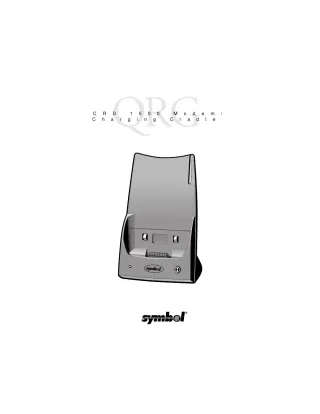
CRD 1500 Modem/Charging Cradle Quick Reference
Manual20 pagesPDF 226 KB
Quick reference for the Symbol CRD 1500 modem/charging cradle for SPT 1500/1550 terminals: setup, phone line, country codes, AT commands.
Covers · 1 model
The models it covers
Summary
What is in it
Symbol's quick reference for the CRD 1500 Modem/Charging Cradle, which holds an SPT 1500 or SPT 1550 terminal, charges its battery pack, offers a HotSync button and lets it exchange data over analog phone lines through an internal MCDA modem. It covers choosing the right regional version (CRD1500-1000EU or CRD1500-1000MC), setting up the cradle, installing and charging the rechargeable battery, connecting to the telephone network, country codes, a table of AT commands and troubleshooting.
Its parts
- Installing Rechargeable Batteries
- Connecting to the Telephone Network
- AT Commands
- Troubleshooting
From the manual · read page by page
Key facts from this manual
Each line names its page in the PDF.
A 2001 Symbol quick reference guide for the CRD 1500 Modem/Charging Cradle (versions CRD1500-1000EU and CRD1500-1000MC), which charges and connects the SPT 1500 and SPT 1550 terminals and dials out over analog phone lines. It covers choosing the regional version, setup, battery charging, phone connection, country codes, the modem's AT commands, troubleshooting and regulatory notices.
- Device
- Modem and charging cradle for the SPT1500 and SPT1550 terminals, with an internal MCDA modem card and a Hot Sync button p. 3
- Modem
- 14.400kbps (V32bis) with data compression and MNP4/V42 error correction; terminal serial speed up to 57,600bps p. 12
- Power supply
- Symbol-approved supply, 8 VDC output, minimum 700mA p. 4
- Phone connection
- Two RJ11 ports on the back (second for parallel phone equipment); 2-wire analog PSTN or PABX extension p. 5, 6
- Battery charging
- Charges the SPT 1500 NiMH pack in no more than three hours; LED red while charging, green when full p. 5
- Regional versions
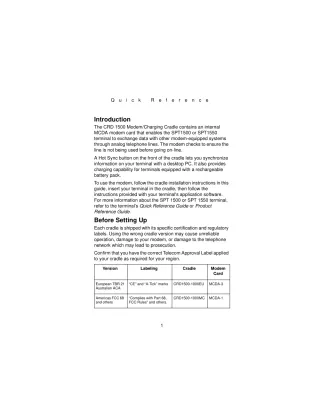
- CRD1500-1000EU with MCDA-3 card (European TBR 21, Australian ACA); CRD1500-1000MC with MCDA-1 card (Americas FCC 68) p. 3
- Hot Sync
- Front button synchronizes the terminal with a desktop PC p. 3
- Mounting
- Desk or wall p. 4
- Country setting
- AT+GCI=xxZ with the ITU T.35 code; USA B5 is the default, Europe FD p. 6, 7
- Flow control
- RTS/CTS by default (&K3); Xon/Xoff or both selectable p. 9
- Line check
- Modem checks the line is free before dialing and reports NO DIALTONE if not; S13=0 turns this off p. 8, 11
- Guide number
- 72-52018-01, Revision A, May 2001 p. 20
What this manual walks you through
- Checking the cradle version and telecom label for your region p. 3
- Setting up and powering the cradle p. 4
- Replacing the SPT 1500 dry cells with the rechargeable pack p. 4
- Charging the terminal battery p. 5
- Connecting to the telephone network p. 5, 6
- Selecting the country code p. 6, 7
- Modem AT commands and S registers p. 8, 9, 10, 11
- Troubleshooting the modem cradle p. 12
- Regulatory and telecom approval notices p. 13, 14, 15, 16, 17
Good to know
- Using the wrong regional cradle version can damage the modem or the phone network; use the CRD1500-1000EU in Europe. p. 3, 7
- Do not connect the cradle to digital phone lines. p. 5
- Use only No. 26 AWG or larger phone line cord to reduce fire risk. p. 6
- Putting the terminal in and out of the cradle often may shorten battery life. p. 5
- Only the line connection plug is user accessible. p. 12
Questions this manual answers
What power supply does the Symbol CRD 1500 cradle need?
A Symbol-approved supply rated 8 VDC output at a minimum of 700mA. p. 4
Which terminals fit the CRD 1500 cradle?
The SPT1500 and SPT1550. p. 3
How fast is the CRD 1500 modem?
14,400 bps (V.32bis) with data compression and MNP4/V42 error correction, over a 57,600bps serial link to the terminal. p. 12
How do I set the country on the CRD 1500 modem?
Add +GCI=xxZ with the T.35 country code to the init string, or send AT+GCI=xxZ; USA is B5. p. 6, 7
What do I do if the CRD 1500 modem locks up?
Remove power for a few seconds and apply it again. p. 12
Contents
Chapters and sections
Each line opens the PDF at its page.
The whole text · 4 parts
Read the manual here as text
Its text as extracted from the PDF, unedited, in parts; each page opens the PDF at that page.
The file