Manual · Symbol
Spectrum24 CB1000 for IBM 4690 Terminals User Guide
Manual34 pagesPDF 238 KB
User guide for using the Symbol Spectrum24 CB1000 client bridge to put IBM 4694 and SurePOS 700 terminals on a wireless LAN.
Covers · 1 model
The models it covers
Summary
What is in it
This guide explains how to convert Ethernet-based IBM 4694 and SurePOS 700 point-of-sale terminals running the IBM 4690 OS to wireless using the Symbol Spectrum24 CB1000 client bridge. It lists the supported 4690 OS levels, tested IBM terminals and Spectrum24 radio cards and access points, the optional power cable, then gives step-by-step configuration of the access point, the client bridge, the IBM terminal and the 4690 controller, PXE loading, and troubleshooting.
Its parts
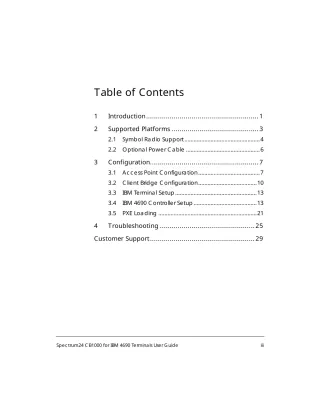
- Introduction
- Supported Platforms
- Configuration
- Troubleshooting
- Customer Support
From the manual · read page by page
Key facts from this manual
Some pages are scans or cannot be read; this says only what the readable text supports. Each line names its page in the PDF.
A Symbol user guide (72E-66778-01, December 2003) for using the Spectrum24 CB1000 client bridge to put Ethernet-based IBM 4694 and SurePOS terminals running 4690 OS on a wireless LAN. It lists the supported OS levels, terminals, radio cards and access points, and walks through access point, client bridge, terminal and store controller setup, PXE loading and troubleshooting. Two pages are blank scans that carry only the page header.
- Device
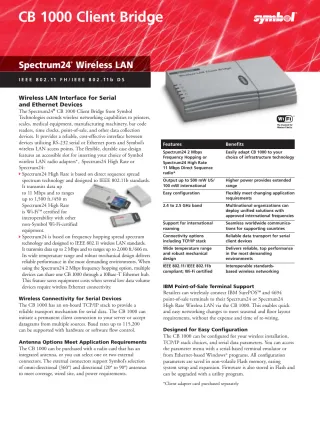
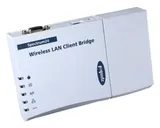
- Small snap-together client bridge with a PCMCIA slot for Spectrum24 2 Mbps FH or 11 Mbps DS radios p. 4
- IBM use
- Links an Ethernet-based 4694 or SurePOS terminal to a Symbol access point; certified for the IBM SurePOS 700 Series p. 4, 8
- Tested terminals
- SurePOS 730 and 750; 4694-104, 144, 106, 146, 205, 245, 244, 206 and 246 p. 6
- Supported 4690 OS
- Version 2 Release 3 level 01B0, Version 2 Release 4 level 01H0, DDS/CSF Version 2.0.1.0 p. 6
- Firmware
- CB1000 firmware 2.27 or later with the IBM RPL Support option; Configuration Utility 2.33 or later p. 6, 13
- Radio cards
- Spectrum24 LA-3021 (2 Mbps FH) and LA-4021 (11 Mbps DS) PC cards p. 7
- Access points
- Spectrum24 AP-3021 (2 Mbps) and AP-4121 (11 Mbps) p. 7
- Power cable
- Optional power/Ethernet cable p/n 50-16000-270, powers the CB1000 from the PS/2 port of a 4694 or SurePOS; 4 feet, fixed length p. 9
- Radio features
- Roaming, WEP 40/128 bit encryption, rate switching, ad hoc and pseudo IBSS modes p. 4
- Configurations
- RS-232 serial clients, remote Ethernet clients, wired Ethernet-to-serial with no radio, point-to-point serial hops p. 4
- Configurator
- Windows 95/98 or 2000 utility on the included CD; edits configurations and updates firmware p. 14
- Indicators
- Power, Ethernet Link and Radio Association LEDs p. 28
- Access point serial UI
- Null modem cable; ANSI, 19200 bps, 8 data bits, 1 stop bit, no parity, no flow control p. 11
- Multicast Mask
- 03000004 on the access point; for PXE loading, 01005E2E (V) and 03004000 (D) p. 10, 24
What this manual walks you through
- Configuring the access point through its serial user interface p. 10, 11, 12
- Configuring the client bridge with the Windows Configurator p. 13, 14, 15
- Converting a wired 4694 or SurePOS terminal to wireless p. 16
- Choosing unicast or multicast terminal loading (ADXRPLWL) p. 17, 18, 19, 20
- Speeding up wireless terminal loads (ADXWLSPD) p. 20, 21, 22
- Changing DLC retry and time-out values (ADXWLNTO) p. 22, 23
- Setting up PXE loading on the access point, client bridge, terminal and controller p. 24, 25, 26
- Converting a wireless terminal back to wired p. 26
- Troubleshooting load failures and terminal hangs p. 28, 29, 30, 31
Good to know
- Token Ring environments are not supported. p. 7
- The optional power cable is certified only for IBM 4694 and SurePOS use. p. 9
- To move the CB1000 to another terminal, power it off first or set its MAC Address parameter from capture to dynamic. p. 31
- Setting ADXWLSPD too high makes the controller send blocks faster than the wireless network can carry, so terminals load slowly. p. 21
- A CB1000 with a 2 Mbps radio can hang with WEP enabled; the fix is in V4.69 of the 2MB PCMCIA S24 firmware. p. 30
Questions this manual answers
Which IBM terminals work with the Symbol CB1000?
It was tested with SurePOS 730 and 750 and with 4694 models 104, 144, 106, 146, 205, 245, 244, 206 and 246. p. 6
What CB1000 firmware is needed for IBM 4690?
Firmware version 2.27 or later with the IBM RPL Support option selected. p. 6
Can the CB1000 be powered from the IBM terminal?
Yes, with the optional power/Ethernet cable p/n 50-16000-270, which draws power from the PS/2 port of a 4694 or SurePOS terminal. p. 9
Which radio cards fit the CB1000 for IBM use?
It was tested with the Spectrum24 LA-3021 2 Mbps FH card and the LA-4021 11 Mbps DS adapter. p. 7
CB1000 terminal cannot find an RPL server
Check that the Power LED is solid, the Ethernet Link and Radio Association LEDs are lit, and the 4690 OS is V2R3 level 01B0, V2R4 level 01H0 or later. p. 28
Contents
Chapters and sections
Each line opens the PDF at its page.
The whole text · 6 parts
Read the manual here as text
Its text as extracted from the PDF, unedited, in parts; each page opens the PDF at that page.
The file