Manual · Sato
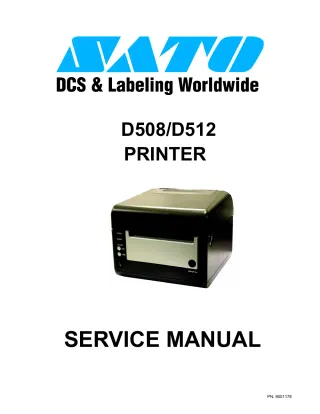
D508/D512 Printer Service Manual
Manual90 pagesPDF 2.8 MB
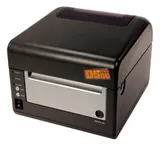
Service manual for the SATO D508 and D512 direct thermal label printers: specifications, troubleshooting, part replacement and adjustments.
Covers · 1 model
The models it covers
Summary
What is in it
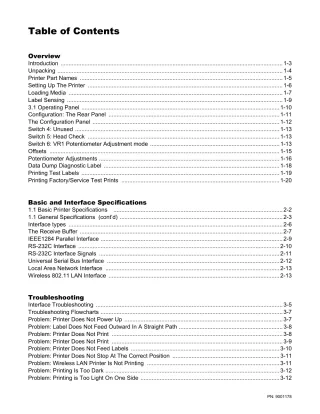
The service manual for the SATO D508 and D512 direct thermal label printers, which differ in print head resolution. It covers unpacking, setup, media loading and the configuration panel, basic and interface specifications (parallel, serial, USB, LAN and wireless LAN), troubleshooting flowcharts and test labels, step-by-step replacement of parts such as the print head, platen roller, boards, sensors and cutter, and checks and adjustment procedures.
Its parts
- Overview
- Basic and Interface Specifications
- Troubleshooting
- Replacement Procedures
- Checks/Adjustment Procedures
From the manual
Key facts from this manual
Each line names its page in the PDF.
This is the SATO service manual for the D508 and D512 direct thermal label printers, which differ mainly in print head resolution. It covers setup and media loading, specifications and interfaces, error codes, troubleshooting, part replacement and adjustments. Read for this summary: the overview, specification, interface and troubleshooting pages.
- Printer type
- Direct thermal label printer; D512: 305 dpi print head p. 7
- Interfaces
- Options: IEEE1284 parallel, RS232C (9600 to 57.6K bps), USB 1.1, 10/100 Base-T LAN, wireless LAN p. 27
- Command language
- A subset of the standard SATO Command Language, shared by D508 and D512 p. 7
- Print speed
- 6 ips p. 26
- Processor
- 32-bit RISC processor p. 26
- Power
- AC adaptor; USA: AC 115 V (+/- 10 %), Europe: AC 230V (+/- 10 %), 50/60 Hz; 67W nominal p. 8, 28
- Weight
- 5.5 lbs (2.5 Kg) excluding AC adaptor p. 28
- Operating environment
- 0~35°, 30~80% humidity, without condensation p. 28
- Media
- Direct thermal die-cut labels, tags or continuous media, on rolls (max. 110mm outer diameter, 40mm core) or fanfold p. 11, 26
- Barcodes
- UPC-A/E, EAN-8/EAN-13, CODABAR, CODE39, CODE93, CODE128, UCC/EAN128, Interleaved, Industrial and Matrix 2 of 5, RSS Composite, MSI, POSTNET, Bookland, PDF 417, Micro PDF 417, Truncated PDF 417, Maxicode, Data Matrix, QR Code p. 28
- Error display codes
- 3 EEPROM error, 4 head error, 5 top cover open, 6 out of paper, 7 sensor error, 8 cutter error, A receive buffer overflow p. 40
- DIP switches
- 1-3 operation mode, 5 head check, 6 VR1 function, 7 data dump; 4 and 8 reserved p. 27
- Media sensing
- See-through sensor for labels or tags; eye mark fixed 0.25" (6.3 mm) from left label edge p. 26
- Receive buffer
- Single job or multi job mode; a single job must not exceed 2.95MB p. 31
What this manual walks you through
- Unpacking the printer p. 8
- Setting up the printer and connecting power and the interface cable p. 10
- Loading roll and fanfold media p. 11, 12
- Reading the error display, LEDs and beeps p. 40
- Fixing light, smeared or missing print and label feed problems p. 41, 42
- Troubleshooting parallel, serial, LAN, wireless and USB interfaces p. 43, 44
- Replacing the print head, platen roller, boards, sensors, drive motor and cutter p. 4
- Adjusting offsets, print darkness, sensor sensitivity and cut position p. 4
Good to know
- Recommended cable length is up to 10 feet for parallel, 18 feet for serial and 10 feet for USB without a hub. p. 10
- Without an IEEE1284 cable and host, the parallel port falls back to the much slower Centronics mode. p. 33
- Check with the dealer before using thin 0.06 mm labels. p. 26
- A printer stored in the cold should reach room temperature before it is turned on. p. 8
Questions this manual answers
What does error 6 mean on a SATO D512?
Display 6 with a blinking error LED and 3 beeps means out of paper: replenish the media or route it properly. p. 40
What is the difference between the SATO D508 and D512?
The print head resolution: the D508 has a 203 dpi head and the D512 a 305 dpi head. p. 7
What interfaces can the SATO D512 have?
Optional IEEE1284 parallel, RS232C serial, USB 1.1, 10/100 Base-T LAN and wireless LAN interfaces. p. 27
Contents
Chapters and sections
Each line opens the PDF at its page.
The whole text · 10 parts
Read the manual here as text
Its text as extracted from the PDF, unedited, in parts; each page opens the PDF at that page.
- Pages 1 to 41-4
- 1. Overview, pages 5 to 145-14
- 1. Overview, pages 15 to 2415-24
- 2. Interface Specifications25-38
- 3. Troubleshooting, pages 39 to 4639-46
- 3. Troubleshooting, pages 47 to 5447-54
- 3. Troubleshooting, pages 55 to 6055-60
- 4. Replacement Procedures, pages 61 to 7061-70
- 4. Replacement Procedures, pages 71 to 8071-80
- 5. Adjustment Procedures81-90
The file