Spec sheet · QSI Corp
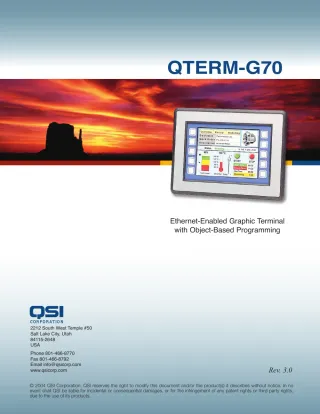
QTERM-G70 Ethernet-Enabled Graphic Terminal with Object-Based Programming
Spec sheet7 pagesPDF 2.8 MB
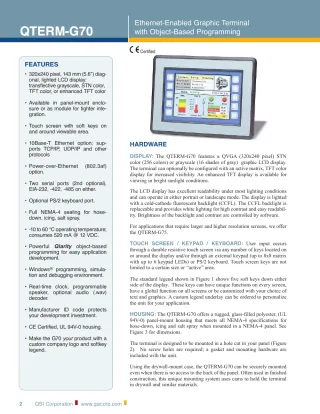
Spec sheet for the QSI QTERM-G70, a 5.6 inch touch screen graphic operator terminal with serial, Ethernet and Power-over-Ethernet options.
Covers · 1 model
The models it covers
Summary
What is in it
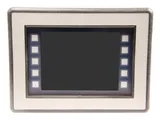
The specification sheet for the QSI QTERM-G70, a panel-mount graphic operator terminal with a 320x240 LCD and resistive touch screen, programmed with QSI's object-based Qlarity language and the Qlarity Foundry Windows tool. It describes the display options, touch screen and keypad input, NEMA-4 housing and drywall mount, connectors, speaker and audio option, memory, power supply, serial, Ethernet and Power-over-Ethernet interfaces, and the manufacturer ID feature. A full specification table and a two-page order worksheet for configuration and legend customizing follow.
From the sheet · read page by page
Key facts from this sheet
Each line names its page in the PDF.
Rev. 3.0 spec sheet for the QSI QTERM-G70, a graphic operator terminal with a 320x240 touch screen and an Ethernet option. It gives the display, interface, memory, power, size and environmental specifications, mounting dimensions and the order worksheet used to pick options.
- Device
- Programmable graphic operator terminal with touch screen, panel-mount or as a module p. 2
- Display
- 320x240 pixel LCD, 143 mm diagonal: grayscale, STN color, TFT color or enhanced TFT color p. 2
- Backlight
- Replaceable cold-cathode fluorescent (CCFL), brightness set by software p. 2
- Input
- Resistive touch screen; external keypad up to 8x8 matrix with up to 6 LEDs, or PS/2 keyboard p. 2
- Serial ports
- One DB9f port standard, a second optional; each EIA-232, EIA-422 or EIA-485 p. 3
- Ethernet
- Optional 10Base-T on RJ45 with TCP/IP, UDP/IP and Modbus; Power-over-Ethernet (IEEE 802.3af) option p. 3
- Power
- 8 to 26 VDC, normally through the DB9f connector, or over the Ethernet cable with the PoE option p. 3
- Memory
- 4 Mbytes flash and 16 Mbytes RAM p. 5
- Processor
- MIPS R3000 RISC, 92 MHz p. 5
- Baud rates
- 1200 to 115,200 p. 5
- Size and mass
- 215x161x50 mm, 1.16 kg p. 5
- Temperature
- Operating -10 to 60 °C (-10 to 50 °C with Level 3 legend); storage -20 to 70 °C p. 5
- Housing
- Glass-filled polyester, UL 94V-0; NEMA-4 front when mounted in a NEMA-4 panel p. 2
- Software
- Qlarity object-based language; Qlarity Foundry PC design tool p. 4
What this sheet walks you through
- Choosing display, serial, Ethernet, keyboard and audio options p. 6
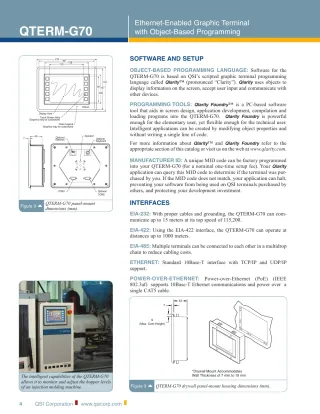
- Panel-mount and drywall-mount housing dimensions p. 4
- Programming screens and applications with Qlarity Foundry p. 4
- Locking an application to your own terminals with the Manufacturer ID code p. 4
- Customizing the outer legend and soft-key underlay p. 5
Good to know
- The PS/2 keyboard port is not available on units with the Power-over-Ethernet option. p. 3
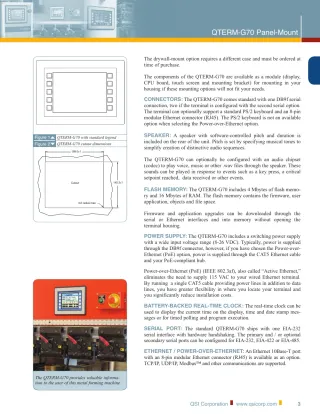
- The drywall-mount version uses a different case that must be ordered at the time of purchase. p. 3
- The drywall-mount case fits walls 7 mm to 19 mm thick. p. 4
Questions this sheet answers
What power supply does the QTERM-G70 need?
It accepts 8 to 26 VDC, normally fed through the DB9f connector. With the PoE option it is powered over the CAT5 Ethernet cable from an 802.3af hub. p. 3
How far can the QTERM-G70 communicate over serial?
Over EIA-232 up to 15 meters at its top speed of 115,200; over EIA-422 up to 1000 meters. p. 4
Can the QTERM-G70 firmware be updated without opening it?
Yes. Firmware and application upgrades are downloaded through the serial or Ethernet interfaces. p. 3
Can I use a PS/2 keyboard with a Power-over-Ethernet QTERM-G70?
No. The spec sheet says the PS/2 keyboard option is not available with the Power-over-Ethernet option. p. 3
The whole text · 1 part
Read the sheet here as text
Its text as extracted from the PDF, unedited, in parts; each page opens the PDF at that page.
The file