Spec sheet · PSC
Percon PowerWedge 10, PowerWedge 20 and Mini PowerWedge Decoders Spec Sheet
Spec sheet3 pagesPDF 1.0 MB
All 3 pages are below, each with its text.
Names · 6 models
The models it names
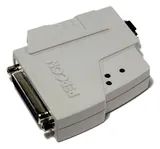 PSC MiniDesktop decoder from$95.0012 in stock
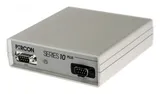
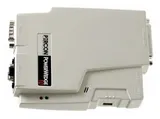 PSC Powerwedge 10Desktop decoder from$175.0052 in stock
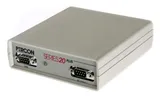
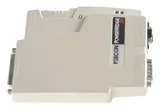 PSC Powerwedge 20Desktop decoder from$175.0066 in stock Datalogic MiniDesktop decoder Call for availability Datalogic Powerwedge 10Desktop decoder Call for availability Datalogic Powerwedge 20Desktop decoder Call for availability
Filed with · 3 models
Also filed with these models on the old site
From the sheet · read page by page
Key facts from this sheet
Each line names its page in the PDF.
A 1999 Percon specification sheet for three bar code decoders: the PowerWedge 10, the PowerWedge 20 and the Mini PowerWedge. A decoder sits between a scanner or wand and a computer, turning bar codes into keyboard or RS-232 input. The sheet compares their interfaces, input devices, programming options, power and size.
- Device
- Bar code decoder (wedge) that connects to the RS-232 port or the keyboard port; works without a keyboard p. 1
- Symbologies
- Code 39 and full ASCII, Codabar, Interleaved, Standard and Matrix 2 of 5, UPC-A/E, EAN-8/JAN-8, EAN-13/JAN-13, Code 11, MSI/Plessey, EAN 128, Code 128, Label Codes 4/5, AMES p. 2
- Interfaces
- PowerWedge 10: RS-232C serial or keyboard wedge for IBM PC/XT/AT, PS/2, Macintosh; PowerWedge 20: same plus ADDs, IBM 31xx, Data General, Televideo, DEC p. 2
- Mini interface
- Mini PowerWedge: keyboard wedge for IBM PC/XT/AT, PS/2, Macintosh and other interfaces p. 3
- Input devices
- PowerWedge 10/20: two 9-pin squeeze-style inputs for wand, 5-volt laser, CCD, ID badge reader and magnetic stripe (2 tracks on the 10, 3 on the 20) p. 2, 3
- Mini input
- Mini PowerWedge: single 9-pin squeeze-style input for wand, 5-volt laser, CCD, badge reader, 2-track magnetic stripe, or serial lasers, scales, check readers p. 3
- Power
- PowerWedge 10: external 9V@500mA or host 5V±10%, 100 mA; PowerWedge 20: 9V@500mA or 5V±10%, 115 mA; Mini: host 5V±10%, 90mA p. 2, 3
- Serial
- PowerWedge 10/20: 300 to 56.7K baud, adjustable bits, parity, stop, XON/XOFF, EOR or ACK/NAK; PowerWedge 20 adds an auxiliary serial port p. 2, 3
- PowerWedge 20 models
- Universal (serial or keyboard wedge) and Universal Dual (adds a second bar code input, with or without a magnetic stripe reader) p. 2
- Size
- PowerWedge 10/20: 1.0 x 5.12 x 4.0 in (25 x 130 x 102 mm), 6.43 oz (180 g); Mini: .75 x 2.75 x 3.25 in (19 x 70 x 82 mm), 2.3 oz (64 g) p. 2, 3
- Operating temperature
- +32 to +122 F (0 to +50 C), 5% to 95% relative humidity, noncondensing p. 2
- Programming
- Bar code menu, bar code label, serial batch file (10 and 20), on-screen menu (20 and Mini), cloning with a special cable p. 2, 3
- Indicators
- Green and red LEDs and internal beeper; host-controlled indicators on the PowerWedge 20 p. 2, 3
What this sheet walks you through
- Choosing between the PowerWedge 10, PowerWedge 20 and Mini PowerWedge p. 2
- Bar code and magnetic stripe options that can be programmed p. 2
- PowerWedge 20 input editing for data formatting and redirection p. 3
Good to know
- Interface cables and input devices must be ordered separately, and for the PowerWedge 10 and 20 also power supplies. p. 2, 3
- Cloning settings from a master unit needs a special cable. p. 2
- The sheet states the decoders comply with FCC Class A radio frequency emission requirements. p. 2
Questions this sheet answers
What power does a PowerWedge 10 need?
Either an external 9V@500mA supply or 5V±10% from the host, with an input current of 100 mA. p. 2
Can the Mini PowerWedge connect to an RS-232 port?
The sheet lists only keyboard wedge interfaces for the Mini PowerWedge; its input can accept serial devices such as lasers, scales or check readers. p. 3
What is the difference between the PowerWedge 20 Universal and Universal Dual?
The Universal Dual adds the option of two bar code input devices, with or without a magnetic stripe reader. p. 2
Which scanners work with a PowerWedge decoder?
Wands, 5V lasers, CCDs, ID badge scanners and magnetic stripe readers can be used with the PowerWedge 10/20. p. 2
The file
Size and text
Every page · 3
Read it here
Each page as it is printed, and its words beside it, so a phone can search and copy them.
Page1of 3
Open in the PDF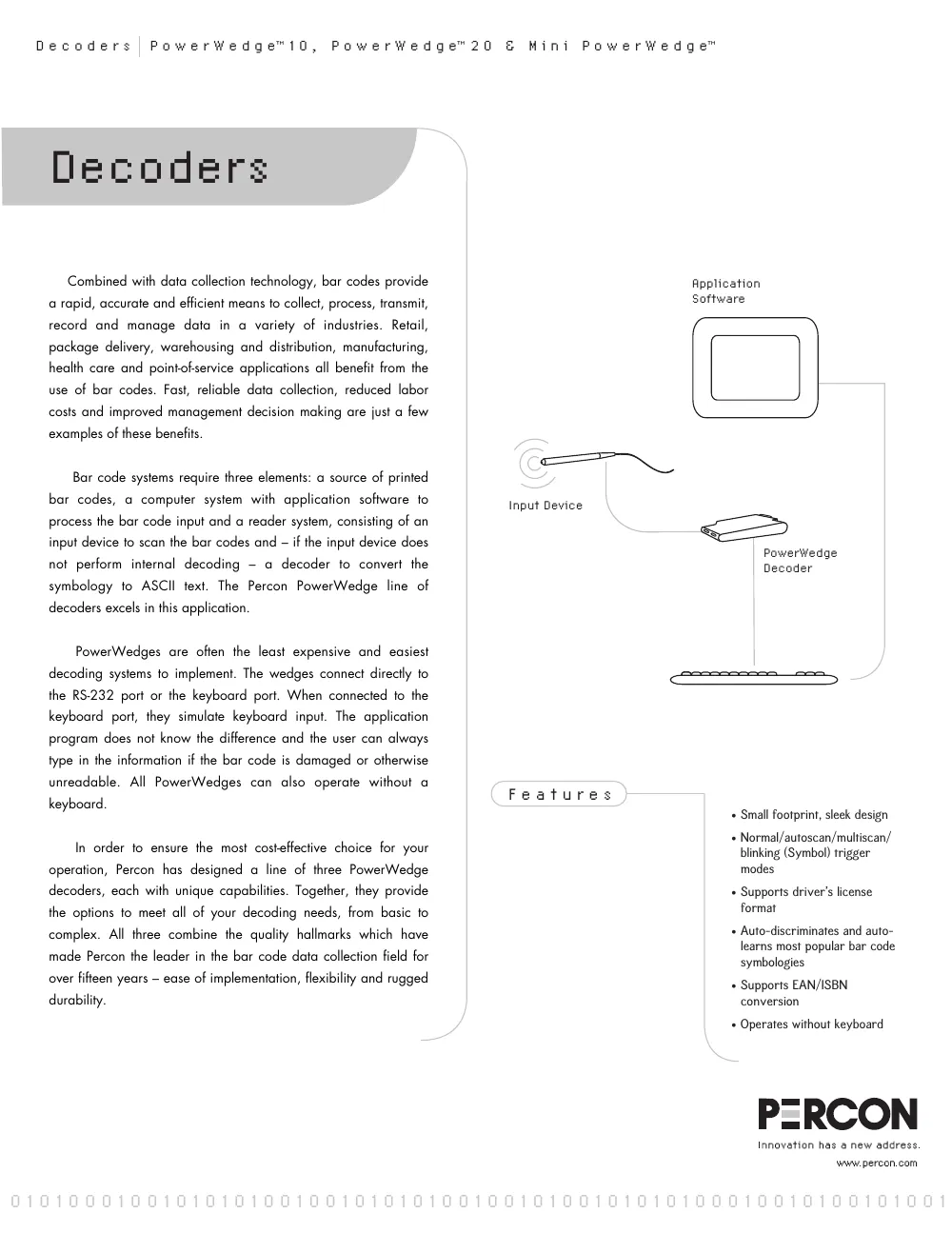
The text of page 1, from the PDF itself
D e c o d e r s P o w e r W e d g e ™ 1 0 , P o w e r W e d g e™ 2 0 & M i n i P o w e r W e d g e™
Decoders Application Software
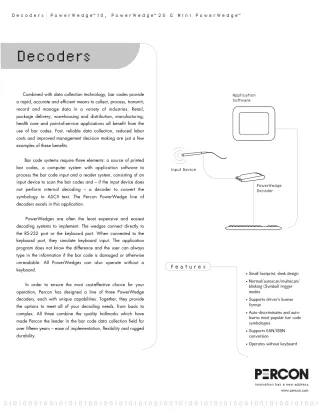
Combined with data collection technology, bar codes provide a rapid, accurate and efficient means to collect, process, transmit, record and manage data in a variety of industries. Retail, package delivery, warehousing and distribution, manufacturing, health care and point-of-service applications all benefit from the use of bar codes. Fast, reliable data collection, reduced labor costs and improved management decision making are just a few examples of these benefits. Bar code systems require three elements: a source of printed bar codes, a computer system with application software to process the bar code input and a reader system, consisting of an
Input Device
input device to scan the bar codes and – if the input device does
PowerWedge Decoder
not perform internal decoding – a decoder to convert the symbology to ASCII text. The Percon PowerWedge line of decoders excels in this application. PowerWedges are often the least expensive and easiest decoding systems to implement. The wedges connect directly to the RS-232 port or the keyboard port. When connected to the keyboard port, they simulate keyboard input. The application program does not know the difference and the user can always type in the information if the bar code is damaged or otherwise unreadable. All PowerWedges can also operate without a keyboard. In order to ensure the most cost-effective choice for your operation, Percon has designed a line of three PowerWedge decoders, each with unique capabilities. Together, they provide the options to meet all of your decoding needs, from basic to complex. All three combine the quality hallmarks which have made Percon the leader in the bar code data collection field for over fifteen years – ease of implementation, flexibility and rugged durability.
Features
- Small footprint, sleek design
- Normal/autoscan/multiscan/ blinking (Symbol) trigger modes
- Supports driver’s license format
- Auto-discriminates and autolearns most popular bar code symbologies
- Supports EAN/ISBN conversion
- Operates without keyboard
010100010010101010010010101010010010100101010100010010100101001
Page2of 3
Open in the PDF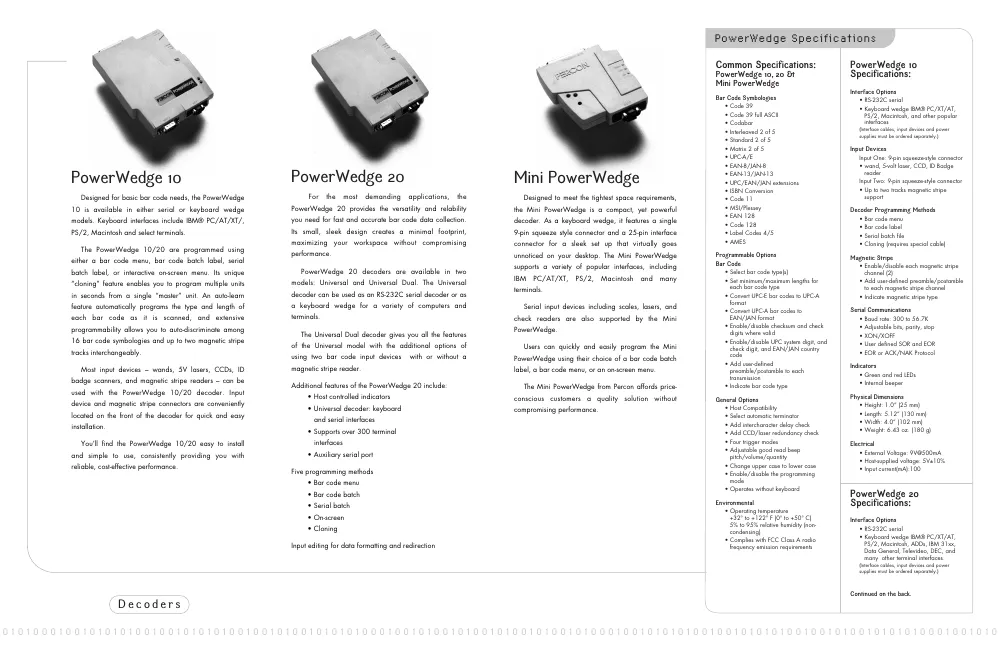
The text of page 2, from the PDF itself
PowerWedge Specifications Common Specifications: PowerWedge 10, 20 & Mini PowerWedge Bar Code Symbologies
PowerWedge 10
PowerWedge 20 the
Designed to meet the tightest space requirements,
10 is available in either serial or keyboard wedge
PowerWedge 20 provides the versatility and relability
the Mini PowerWedge is a compact, yet powerful
models. Keyboard interfaces include IBM® PC/AT/XT/,
you need for fast and accurate bar code data collection.
decoder. As a keyboard wedge, it features a single
PS/2, Macintosh and select terminals.
Its small, sleek design creates a minimal footprint,
9-pin squeeze style connector and a 25-pin interface
maximizing your workspace without compromising
connector for a sleek set up that virtually goes
performance.
unnoticed on your desktop. The Mini PowerWedge
Designed for basic bar code needs, the PowerWedge
The PowerWedge 10/20 are programmed using either a bar code menu, bar code batch label, serial
Forthemostdemanding
Mini PowerWedge applications,
batch label, or interactive on-screen menu. Its unique
PowerWedge 20 decoders are available in two
“cloning” feature enables you to program multiple units
models: Universal and Universal Dual. The Universal
in seconds from a single “master” unit. An auto-learn
decoder can be used as an RS-232C serial decoder or as
feature automatically programs the type and length of
a keyboard wedge for a variety of computers and
each bar code as it is scanned, and extensive
terminals.
programmability allows you to auto-discriminate among 16 bar code symbologies and up to two magnetic stripe tracks interchangeably. Most input devices – wands, 5V lasers, CCDs, ID badge scanners, and magnetic stripe readers – can be used with the PowerWedge 10/20 decoder. Input device and magnetic stripe connectors are conveniently located on the front of the decoder for quick and easy installation.
The Universal Dual decoder gives you all the features with or without a
magnetic stripe reader. Additional features of the PowerWedge 20 include:
- Host controlled indicators
- Universal decoder: keyboard and serial interfaces
- Supports over 300 terminal
You’ll find the PowerWedge 10/20 easy to install and simple to use, consistently providing you with reliable, cost-effective performance.
IBMPC/AT/XT,PS/2,Macintoshandmany
terminals. Serial input devices including scales, lasers, and check readers are also supported by the Mini
of the Universal model with the additional options of using two bar code input devices
supports a variety of popular interfaces, including
interfaces
- Auxiliary serial port Five programming methods
- Bar code menu
- Bar code batch
- Serial batch
- On-screen
- Cloning Input editing for data formatting and redirection
PowerWedge. Users can quickly and easily program the Mini PowerWedge using their choice of a bar code batch label, a bar code menu, or an on-screen menu. The Mini PowerWedge from Percon affords priceconscious customers a quality solution without compromising performance.
- Code 39
- Code 39 full ASCII
- Codabar
- Interleaved 2 of 5
- Standard 2 of 5
- Matrix 2 of 5
- UPC-A/E
- EAN-8/JAN-8
- EAN-13/JAN-13
- UPC/EAN/JAN extensions
- ISBN Conversion
- Code 11
- MSI/Plessey
- EAN 128
- Code 128
- Label Codes 4/5
- AMES
Programmable Options Bar Code
- Select bar code type(s)
- Set minimum/maximum lengths for each bar code type
- Convert UPC-E bar codes to UPC-A format
- Convert UPC-A bar codes to EAN/JAN format
- Enable/disable checksum and check digits where valid
- Enable/disable UPC system digit, and check digit, and EAN/JAN country code
- Add user-defined preamble/postamble to each transmission
- Indicate bar code type
General Options
- Host Compatibility
- Select automatic terminator
- Add intercharacter delay check
- Add CCD/laser redundancy check
- Four trigger modes
- Adjustable good read beep pitch/volume/quantity
- Change upper case to lower case
- Enable/disable the programming mode
- Operates without keyboard
Environmental
- Operating temperature +32° to +122° F (0° to +50° C) 5% to 95% relative humidity (noncondensing)
- Complies with FCC Class A radio frequency emission requirements
PowerWedge 10 Specifications: Interface Options
- RS-232C serial
- Keyboard wedge IBM® PC/XT/AT, PS/2, Macintosh, and other popular interfaces (Interface cables, input devices and power supplies must be ordered separately.)
Input Devices Input One: 9-pin squeeze-style connector
- wand, 5-volt laser, CCD, ID Badge reader Input Two: 9-pin squeeze-style connector
- Up to two tracks magnetic stripe support
Decoder Programming Methods
- Bar code menu
- Bar code label
- Serial batch file
- Cloning (requires special cable)
Magnetic Stripe
- Enable/disable each magnetic stripe channel (2)
- Add user-defined preamble/postamble to each magnetic stripe channel
- Indicate magnetic stripe type
Serial Communications
- Baud rate: 300 to 56.7K
- Adjustable bits, parity, stop
- XON/XOFF
- User defined SOR and EOR
- EOR or ACK/NAK Protocol
Indicators
- Green and red LEDs
- Internal beeper
Physical Dimensions
- Height: 1.0” (25 mm)
- Length: 5.12” (130 mm)
- Width: 4.0” (102 mm)
- Weight: 6.43 oz. (180 g)
Electrical
- External Voltage: 9V@500mA
- Host-supplied voltage: 5V±10%
- Input current(mA):100
PowerWedge 20 Specifications: Interface Options
- RS-232C serial
- Keyboard wedge IBM® PC/XT/AT, PS/2, Macintosh, ADDs, IBM 31xx, Data General, Televideo, DEC, and many other terminal interfaces. (Interface cables, input devices and power supplies must be ordered separately.)
Decoders
Continued on the back.
0101000100101010100100101010100100101001010101000100101001010010100101001010001001010101001001010101001001010010101010001001010
Page3of 3
Open in the PDF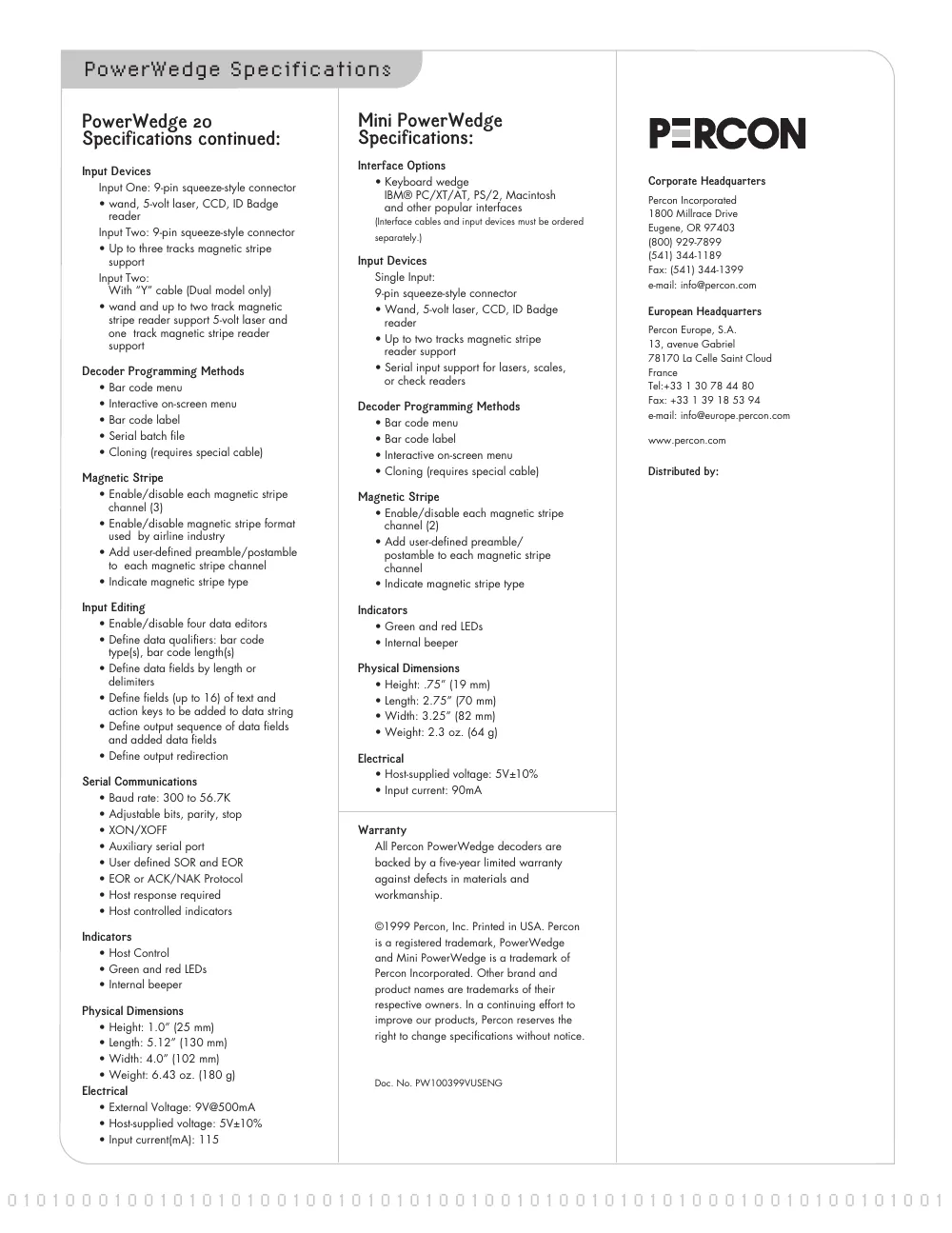
The text of page 3, from the PDF itself
PowerWedge Specifications PowerWedge 20 Specifications continued:
- Mini PowerWedge Specifications
- Input Devices
Interface Options
Input One: 9-pin squeeze-style connector
- wand, 5-volt laser, CCD, ID Badge reader Input Two: 9-pin squeeze-style connector
- Up to three tracks magnetic stripe support Input Two: With “Y” cable (Dual model only)
- wand and up to two track magnetic stripe reader support 5-volt laser and one track magnetic stripe reader support
Decoder Programming Methods
- Bar code menu
- Interactive on-screen menu
- Bar code label
- Serial batch file
- Cloning (requires special cable)
Magnetic Stripe
- Enable/disable each magnetic stripe channel (3)
- Enable/disable magnetic stripe format used by airline industry
- Add user-defined preamble/postamble to each magnetic stripe channel
- Indicate magnetic stripe type
Input Editing
- Enable/disable four data editors
- Define data qualifiers: bar code type(s), bar code length(s)
- Define data fields by length or delimiters
- Define fields (up to 16) of text and action keys to be added to data string
- Define output sequence of data fields and added data fields
- Define output redirection
Serial Communications
- Baud rate: 300 to 56.7K
- Adjustable bits, parity, stop
- XON/XOFF
- Auxiliary serial port
- User defined SOR and EOR
- EOR or ACK/NAK Protocol
- Host response required
- Host controlled indicators
Indicators
- Host Control
- Green and red LEDs
- Internal beeper
Physical Dimensions
- Height: 1.0” (25 mm)
- Length: 5.12” (130 mm)
- Width: 4.0” (102 mm)
- Weight: 6.43 oz. (180 g)
Electrical
- Keyboard wedge IBM® PC/XT/AT, PS/2, Macintosh and other popular interfaces (Interface cables and input devices must be ordered separately.)
Input Devices Single Input: 9-pin squeeze-style connector
- Wand, 5-volt laser, CCD, ID Badge reader
- Up to two tracks magnetic stripe reader support
- Serial input support for lasers, scales, or check readers
Decoder Programming Methods
- Bar code menu
- Bar code label
- Interactive on-screen menu
- Cloning (requires special cable)
Corporate Headquarters Percon Incorporated 1800 Millrace Drive Eugene, OR 97403 (800) 929-7899 (541) 344-1189 Fax: (541) 344-1399 e-mail: info@percon.com
European Headquarters Percon Europe, S.A. 13, avenue Gabriel 78170 La Celle Saint Cloud France Tel:+33 1 30 78 44 80 Fax: +33 1 39 18 53 94 e-mail: info@europe.percon.com www.percon.com
- Distributed by
- Magnetic Stripe • Enable/disable each magnetic stripe channel (2) • Add user-defined preamble/ postamble to each magnetic stripe channel • Indicate magnetic stripe type
Indicators
- Green and red LEDs
- Internal beeper
Physical Dimensions
- Height: .75” (19 mm)
- Length: 2.75” (70 mm)
- Width: 3.25” (82 mm)
- Weight: 2.3 oz. (64 g)
Electrical
- Host-supplied voltage: 5V±10%
- Input current: 90mA
Warranty All Percon PowerWedge decoders are backed by a five-year limited warranty against defects in materials and workmanship. ©1999 Percon, Inc. Printed in USA. Percon is a registered trademark, PowerWedge and Mini PowerWedge is a trademark of Percon Incorporated. Other brand and product names are trademarks of their respective owners. In a continuing effort to improve our products, Percon reserves the right to change specifications without notice.
Doc. No. PW100399VUSENG
- External Voltage: 9V@500mA
- Host-supplied voltage: 5V±10%
- Input current(mA): 115
010100010010101010010010101010010010100101010100010010100101001