Manual · PSC
Duet Scanner User's Guide
Manual51 pagesPDF 1.3 MB
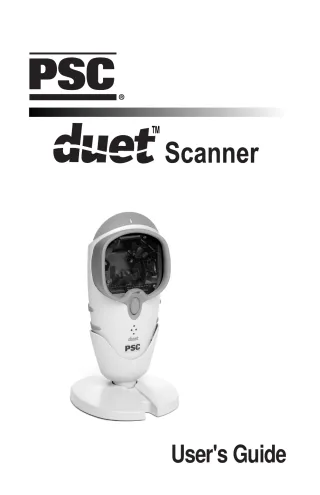
User's guide for the PSC Duet countertop bar code scanner, usable fixed, portable or as a targeted handheld scanner.
Covers · 1 model
The models it covers

Summary
What is in it
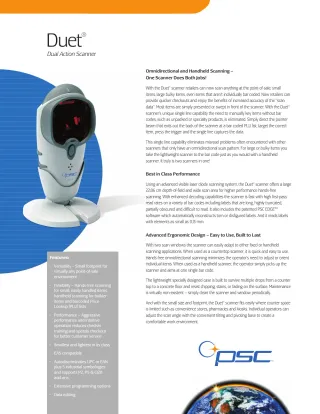
The user's guide for the PSC Duet, a small fixed bar code scanner that can also be lifted from its stand for portable or targeted handheld scanning. It describes the three operating modes and sleep mode, the trigger switch, LED, speaker and connectors, unpacking, verifying operation, countertop and stand installation, connecting and powering up, troubleshooting, how to scan in each mode, changing the volume and other programmable features, routine maintenance, specifications and regulatory information.
Its parts
- Introduction
- Product Overview
- Manual Overview
- Operational Overview
- Duet Scanner Controls
- Connectors
- Sleep Mode
- Unpacking
- Verifying Scanner Operation
- Countertop Installation
- Connecting the Scanner
- Troubleshooting
- How To Scan
- Customizing Your Scanner's Operation
- Routine Maintenance
From the manual
Key facts from this manual
Some pages are scans or cannot be read; this says only what the readable text supports. Each line names its page in the PDF.
The user's guide for the PSC Duet, a small fixed presentation and sweep scanner that also works off its stand as a portable or targeted handheld scanner. It walks through unpacking, mounting the stand, connecting to the host terminal, troubleshooting flowcharts, the scanning modes, volume and programming options, and cleaning. An appendix gives the physical, environmental and electrical specifications.
- What it is
- Small fixed scanner with front and rear scan windows; also usable as a portable or targeted handheld scanner p. 5, 6
- Host interfaces
- RS-232, OCIA, Keyboard Wedge, Wand or IBM POS, through an interface cable p. 22
- Power sources
- From the host terminal (Power-Off-Terminal cable) or an optional AC/DC power supply p. 22
- Power supply output
- 12 VDC @ 600 mA p. 41
- Host power (P.O.T.)
- A 12V host must provide at least 250mA (3 Watts) p. 42
- Dimensions
- Scanner 7.00" (17.8 cm) high, 3.25" (8.3 cm) wide, 2.60" (6.6 cm) deep p. 39
- Weight
- Scanner 9.0 oz (0.26 kg); stand 10.5 oz (0.30 kg) p. 39
- Operating temperature
- 0°C (32°F) to +40°C (+104°F) p. 40
- Storage temperature
- -40°C (-40°F) to +70°C (+158°F) p. 40
- Ambient light
- 200 footcandles (2150 Lux) maximum p. 40
- Scan volume
- About 9 inches (23 cm) in front of the window; best at about 4.5 inches (11 cm) p. 28
- Symbologies
- Code 39, Code 128, Interleaved 2 of 5, Codabar and MSI/Plessey can be turned on or off p. 36
- Programming Guide
- PSC Part Number R44-1740 p. 24
- Model series
- Duet Scanner, Model 43 Series p. 50
What this manual walks you through
- Unpacking and checking the box contents p. 14
- Checking the scanner works before installing it p. 15, 16
- Mounting the stand with tape or screws p. 17, 18, 19, 20, 21
- Connecting the scanner to the host terminal and powering up p. 22, 23
- Troubleshooting with the problem isolation and isolated scanner test charts p. 25, 26
- Sweep, presentation and portable scanning p. 27, 28, 29, 30, 31
- Targeted handheld scanning with the pointer line p. 32, 33, 34
- Changing the volume and other programmable features p. 35, 36, 37
- Cleaning the front and rear scan windows p. 38
Good to know
- Use only AC/DC power supplies approved for the Duet and ordered from PSC; others may damage the scanner. p. 12
- Never clean the windows with alcohol, petroleum, acetone or abrasive cleaners or pads. p. 38
- Without a host terminal connected, the scanner may read only one or two bar codes before it must be reset. p. 15
- A volume set with the bar code returns to the factory default after power off or reset. p. 35
- Switch off all equipment before connecting cables. p. 22
Questions this manual answers
What power supply does the PSC Duet scanner need?
It runs from an external AC to DC supply rated 12 VDC @ 600 mA, or from the host terminal through a power-carrying cable. p. 41
Which host interfaces does the Duet scanner support?
The interface cable ends in the connector the host needs: RS-232, OCIA, Keyboard Wedge, Wand or IBM POS. p. 22
Duet scanner flashes and beeps repeatedly at power-up, what does it mean?
It signals a failure. Follow the Problem Isolation chart; if the self test fails, record the number of tones and call system support personnel. p. 11, 25, 26
How do I screw the Duet stand to a countertop?
Use the template at the back of the guide, drill two pilot holes about 1/8 inch wide and 3/4 inch deep, set the screws, and twist the stand on. p. 19, 20
What is the part number of the Duet Programming Guide?
The guide names it as PSC Part Number R44-1740. p. 24
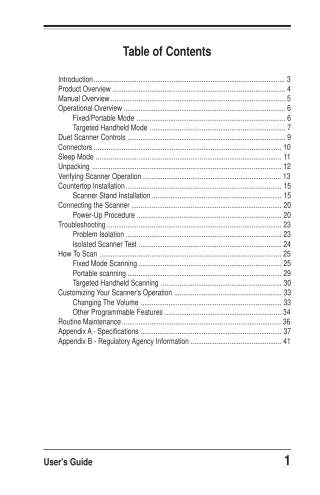
Contents
Chapters and sections
Each line opens the PDF at its page.
- Introduction5
- Product Overview6
- Manual Overview7
- Operational Overview8
- Duet Scanner Controls11
- Connectors12
- Sleep Mode13
- Unpacking14
- Verifying Scanner Operation15
- Countertop Installation17
- Connecting the Scanner22
- Troubleshooting25
- How To Scan27
- Customizing Your Scanner's Operation35
- Routine Maintenance38
- Appendix A - Specifications39
- Appendix B - Regulatory Agency Information43
- Stand Installation Template49
The whole text · 6 parts
Read the manual here as text
Its text as extracted from the PDF, unedited, in parts; each page opens the PDF at that page.
The file