Manual · PSC
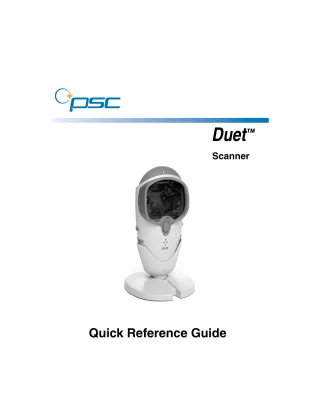
Duet Scanner Quick Reference Guide
Manual44 pagesPDF 6.6 MB
Quick reference guide for the PSC Duet scanner, a small fixed scanner that also works as a targeted handheld: modes, controls and indicators.
Covers · 1 model
The models it covers
Summary
What is in it
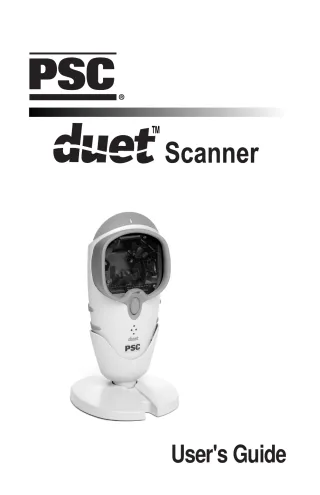
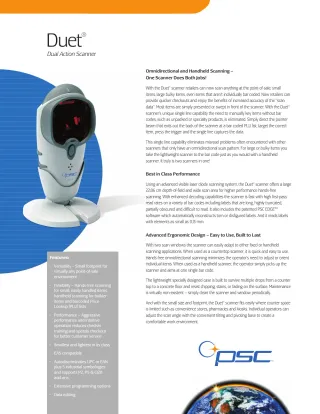
The PSC quick reference guide for the Duet scanner, a small fixed scanner with two scan windows that can also be used as a targeted handheld scanner. It explains fixed mode (sweep and presentation scanning), portable mode and targeted handheld scanning with the trigger switch and pointer line, the controls, indicator lamp and speaker tones, and how to change the volume. The same overview is repeated in French, German, Italian, Portuguese, Spanish, Japanese and Chinese, with appendices on product labeling and laser safety.
Its parts
- English
- Francais
- Deutsch
- Italiano
- Portugues
- Espanol
- Japanese
- Chinese
From the manual
Key facts from this manual
Some pages are scans or cannot be read; this says only what the readable text supports. Each line names its page in the PDF.
A short quick reference guide for the PSC Duet, a small fixed bar code scanner with two scan windows that can also be lifted and used as a handheld scanner. It explains the fixed, portable and targeted handheld modes, the controls, the light and tone signals, and how to set the volume, and ends with label locations and laser safety statements. The same guide repeats in French, German, Italian, Portuguese, Spanish, Japanese and Chinese.
- What it is
- Small fixed bar code scanner that can also be used as a targeted handheld scanner p. 5
- Scan windows
- Two: front window with a multiple scan pattern, rear window with a single targeted scan pattern p. 5
- Sweep distance
- About 4.5 inches (optimal) p. 5
- Connector
- One combined interface and DC power connector p. 7
- Controls
- Trigger switch, LED indicator, speaker, and a stand p. 7
- Volume
- Three settings (low, medium, high), cycled by scanning a bar code p. 8
- Sleep mode
- Wakes by motion sensor, or by pressing and releasing the trigger p. 7
- Self test
- Four tones at power-up mean the self test passed p. 8
- Laser source
- Internal visible laser diode (VLD) p. 38
- Laser standards
- The manual states it conforms to DHHS/CDRH 21CFR Subchapter J and IEC 825-1:1993 p. 38
- Other manuals
- User's Guide and Programming Kit, in PDF on the PSC Manuals CD p. 5
- Document number
- R44-2226 Rev A, 2001 p. 44
What this manual walks you through
- Scanning in Fixed Mode by sweep or presentation p. 5, 6
- Scanning in Portable Mode off the stand p. 6
- Targeted handheld scanning with the trigger and pointer line p. 6, 7
- Reading the indicator lamp and speaker tones p. 8
- Changing the beeper volume p. 8
- Where the product labels are placed p. 37
- Laser safety caution statements in many languages p. 38, 39, 40
Good to know
- The optics cavity must not be opened or serviced; the optics are a factory-only repair. p. 38
- Using optical instruments such as binoculars or magnifiers with the scanner increases eye hazard. p. 38
- Repeated flashing with a series of tones means a failure; contact service personnel. p. 8
- Small bar code labels need to be close to the scan window; larger ones farther away. p. 7
Questions this manual answers
How do I change the beep volume on the Duet scanner?
Scan the Increment Volume bar code in the guide; each scan steps through low, medium and high, so stop at the one you want. p. 8
Why does the Duet light flash from dim to bright once a second?
The scanner is in Sleep Mode after a long idle time. Motion wakes it, or press and release the trigger. p. 7, 8
How do I use the Duet as a handheld scanner?
Lift it from the stand, place the pointer line on the bar code, and press the trigger; the rear window then projects a single scan line. p. 6, 7
What do four beeps at power-up mean on the Duet?
Four tones when power is first applied mean the scanner passed its self test and is working properly. p. 8
How far from the Duet should I sweep a bar code?
The guide gives an optimal sweep scanning distance of about 4.5 inches from the front window. p. 5
Contents
Chapters and sections
Each line opens the PDF at its page.
The whole text · 10 parts
Read the manual here as text
Its text as extracted from the PDF, unedited, in parts; each page opens the PDF at that page.
The file