Manual · Partner Tech
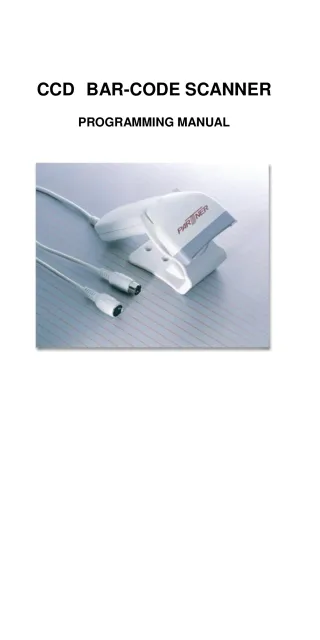
CCD Bar-Code Scanner Programming Manual
Manual64 pagesPDF 238 KB
Programming manual for Partner Tech CCD bar code scanners: interface, symbology and output settings set by scanning bar codes.
Filed with · 1 model
Also filed with these models on the old site
Summary
What is in it
A programming manual from Partner Technology for its CCD bar code scanners. It shows how to install a keyboard wedge scanner, then gives the programming bar codes and flowcharts for choosing the output interface (keyboard wedge, RS-232C, wand emulation, OCIA), system control and scanning mode, enabling each symbology from UPC/EAN and Code 39 to Telepen, output control, prefixes and suffixes, and beeper and timer adjustments. Appendices list cable types, factory defaults, a test chart and ASCII and hexadecimal code tables.
Its parts
- Installation
- Configuration Flowchart
- Data Transmission Flowchart
- Output Interface
- System Control
- Scanning Mode
- Output Control
- Specific Adjustment
- Appendix
From the manual
Key facts from this manual
Some pages are scans or cannot be read; this says only what the readable text supports. Each line names its page in the PDF.
This is a Partner Technology programming manual for a CCD bar code scanner; its pages do not print a model number. It explains how to set the output interface, serial and keyboard options, system and scanning modes, and symbology options, and gives cable pinouts and default settings.
- Device
- CCD bar code scanner, configured with a programming mode and menu settings p. 1, 10
- Interfaces
- Keyboard wedge, RS-232C, wand emulation or OCIA, set in manufacturing by model type p. 12
- Symbologies
- UPC-A, UPC-E, EAN-13, EAN-8, Code-39, Interleaved, Industrial, Matrix and China Post 2 of 5, Codabar/NW7, Code-128, Code-93, Code-11, MSI/Plessey, UK/Plessey, IATA, Telepen p. 7
- Serial settings
- 300 to 38400 bps (default 9600), 7 or 8 data bits, 1 or 2 stop bits, parity None/Even/Odd/Mark/Space p. 16, 56
- Handshaking
- RTS/CTS, CTS/RTS, Scanner Ready, Data Ready, XON/XOFF, STX/ETX or CTS Trigger p. 17
- Keyboard types
- IBM AT, PS/2, Macintosh ADB, NEC 9801, IBM 5500, IBM 5576, IBM XT, IBM PS/2 25,30 and 55, KT-106 p. 14
- Keyboard languages
- USA, Belgium, Danish, France, Germany, Italian, Portuguese, Spanish, Swedish, Switzerland, UK, Latin American p. 15
- Wand emulation
- Output speeds 1200/2400/4800/9600 bps, 5V/0V levels; can output all symbologies as Code-39 p. 56
- Scanning modes
- Trigger Mode0 to Mode6; default Mode3 (Trigger On/Time-Out Off) p. 22
- Cable connectors
- Wedge: 5p Din and 6p Mini Din (IBM), 4p Mini Din (Macintosh), 8p Mini Din (NEC 9801); RS-232C: 9p or 25p D-sub, 8p Din p. 50, 51
- Cable power
- Interface cables carry VCC (+5V) p. 50, 51
- Code length
- Global minimum 1, maximum 48 characters by default p. 53
- Indicators
- Green LED and beep on each good read; both can be disabled p. 20, 57
- Multi-field reading
- Can read several bar codes on one scan line, left to right p. 57
What this manual walks you through
- Installing a keyboard wedge scanner with the Y cable p. 9
- Entering programming mode and saving, aborting or restoring defaults p. 10
- Setting the data format: preamble, prefix, code ID, length and suffix p. 11
- Keyboard wedge, RS-232C, wand emulation and OCIA settings p. 13, 14, 15, 16, 17, 18, 19
- System control: power-on beep, auto trigger, good-read LED, power saving p. 20, 21
- Choosing a trigger and scanning mode p. 22, 57
- Serial handshaking options explained p. 55
- Cable pinouts for keyboard, RS-232C, wand and TTL hosts p. 50, 51
Good to know
- The output interface is fixed in manufacturing according to the model type. p. 12
- The keyboard type selected must be used with the matching host interface cable converter. p. 54
- Keyboard language only takes effect when emulating an IBM PC/AT keyboard. p. 54
- If the host does not answer handshaking before the response timeout, the scanner gives 5 warning beeps. p. 56
Questions this manual answers
Why does my Partner Tech CCD scanner beep 5 times on RS-232?
The host did not reply to handshaking (such as CTS) within the Response Delay Timer, so the scanner issues 5 warning beeps. p. 55, 56
How do I unplug the cable from the scanner?
Insert a pin or needle into the tiny hole at the rear of the scanner to release the phone-jack plug. p. 9
What baud rates does the scanner support?
38400, 19200, 9600, 4800, 2400, 1200, 600 or 300 bps; 9600 is the default. p. 16, 56
Can the scanner emulate a wand?
Yes, wand emulation is one of its interfaces, and it can translate all supported symbologies to standard Code-39 wand output. p. 56
The whole text · 7 parts
Read the manual here as text
Its text as extracted from the PDF, unedited, in parts; each page opens the PDF at that page.
The file