Manual · Opticon
User's Manual Pocket Terminal PHL1300 Cradle IRU1300
Manual24 pagesPDF 413 KB
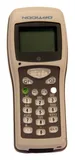
User's manual for the Opticon PHL1300 pocket laser scanning terminal and IRU1300 IrDA communication cradle.
Covers · 1 model
The models it covers
Summary
What is in it
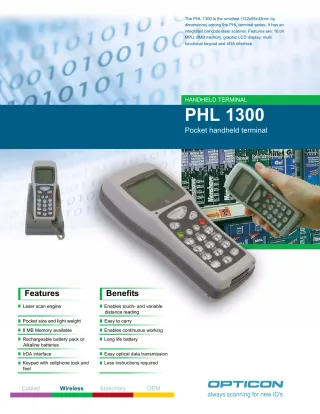
User's manual for the Opticon PHL1300 pocket sized programmable terminal with built-in laser scanner, and the IRU1300 cradle that links it to a host computer over IrDA and charges its battery pack. It covers unpacking, terminal and cradle views and dimensions, handling, batteries and charging, single cradle and cradle network installation with dip switch settings, operation and scanning, RS232 and RS485 cable pin outs, specifications, troubleshooting and ordering information.
Its parts
- Introduction
- Installation
- Operation of the Terminal
- Scanning
- Pin Out
- Specifications
- Troubleshooting
- Product Ordering Information
From the manual · read page by page
Key facts from this manual
Each line names its page in the PDF.
This is the Opticon user's manual for the PHL1300 pocket terminal and its IRU1300 cradle. It explains unpacking, batteries and charging, connecting one cradle or a network of cradles to a PC, scanning, cable pin-outs, specifications and troubleshooting.
- Device type
- Pocket sized, programmable handheld terminal with a built-in laser scanner p. 4
- Batteries
- Rechargeable Li-Ion pack LBP-1300 or 2 AA-size batteries; CR2032 lithium backup cell p. 12, 23
- Memory
- 8 MB battery backed up D-RAM for data; 2 x 256 kB FlashROM for O/S and program p. 18
- Display
- 96x64 pixel graphic LCD with backlight, 5/10 lines x 16 characters p. 18
- Keypad
- 19 keys (18 user definable), alpha/numeric mode p. 19
- Interfaces
- IrDA on the terminal; RS232 and RS485 through the IRU1300 cradle; 2400 to 115200 bps p. 4, 19
- Scan engine
- 650 nm visible laser diode, 100 scans/sec, depth of field 70 to 380 mm p. 18
- Size and weight
- 132 x 55 x 33 mm; about 170 g with battery p. 19
- Temperature
- -10 to +40 °C in operation, -20 to +60 °C in storage p. 19
- IRU1300 cradle
- 9V DC supply; charges the pack in the terminal in 8 hours; RS232 D Sub 9P female and RS485 6 pin modular p. 19
- Cradle baud rate
- 1200 to 115200 or AUTO, set with DIP switches 4 to 6; default 19200 p. 15
- Cradle network
- Up to 16 cradles linked by RS485 cables, one connected to the PC by RS232 p. 14
- Accessories
- Battery pack LBP-1300, power supply, RS232 DB9F cable, AT adapter 09M-25F, RS485 cable p. 23
- Development tools
- Application Generator PotStar (Limited or Professional); Microtec ANSI-C compiler and C library p. 15
What this manual walks you through
- Unpacking and the standard and additional items p. 5
- Fitting the hand strap and powering the cradle p. 10
- Charging the Li-Ion battery pack in the cradle p. 12
- Replacing the main battery and the backup battery p. 12, 13
- Connecting a single cradle or a network of cradles to a PC p. 14
- Setting the cradle DIP switches for baud rate and RS485 termination p. 14, 15
- Loading a user application onto the terminal p. 15
- Scanning a bar code and fixing reading problems p. 16
- RS232 and RS485 cable pin-outs for the cradle p. 17
- Troubleshooting communication, reading and terminal problems p. 20, 21, 22
Good to know
- Never remove the main battery while the terminal is on; data in the terminal can be deleted. p. 11
- Never change the main battery while the backup battery is out; the application can crash. p. 11
- The terminal usually comes without software; a user application must be loaded before it can scan. p. 15
- The laser switches off by itself above 50 °C and works again once it cools. p. 22
- Because of the special connector pin-out, use the cables supplied by the manufacturer. p. 14
Questions this manual answers
What batteries does the Opticon PHL1300 take?
A rechargeable Opticon Li-Ion pack or two AA-size batteries as the main battery, plus a CR2032 lithium button cell as backup. p. 12
How long does the PHL1300 take to charge in the IRU1300 cradle?
With the Opticon battery pack in the terminal, the cradle charges it automatically for 8 hours. p. 12
My PHL1300 shows No application installed. What does that mean?
No user application for the PHL1300 is loaded; one must be downloaded from the PC before the terminal can be used. p. 15, 22
What is the default baud rate of the IRU1300 cradle?
19200, set by DIP switches 4 to 6 on the bottom of the cradle. p. 15
Why does the PHL1300 laser stay off when I press the trigger?
The power may be off (the trigger is not the power key), or the laser has passed 50 °C and switched itself off until it cools. p. 22
The whole text · 3 parts
Read the manual here as text
Its text as extracted from the PDF, unedited, in parts; each page opens the PDF at that page.
The file