Manual · Norand
4985 Network Controller Programmer's Guide
Manual130 pagesPDF 762 KB
Programmer's guide for the Norand 4985 Network Controller that links Norand hand-held computers to a host, with docks and the APU.
Filed with · 1 model
Also filed with these models on the old site
Summary
What is in it
Intermec's programmer's guide for the 4985 Network Communication Controller, which connects Norand hand-held computers (HHCs) to a host computer over an RS-485 network and an RS-232 host port. It covers network configurations, DIP switch settings, optional docks, multidocks, the auxiliary power unit (APU), power supply and modems, installation, the host-to-controller and controller-to-host record layouts, file processing and HHC booting, writing the host program, and the 4000 Series warm start system.
Its parts
- Introduction
- Getting Started
- Installation
- File Structures
- Other Features
- Writing the Host Program
- 4000 Series Warm Start System
From the manual
Key facts from this manual
Each line names its page in the PDF.
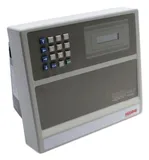
This is the Intermec programmer's guide for the Norand 4985 Network Controller, shown in its figures with a Route Commander 4000 Series label; it also describes the Auxiliary Power Unit (APU) that powers additional multidocks. The controller links up to twelve 4000 Series hand-held computers (HHCs) in multidocks to a host computer. The guide covers network layouts, DIP switch setup, installation, host record formats, and writing the host program.
- Device
- 4985 Network Controller: links Norand 4000 Series hand-held computers to a host; for remote networks of 12 or fewer HHCs p. 11, 26, 27
- Interfaces
- 4985: RS-232 host or modem port; RS-485 LAN port to the multidocks p. 11, 35
- Protocols
- 4985: Secondary ADCCP (9.6Kbps) or asynchronous (38.4Kbps) to the host; NPCP (500Kbps) p. 15, 24
- Processor and memory
- 4985: 80C186 at 8 MHz; 512K RAM, 128K ROM p. 25
- Operating temperature
- 4985: 32 to 122 F (0 to 50 C), indoors p. 25
- Power capacity
- 4985: power and charging for up to twelve 4000 Series HHCs; two multidocks directly p. 18, 27
- APU
- APU: powers four multidocks; at most two APUs and ten multidocks per controller p. 18, 29
- Docks
- 4960 Multidock with six docks for 4000 Series HHCs; 4950 Single Dock holds one p. 27, 28
- Modems
- NORAND NM2400A and NORAND 9600 p. 30
- DIP switches
- 4985: three 8-switch banks for host port type, modem and channels, and controller ID p. 37
- Async host settings
- 4985: 1200, 2400, 4800, 9600, or 19200 bps; no or even parity; 8 or 7 data bits p. 38
- Concurrent HHCs
- 4985: 1, 2, or 3 logical channels active on the LAN port p. 39
- File system
- 4985: nonvolatile; holds HHC boot, program, and data files for at least one hour without power p. 41
- Beep codes
- 4985: 1 tests complete; 2 host port ready; 3 RAM test error; 4 CPU test error; 10 SCC test error p. 101
What this manual walks you through
- Wiring multidocks and APUs for the largest network p. 17, 18
- Connecting to a host through a 4980 controller or 4920 package p. 15, 16
- Planning the layout and mounting the brackets p. 32, 33
- Setting the three DIP switch banks p. 37, 38, 39, 40
- Wiring isolated ground AC outlets p. 36
- How a host-to-HHC communication session runs p. 21, 22
- Writing the host interface program p. 11
- Booting HHCs from files stored on the controller p. 11
- Reading power-up beep counts p. 23, 101
- Cleaning the controller p. 24
Good to know
- Pressing the reset button erases all boot and other files from the controller's memory. p. 40
- Switch changes take effect only after 30 seconds powered off or a press of the reset switch. p. 40
- Do not use extension cords with this equipment. p. 32
- Operate the controller indoors, sheltered from precipitation and temperature extremes. p. 25
- Never clean the controller with alcohol, benzene, or other solvents. p. 25
Questions this manual answers
How many hand-held computers can a 4985 Network Controller support?
Up to twelve 4000 Series HHCs, which it powers and charges. p. 27
When do I need an Auxiliary Power Unit (APU) with the 4985?
When using more than two multidocks. One APU powers four multidocks, and a controller takes at most two APUs and ten multidocks. p. 18, 29
What do the 4985 power-up beeps mean?
One beep means all self-tests passed and two mean the host port is ready; more beeps point to a hardware problem listed in Table A-1. p. 23, 101
Which modems work with the 4985 Network Controller?
The NORAND NM2400A and NORAND 9600 modems. p. 30
What does the 4985 reset button do?
It erases the boot and other files stored in the controller's memory. p. 41
Contents
Chapters and sections
Each line opens the PDF at its page.
The whole text · 16 parts
Read the manual here as text
Its text as extracted from the PDF, unedited, in parts; each page opens the PDF at that page.
- Pages 1 to 101-10
- Section 1: Introduction11-14
- Section 2: Getting Started, pages 15 to 2215-22
- Section 2: Getting Started, pages 23 to 3023-30
- Section 2: Getting Started, pages 31 to 3631-36
- Section 3: Installation37-42
- Section 4: File Structures, pages 43 to 5243-52
- Section 4: File Structures, pages 53 to 6253-62
- Section 4: File Structures, pages 63 to 7063-70
- Section 5: Other Features71-80
- Section 6: Writing the Host Program81-94
- Section 7: 4000 Series Warm Start System95-100
- Pages 101 to 104101-104
- Appendix C: CRC Checking with Asynchronous Interface105-108
- Appendix D: File Structure Records109-122
- Pages 123 to 130123-130
The file