Manual · Monarch
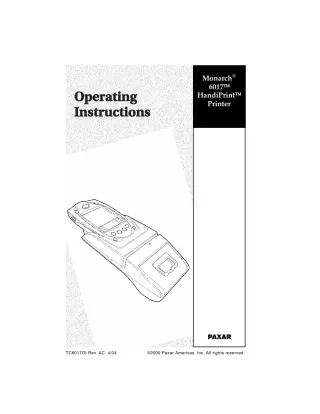
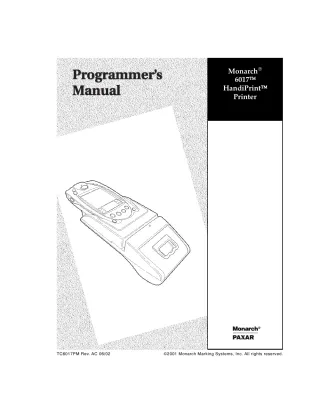
Monarch 6017 HandiPrint Printer Programmer's Manual
Manual44 pagesPDF 3.7 MB
Programmer's manual for the Monarch 6017 HandiPrint portable printer: control language for formats, fonts, graphics, bar codes and card reader.
Covers · 1 model
The models it covers
Summary
What is in it
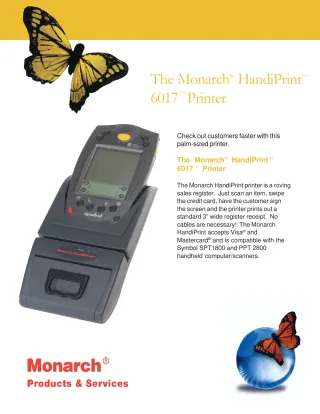
The programmer's manual for the Monarch 6017 HandiPrint printer, a portable printer that works with applications on the Symbol SPT 1700 and PPT 2700 handheld computers. It describes the printer's control language: creating formats with text, graphic and bar code fields, storing a graphic in flash memory, configuring operating mode, contrast, power and the power-off timer, supply control and printer responses, modifying resident fonts, and using the magnetic card reader and bar code scanner, with a sample application.
Its parts
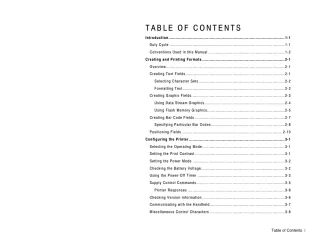
- Introduction
- Creating and Printing Formats
- Configuring the Printer
- Modifying Resident Fonts
- Using the Magnetic Card Reader
- Using the Bar Code Scanner
From the manual
Key facts from this manual
Each line names its page in the PDF.
Programmer's manual for the control language of the Monarch 6017 HandiPrint printer, used by applications on SYMBOL SPT 1700 or PPT 2700 handheld computers. It shows how to build receipt formats with text, graphics and bar codes, configure the printer, change resident fonts, read magnetic cards and use the printer's scanner buttons.
- Host handhelds
- Runs with applications written for SYMBOL SPT 1700 or PPT 2700 handheld computers p. 5
- Duty cycle
- Up to 1000 inches per day; average 1 inch every 10 seconds at 25% text density p. 5
- Communication
- 19200 baud, 8 data bits, 1 stop bit, no parity, RTS/CTS flow control p. 23
- Bar codes
- Code 39, Codabar, Interleaved 2 of 5, Code 128 (UCC/EAN-128), UPC/EAN/JAN, with or without human-readable text p. 13
- Character sets
- ANSI (default) and ASCII, preloaded p. 8
- Fonts
- Large Rotated 14 x 16, Large Normal 16 x 21, Standard Bold 12 x 21, Standard Normal 10 x 21, Reduced Bold 9 x 21, Reduced Normal 8 x 21 p. 25
- Print contrast
- 0 (highest) to 9 (lowest), default 5 p. 17
- Power modes
- 1, 2, 3 or 6 printhead sections, or dynamic choice (default) p. 18
- Column modes
- 48-column or 24-column p. 16
- No-print zones
- .157 inch on the left and right, .7 inch at the top p. 7
- Graphics
- Bitmap graphics sent in the data stream, 72 hex bytes per line, or one graphic stored in flash memory p. 10, 11
- Operating modes
- Online (prints as received) or buffer (prints on EOT) p. 17
- Power-off timer
- Default 20 seconds of inactivity; both digits 0 disables it p. 20
- Magnetic card reader
- Optional; reads up to three tracks from ANSI/ISO 7810 and 7811 cards p. 29
What this manual walks you through
- Creating text, graphic and bar code fields on a format p. 7, 9, 13
- Storing a graphic in flash memory p. 11, 12
- Positioning fields on the receipt p. 16
- Setting the operating mode, print contrast and power mode p. 17, 18
- Checking the battery voltage and print buffer status p. 18, 19
- Controlling black mark supplies p. 21, 22
- Checking the firmware and hardware versions p. 22
- Modifying and saving resident fonts p. 25, 26, 27, 28
- Reading cards with the magnetic card reader p. 29, 30, 31
- Using the printer's scanner buttons with the handheld's scanner p. 33, 34
Good to know
- If the duty cycle is exceeded, the printer may not print everything it was sent. p. 5
- Data in the print buffer is lost if the printer goes to sleep in buffer mode. p. 20
- Only one graphic fits in flash memory; saving another overwrites it. p. 11
- A modified font replaces the current one; the default returns only by reloading the original definition. p. 25
- A graphic line needs exactly 72 bytes: fewer is not printed, more causes a fatal exception. p. 10
Questions this manual answers
What baud rate does the Monarch 6017 HandiPrint use?
19200 baud, 8 data bits, 1 stop bit, no parity and RTS/CTS flow control. The printer and handheld cannot communicate with other values. p. 23
How much can the HandiPrint 6017 print per day?
It is designed for up to 1000 inches per day, on average 1 inch every 10 seconds at 25% text density. p. 5
What do the HandiPrint 6017 magnetic card reader error numbers mean?
05 is Timeout Expired, 07 Invalid Track Number, 08 Unsupported Track Selected and 09 Cancel Request. p. 31
How does an application read the HandiPrint 6017 firmware version?
It sends ESC P( and the printer answers with four ASCII characters giving the firmware version. p. 22
How long before the HandiPrint 6017 goes to sleep?
After 20 seconds of inactivity by default. The period can be set in seconds with ESC M, and setting both digits to 0 disables the timer. p. 20
The whole text · 5 parts
Read the manual here as text
Its text as extracted from the PDF, unedited, in parts; each page opens the PDF at that page.
The file