Manual · Monarch
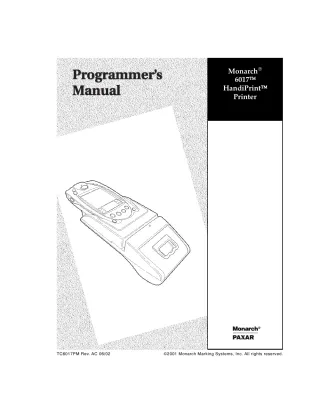
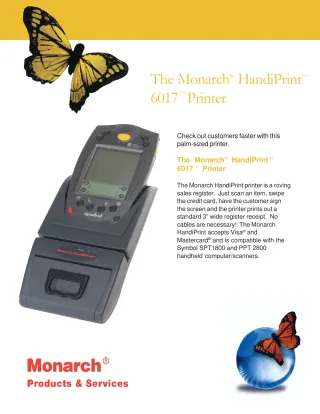
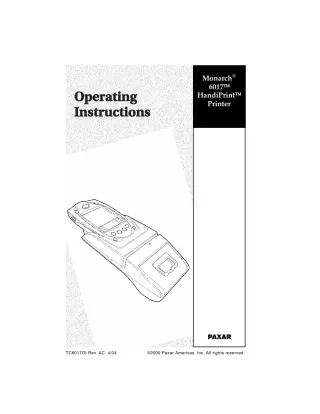
Monarch 6017 HandiPrint Printer
Manual30 pagesPDF 1.0 MB
Operating instructions for the Monarch 6017 HandiPrint portable receipt printer used with the Symbol SPT 1700 or PPT 2700 handheld.
Covers · 1 model
The models it covers
Summary
What is in it
Paxar operating instructions for the Monarch 6017 HandiPrint Printer, a portable thermal direct receipt printer that attaches to a Symbol SPT 1700 or PPT 2700 handheld computer. It covers unpacking, battery safety, installing and charging the lithium ion battery, the LED, connecting the handheld and fitting the strap, loading and tearing supply, printing, using the magnetic stripe reader and scanning bar codes, cleaning, troubleshooting, and printer and supply specifications with options such as the stand.
Its parts
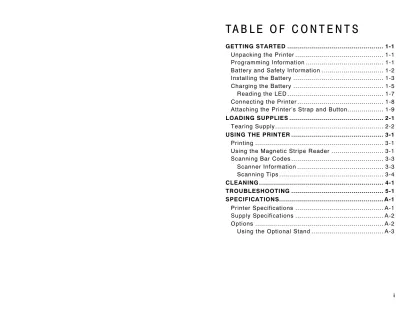
- Getting Started
- Loading Supplies
- Using the Printer
- Cleaning
- Troubleshooting
- Specifications
From the manual · read page by page
Key facts from this manual
Some pages are scans or cannot be read; this says only what the readable text supports. Each line names its page in the PDF.
Operating instructions for the Monarch 6017 HandiPrint, a battery-powered receipt printer that a SYMBOL SPT 1700 or PPT 2700 handheld computer plugs into. It covers the battery and charging, attaching the handheld, loading receipt paper, the magnetic stripe reader, scanning, cleaning, troubleshooting and specifications.
- Printer type
- Portable thermal direct receipt printer for the SYMBOL SPT 1700 or PPT 2700 handheld computer p. 5
- Battery
- 7.4V Lithium Ion, replacement part number 12009502 p. 6
- Chargers
- AC power adapter (charges in the printer), Monarch 9462 Single Station Charger or Monarch 9464 Four Station Charger p. 9
- Interface
- RS-232 port; the handheld attaches to a 14-pin connector p. 12, 26
- Memory
- 32K SRAM and 128K Flash p. 26
- Printhead
- Thermal direct, 3 inches (76 mm) wide, 203 dpi (8 dots per mm) p. 25
- Print speed
- Up to 2.0 inches per second for standard receipts p. 25
- Bar codes
- Codabar, Code 39, UCC/EAN-128, UPC/EAN/JAN, Interleaved 2 of 5, Code 128 p. 25
- Input voltage
- 9Vdc 3Amp p. 25
- Dimensions
- 2.8 inches (71 mm) high, 4.25 inches (108 mm) wide, 9.5 inches (241 mm) long p. 25
- Weight
- 1.41 lbs. (0.64 kg) with battery and supply p. 25
- Operating limits
- 41° to 104°F (5° to 40°C), 20% to 85% humidity non-condensing p. 25
- Supply
- Thermal direct receipt paper, 3.125 inches (79 mm) wide, 2.2 to 3.5 mils thick, black mark sensing p. 26
- Options
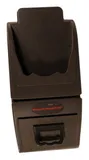
- Printer Stand 120611, Belt Clip 120296, factory-installed Magnetic Card Reader p. 26
What this manual walks you through
- Installing the battery p. 7, 8, 9
- Charging the battery with the AC power adapter p. 9, 10
- Reading the LED indicator p. 11
- Attaching the handheld to the printer p. 12
- Attaching the elastic strap and mounting button p. 13
- Loading receipt paper p. 15, 16
- Swiping cards through the magnetic stripe reader p. 17, 18
- Scanning bar codes p. 19, 20
- Cleaning the printhead, platen roller, black mark sensor and tear bar p. 21, 22
- Fixing feed, jam and print quality problems p. 23, 24
Good to know
- It is not a continuous printer: allow a 10-second pause between labels. p. 23
- Use only the Monarch 9462 or 9464 lithium-ion chargers; the battery might explode on a different charger. p. 6
- A battery must be in the printer to print with the AC power adapter connected. p. 9
- The magnetic stripe reader is factory-installed, must be ordered with the printer and needs special application software. p. 17
- The battery may permanently lose charging capacity below 32°F (0°C) or above 104°F (40°C). p. 6
Questions this manual answers
What battery does the Monarch HandiPrint 6017 use?
A 7.4V Lithium Ion battery. The replacement battery is part number 12009502. p. 6
Which handheld computers work with the HandiPrint 6017 printer?
The SYMBOL SPT 1700 or PPT 2700 handheld computer. p. 5
What size receipt paper does the Monarch 6017 take?
Thermal direct receipt paper 3.125 inches (79 mm) wide and 2.2 to 3.5 mils thick. p. 26
What does the orange LED mean on the HandiPrint 6017?
With no charger connected it means a printer error and the printer is not ready for data. With the charger connected, the battery is charging or there is a printer error. p. 11
What is the part number of the HandiPrint 6017 belt clip?
The optional belt clip is 120296; it is used with the mounting button attached to the printer. p. 13
The whole text · 3 parts
Read the manual here as text
Its text as extracted from the PDF, unedited, in parts; each page opens the PDF at that page.
The file