Manual · Monarch
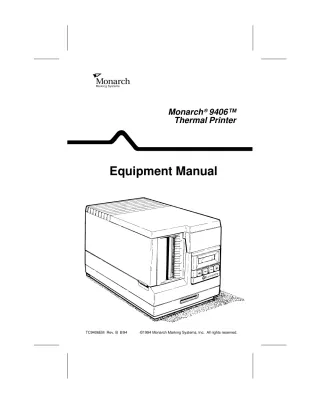
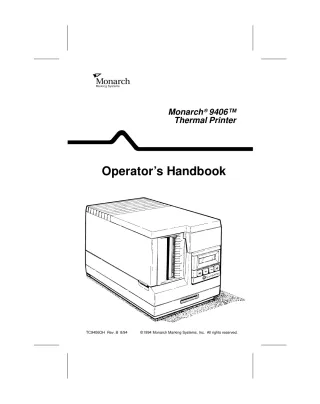
Monarch 9406 Thermal Printer Operator's Handbook
Manual48 pagesPDF 222 KB
Operator's handbook for the Monarch 9406 thermal label printer: keypad, menus, supply, communication and default settings.
Covers · 2 models
The models it covers
Summary
What is in it
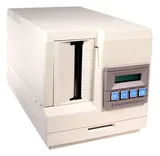
Monarch's operator's handbook for the 9406 thermal printer, which prints letters, numbers, bar codes and graphics on labels from formats downloaded from a host. It explains the menu structure and keypad, turning the printer on, setting supply options (ribbon, supply type, dispense mode, print and margin position), communication values (baud rate, word length, stop bits, parity, flow control), contrast, defaults such as the monetary sign, and printing online.
Its parts
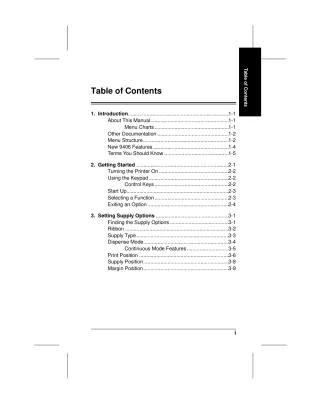
- Introduction
- Getting Started
- Setting Supply Options
- Setting Communication Values
- Setting the Contrast
- Setting Defaults
- Printing Online
From the manual · read page by page
Key facts from this manual
Each line names its page in the PDF.
This is the Operator's Handbook for the Monarch 9406 thermal label printer. It explains the four-key menu, the supply, communication, contrast and price defaults, and how to print batches sent from a host. Use it to set up the printer to match its labels and its host computer.
- Device
- Thermal printer for letters, numbers, bar codes and graphics on labels, with formats downloaded from a host p. 5
- Document
- Operator's Handbook TC9406OH Rev. B, dated 8/94 p. 1
- Baud rate
- 1200, 2400, 4800 or 9600; default 9600 p. 28
- Word length
- 7 or 8; default 8 p. 29
- Stop bits
- 1 or 2; default 1 p. 30
- Parity
- None, Odd or Even; default None p. 31
- Flow control
- None, XON/XOFF or DTR; default DTR (XON is 17, XOFF is 19) p. 32, 33
- Print width
- Always four inches p. 24
- Dot size
- 0.0052 inch, the smallest step the printer recognizes p. 20
- Supplies
- Indexed (aperture or black mark) or non-indexed; default Indexed p. 17
- Dispense modes
- On-demand (one label at a time) or continuous (one batch at a time); default On-demand p. 18, 19
- Print range
- Plus or minus 45 mils in continuous mode, 65 mils in on-demand mode p. 18
- Keypad
- Four control keys p. 12
- Monetary signs
- None, USA, UK, Japan, Germany, France, Spain, Italy, Sweden, Finland, Austria or India; default USA p. 38, 39
What this manual walks you through
- Turning the printer on and moving through the menus p. 12, 13, 14
- Setting the ribbon, supply type and dispense mode p. 16, 17, 18, 19
- Adjusting print, supply and margin positions p. 20, 22, 23, 24
- Suspending a batch in continuous mode to change settings p. 20
- Setting baud rate, word length, stop bits, parity and flow control p. 27, 28, 29, 30, 31, 32
- Resetting the communication values to their defaults p. 33, 34
- Setting the print contrast p. 35, 36
- Setting monetary sign, secondary sign and decimal places for prices p. 37, 38, 39, 40, 41
- Printing batches sent from a host p. 43, 44
Good to know
- Setup changes are lost if the printer is turned off before returning to the Main Menu. p. 17
- With the Ribbon option set to Yes, a ribbon must be installed before printing. p. 17
- Contrast affects how well bar codes scan and how long the printhead lasts. p. 35
- Moving the margin right can make fields past four inches wrap to the left side; narrower supply may cut fields off. p. 24
- With an IBM personal computer, set flow control to DTR unless XON/XOFF software is used. p. 33
Questions this manual answers
What are the Monarch 9406 default serial settings?
9600 baud, word length 8, 1 stop bit, no parity and DTR flow control. p. 28, 29, 30, 31, 32
How do I make 9406 labels print darker?
Raise the contrast setting in the Setup menu; the range is -50 to +50 and the default is 0. p. 35
Why does my 9406 forget its settings?
Setup changes are saved only if you return to the Main Menu before turning the printer off. p. 17
How wide can the 9406 print?
The print area is always four inches wide. p. 24
How do I move the print up or down on a 9406 label?
Change the Print Position setting, in dots of 0.0052 inch, from -999 to +999. p. 20
The whole text · 5 parts
Read the manual here as text
Its text as extracted from the PDF, unedited, in parts; each page opens the PDF at that page.
The file