Manual · Monarch
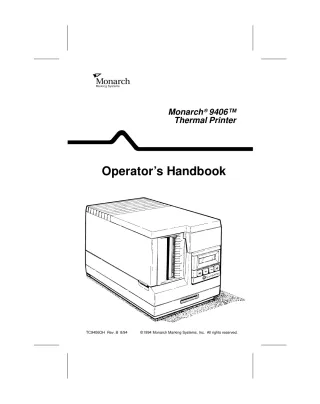
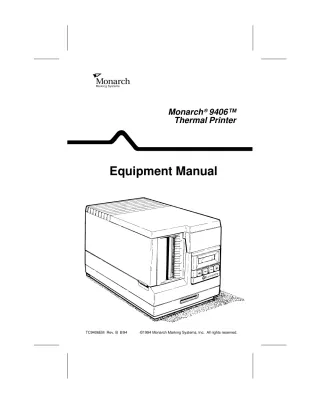
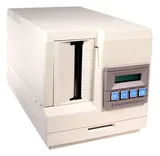
Monarch 9406 Thermal Printer Equipment Manual
Manual44 pagesPDF 800 KB
Equipment manual for the Monarch 9406 thermal label printer: loading supplies and ribbon, cleaning, fuse, troubleshooting and specs.
Covers · 2 models
The models it covers
Summary
What is in it
The equipment manual for the Monarch 9406 thermal printer, covering its general setup and maintenance. It shows how to load, change and remove label supplies for continuous or on-demand printing and set the supply type option, how to load and remove the ribbon and set the ribbon option, how to clean the printhead and platen roller and replace the fuse. It closes with troubleshooting and printer and supply specifications.
Its parts
- Supplies
- The Ribbon
- Cleaning the Printhead and Platen Roller
- Replacing the Fuse
- Troubleshooting
- Specifications
From the manual · read page by page
Key facts from this manual
Each line names its page in the PDF.
Equipment manual (TC9406EM Rev. B 8/94) for the Monarch 9406 thermal printer. It shows how to load and remove supplies and ribbon, set the supply type and ribbon options, clean the printhead and platen roller, and replace the fuse, with a troubleshooting table and specifications.
- Printing method
- Thermal transfer (with ribbon) or thermal direct, on tags or labels p. 42
- Printhead
- Thermal, 4.02 inches wide (102 mm / 768 dots) p. 42
- Print speed
- 2 inches (51.0 mm) per second p. 42
- Supply size
- Width 2.2 to 4.2 inches (56 to 107 mm); length 1.5 to 8.5 inches (38 to 216 mm); 7 to 10 mil thick p. 42
- Supply roll
- 3 inch (76.2 mm) core, 7.75 inch (196.85 mm) outside diameter p. 42
- Ribbon
- Black or color; 2.25 inch (56 mm) or 4.2 inch (107 mm) wide; 357.6 feet (109 meters) long p. 42
- Display
- LCD, 2 lines of 16 characters p. 42
- Power
- 115 VAC (U.S.) or 230 VAC (international), 80 W nominal, 50/60 Hz p. 41
- Fuse
- 1.6 amp, 250V slow blow p. 41
- Size and weight
- 9.5 inches (241 mm) wide, 9.15 inches (232 mm) high; 16.1 lbs. (7.3 kg) p. 41
- Operating temperature
- Without ribbon 40˚F to 110˚F (5˚C to 43˚C); with ribbon 40˚F to 95˚F (5˚C to 35˚C) p. 41
- Duty cycle
- 8 hours per day, not over 40 hours per 7 days p. 41
- Print modes
- Continuous strip torn at the tear bar, or on-demand with backing paper rewound inside p. 7
- Supply types
- Indexed (aperture or black mark) or non-indexed; default Indexed p. 19
What this manual walks you through
- Loading or changing label supplies p. 8, 9, 10, 11, 12, 13
- Threading backing paper for on-demand printing p. 12, 13
- Removing supplies p. 14, 15, 16, 17
- Setting the supply type option p. 19, 20
- Loading or changing the ribbon p. 21, 22, 23, 24, 25, 26, 27
- Removing the ribbon p. 28, 29, 30
- Setting the ribbon option p. 31, 32
- Cleaning the printhead and platen roller p. 33, 34, 35, 36
- Replacing the fuse p. 37, 38
- Troubleshooting feed and print quality problems p. 39, 40
Good to know
- With the ribbon option set to No, only thermal direct supplies can be used. p. 31
- Return to the Main Menu before turning the printer off, or setup changes are lost. p. 20
- Turn off and unplug the printer before cleaning it or replacing the fuse. p. 33, 37
- Do not oversaturate the cleaning swab; excess alcohol can damage internal parts. p. 35
- Store ribbons at 41˚F to 95˚F, away from direct sunlight, heat and high humidity. p. 42
Questions this manual answers
What fuse does the Monarch 9406 take?
A 1.6 amp, 250V slow blow fuse, in the fuse cover at the back of the printer. p. 37, 38
What label sizes fit the Monarch 9406?
Supplies 2.2 to 4.2 inches wide and 1.5 to 8.5 inches long, 7 to 10 mil thick. p. 42
Why is the Monarch 9406 display blank at power on?
Check that the power cord is plugged into the printer and a 115V receptacle, then check the fuse and replace it if needed. p. 39
Does the Monarch 9406 need a ribbon?
No. The ribbon option defaults to No, which needs thermal direct supplies; set it to Yes for thermal transfer with a ribbon. p. 31
How fast does the Monarch 9406 print?
2 inches (51.0 mm) per second. p. 42
The whole text · 5 parts
Read the manual here as text
Its text as extracted from the PDF, unedited, in parts; each page opens the PDF at that page.
The file