Manual · Metrologic
TECH 8 Laser Bar Code Projection Scanner Installation and User's Guide
Manual19 pagesPDF 207 KB
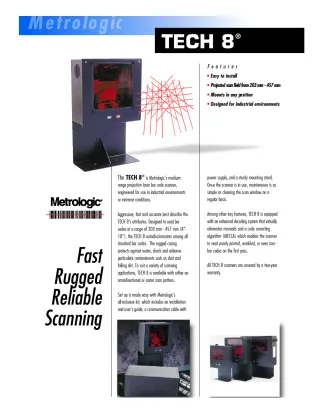
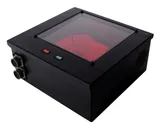
Installation and user's guide for the Metrologic TECH 8 industrial laser bar code projection scanner in its NEMA-12 steel case.
Names · 1 model
The models it names
Filed with · 1 model
Also filed with these models on the old site
Summary
What is in it
The installation and user's guide for the Metrologic TECH 8, an industrial laser bar code projection scanner in a NEMA-12 steel case. It lists the carton contents, explains the labels and the model number scheme (for example MS870 with RS-232/OCIA or light pen versions), cleaning, host configuration, cable connection through the 19-pin Mil spec connector, mounting on the stand and work surface, and scanning distance. Appendices give full specifications, connector pin assignments for versions A1 and A15, warranty, notices and patents.
Its parts
- Unpacking List
- Introduction
- Labels
- Applications and Protocols
- Maintenance
- Configuration of the Scanner to the Host System
- Scanner Connections
- Attaching the Scanner to the Stand and Work Surface
- Scanning Bar Codes
From the manual · read page by page
Key facts from this manual
Each line names its page in the PDF.
The Metrologic installation and user's guide (MLPN 2168, October 1999) for the TECH 8 laser bar code projection scanner; its examples name the MS870 scanner and a sample label shows Model IS872-E1. It explains the model number and protocol versions, connecting to a host, mounting on the stand, scanning and cleaning, with specifications and Mil spec connector pin lists for Versions A1 and A15.
- Device
- Laser bar code projection scanner in a NEMA-12 steel case for harsh, industrial environments p. 4
- Depth of field
- 203mm to 457mm (8" to 18") from the scanner window p. 9
- Interfaces
- RS-232C, Light Pen Emulation, OCIA; version 1 is RS-232 and OCIA, version 15 is Light Pen Emulation p. 5, 11
- Connector
- 19-pin male Mil spec connector on the side; 1.83m (6') cable p. 10, 12
- Power
- 11-30 VDC, 9 watts; 450mA typical @ 20V operating, 210mA typical @ 20V standby p. 10
- Size and weight
- 203mm x 216mm x 96mm (8"L x 8.5"W x 3.8"D); 3.5kg. (7.75 lbs.) without cable p. 10
- Temperature
- Operating 0°C to 35°C (32°F to 95°F); storage -40°C to 60°C (-40°F to 140°F) p. 11
- DC transformers
- 6061/6113-220V, 6062/6114-120V and 6115-240V (AC in), output 24/20VDC @ 750mA p. 10
- Stand
- Metrologic stand (Part #45478) for vertical mounting, fixed with four 6-32 x ½" machine screws p. 8
- Model 870 pattern
- Model 870: Omnidirectional (20 interlocking lines), 1250 scan lines per second p. 11
- Model 875 pattern
- Model 875: 6-line raster, 450 scan lines per second p. 11
- Optional interfaces
- Opto coupled TRIAC output (6 amp US and Canada, 5 amps EEA countries); object sensor input p. 11
- Environment
- 5% to 95% relative humidity, non-condensing; up to 3200 foot candles; shock 100g for 1ms; ESD 8kV IEC 801-2 p. 11
- Read limits
- Light source Visible Laser Diode 670 ± 5nm; print contrast 35% minimum reflectance difference; roll, pitch, yaw 360°, 60°, 60° p. 10, 11
What this manual walks you through
- Checking the shipping carton contents p. 4
- Reading the model number to find the protocol version p. 5
- Cleaning the scanner window p. 6
- Connecting the scanner to the host and powering it up p. 7
- Attaching the scanner to the stand and work surface p. 8
- Passing bar codes through the scan area p. 9
- Mil spec connector pin assignments for Version A1 and Version A15 p. 12, 13
Good to know
- Do not power up the scanner until the communication cable is secured to the host. p. 7
- All circuits connected to the scanner must meet SELV requirements under EN 60950, and a host power source must be a limited power source. p. 7
- The scanner is not to be serviced or opened by the customer; doing so could expose hazardous laser light. p. 15
- It is a Class A product that may cause radio interference in a domestic environment. p. 16
- The scanner is configured at manufacture from information supplied with the order; ScanSet users follow the ScanSet documentation. p. 6
Questions this manual answers
How do I tell whether my TECH 8 is RS-232 or light pen?
Read the version identifier at the end of the model number: version 1 is RS-232 and OCIA, version 15 is Light Pen Emulation. p. 5
How far from the TECH 8 can a bar code be read?
From 203mm to 457mm (8" to 18") from the scanner window. p. 9
What stand fits the Metrologic TECH 8?
The Metrologic stand, Part #45478, which holds the scanner vertically. p. 8
What voltage does the TECH 8 scanner need?
11-30 VDC at 9 watts, from the host system or a wall transformer. p. 10
How do I clean the TECH 8 window?
Spray glass cleaner onto a lint free, non-abrasive cloth and gently wipe the window. p. 6
The whole text · 2 parts
Read the manual here as text
Its text as extracted from the PDF, unedited, in parts; each page opens the PDF at that page.
The file