Manual · Metrologic
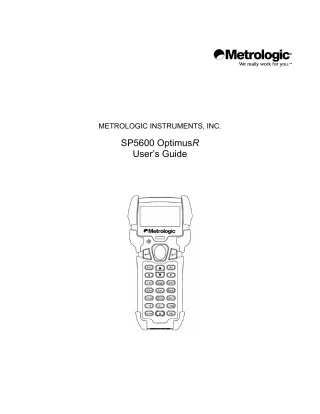
SP5600 OptimusR User's Guide
Manual32 pagesPDF 1.2 MB
User's guide for the Metrologic SP5600 OptimusR portable data terminal and cradle: features, setup, data upload and specifications.
Covers · 1 model
The models it covers
Summary
What is in it
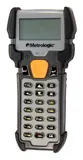
The user's guide for the Metrologic SP5600 OptimusR portable data terminal, a rugged hand-held with a built-in laser scanner for 1D bar codes, available as batch and Wi-Fi units. It lists the model numbers and accessories, shows the terminal, cradle and keypad features, the LCD and lithium-ion battery, and covers getting started, basic operation and the Program Manager, communication and data collection setup, data upload, the system menu, programming, troubleshooting and specifications.
Its parts
- Introduction
- General Features and Characteristics
- Installation
- Application
- Troubleshooting
- Specifications
- Limited Warranty
- Safety Notices
- Patents
From the manual
Key facts from this manual
Each line names its page in the PDF.
This is the Metrologic SP5600 OptimusR User's Guide of June 2008, for the OptimusR portable data terminals with a built-in laser scanner, including the Wi-Fi models. It covers the part numbers, battery and cradle setup, downloading programs and uploading data, the system and Wi-Fi menus, troubleshooting and specifications.
- Device
- Rugged portable data terminal with a built-in laser scanner for all 1D bar codes; optional Wi-Fi p. 5
- Interfaces
- Unit: RS232, USB, IrDA, CradleIR or Wi-Fi; cradle: RS232 or USB p. 21
- Battery
- Rechargeable Li-ion; over 200 hours, over 16 hours with Wi-Fi p. 22
- Backup battery
- 3.7V, 7.0mA hours, rechargeable lithium p. 22
- Memory
- 2 MB Flash ROM; 2 MB SRAM expandable to 8 MB, over 400,000 records p. 5, 21
- Scanner
- Visible Laser Diode (VLD) @ 650 nm, 42 scan lines per second; all standard 1-D codes including RSS-14 p. 21
- Unit part numbers
- SP5602, SP5604, SP5608 batch units with 2, 4, 8 MB RAM; SP5650 Wi-Fi standard; SP5652, SP5654, SP5658 Wi-Fi with 2, 4, 8 MB p. 5
- Cradles and cables
- MI5600-614 standard cradle; MI5600-6107 modem cradle; 52-52860A RS232 and 52-52861A USB cradle cables p. 5
- Display
- Auto-backlit graphical LCD p. 5
- Software
- Windows-based Optimizer program builder; C and BASIC compilers p. 5
- Unit size
- 81 mm (3.2") wide, 46 mm (1.8") deep, 172 mm (6.77") high; 300 g with battery p. 22
- Cradle size
- 96 mm (3.8") wide, 106 mm (4.17") deep, 80 mm (3.15") high p. 22
- Temperature
- Operating 0°C to 50°C (32°F to 122°F); storage -20°C to 60°C p. 22
- Drop
- 1.2 m (4') onto concrete p. 22
What this manual walks you through
- Inserting the Li-ion battery and powering up p. 11
- Downloading, activating and uploading programs in the Program Manager p. 12
- Connecting the cradle by RS232 or USB and downloading an application p. 13
- Uploading collected data to the host p. 14
- Setting up Wi-Fi network and security settings on the OptimusRW p. 14, 18
- System menu settings and their defaults p. 15, 16
- Running the reader, buzzer, display, keyboard, memory and echo tests p. 16
- Checking memory size and battery voltages p. 17
- Troubleshooting power, transmission, keypad and scanning problems p. 20
- Cleaning the scan window and case p. 9
Good to know
- The memory test and memory initialize both erase the collected data. p. 16, 17
- The USB cable needs a software driver, on the installation CD supplied with each unit. p. 13
- The communication cradle supports a serial IR interface only; custom PC software must configure it first. p. 19
- Make sure no other device holds the host's communication port, and that settings match on both sides. p. 14
- Some models come without a cradle; then the power supply and cable connect directly to the unit. p. 13
Questions this manual answers
SP5600 does not power up
Make sure the battery is inserted and charged; if no charging information shows, reseat the battery and try again. p. 20
How long does the SP5600 OptimusR battery last?
Over 200 hours on its Li-ion battery, or over 16 hours with Wi-Fi. p. 22
What is the difference between SP5602, SP5604 and SP5658?
SP5602 and SP5604 are batch units with 2 MB and 4 MB RAM; SP5658 is a Wi-Fi unit with 8 MB RAM. p. 5
SP5600 cannot transmit data to the PC
Check the cable at the host and cradle, run the Echo test, match the COM port settings, and make sure no other device uses the port. p. 20
Can I copy a program from one OptimusR to another?
Yes. The Upload option in the Program Manager sends application programs to a host PC or another terminal. p. 12
Contents
Chapters and sections
Each line opens the PDF at its page.
The whole text · 4 parts
Read the manual here as text
Its text as extracted from the PDF, unedited, in parts; each page opens the PDF at that page.
The file