Manual · Metrologic
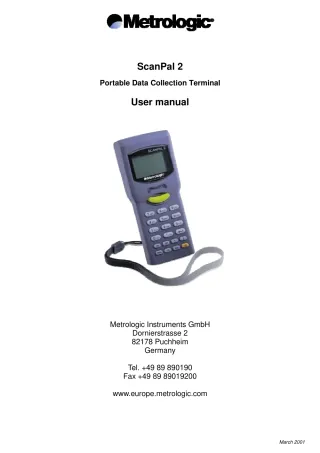
ScanPal 2 Portable Data Collection Terminal User manual
Manual36 pagesPDF 782 KB
User manual for the Metrologic ScanPal 2 portable data collection terminal (laser or CCD): specifications, software and operation.
Covers · 1 model
The models it covers
Summary
What is in it
The user manual for the Metrologic ScanPal 2, a compact portable data collection terminal with a laser (ScanPal 2L) or long range CCD (ScanPal 2C) scanner, RS-232 and IrDA ports. It lists the electrical, environmental and physical characteristics, CPU, memory, scanner, screen, keypad and communication specifications and accessories, then explains the hardware, the kernel, system and program software modules, operation at the keypad in each mode, troubleshooting and Metrologic part references.
Its parts
- Introduction
- General characteristics
- Hardware configuration
- Software organization
- Operations
- Troubleshooting guide
- Metrologic references and descriptions
From the manual · read page by page
Key facts from this manual
Each line names its page in the PDF.
This is the Metrologic ScanPal 2 Portable Data Collection Terminal user manual of March 2001, covering the ScanPal 2L (laser) and ScanPal 2C (CCD) versions. It gives the specifications, the keypad and the program, system and kernel menus, how to download programs and upload data, troubleshooting, and the kit and accessory references.
- Device
- Portable data collection terminal with a laser (ScanPal 2L) or long range CCD (ScanPal 2C) scanner p. 7, 10
- Main battery
- Two AAA LR03 batteries or one Ni-MH rechargeable; over 100 hours and over 80,000 reads in low-speed mode p. 9
- Backup battery
- 3.0 V, 7.0 mAh rechargeable lithium, for SRAM and calendar p. 9
- Memory
- 1-MB Flash-ROM program memory; 1 MB SRAM data memory p. 10
- Communication
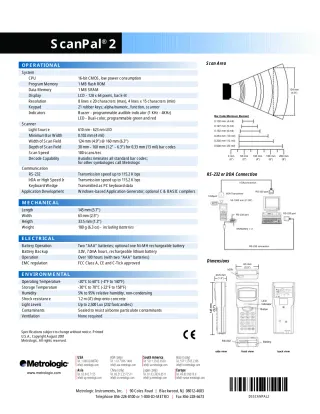
- RS232 up to 115,200 bps; IrDA 1.0 or high-speed IR up to 115,200 bps at 5 cm to 100 cm, 30 ° max; keyboard wedge for upload only p. 11
- Laser scanner
- ScanPal 2L: 670 ± 15 nm laser diode, 36 ± 3 scans / second, depth of field 5 cm - 95 cm p. 10
- CCD scanner
- ScanPal 2C: 100 scans / second, field width 45 mm - 124 mm, depth of field 20 cm, resolution 0.10 mm - 1 mm p. 10
- Display
- FSTN LCD graphics screen, 128x64 pixels, LED backlighting p. 10
- Keypad
- 21 rubber keys: alphanumeric, arrow, function and scan trigger p. 10
- Size and weight
- 145 mm (L) x 63 mm (W) x 33.5 mm (H); 180 g with battery p. 9
- Temperature
- Operating -20 °C to +60 °C; storage -30 °C to +70 °C p. 9
- Power accessories
- 99-99001 battery charger; 99-99002 Ni-MH battery; 99-99008 download/charger cradle; 99-99010 cradle power supply p. 35
- Other accessories
- 99-99003 wedge cable; 99-99004 case; 99-99005 high-speed IR transceiver; 99-99006 BASIC and 99-99007 C compilers; 99-99009 RS232 cable p. 35
- Kits
- SCANPAL 2C-B, 2C-E (CCD) and 2L-B, 2L-E (laser); basic kits with 2 AAA batteries, advanced with cradle and rechargeable battery p. 35
What this manual walks you through
- Using the special keys, contrast and backlight p. 19, 20
- Collecting item and quantity data with the default inventory application p. 21
- Setting upload and download ports, speed and data deletion p. 22, 23
- Downloading an application or lookup file from the PC p. 24
- System mode: memory, clock, CPU speed, auto off and power-on behavior p. 25, 26
- Testing the scanner, batteries, buzzer, screen, LED and keypad p. 27, 28
- Downloading user programs over RS232, IR or IrDA p. 28
- Updating the kernel p. 29
- Troubleshooting power, transmission, keypad and scanner problems p. 33, 34
Good to know
- After a kernel update, wait until the system has fully restarted before powering down. p. 29
- Test & Calibrate in kernel mode is for factory use only and should not be used. p. 29
- Initializing or testing the data memory deletes the collected data. p. 25
- Choose the lowest CPU speed that does the job to save the batteries; full speed draws 39 mA. p. 26
Questions this manual answers
My ScanPal 2 will not turn on
Change or recharge the batteries; if it still will not start, check the batteries are seated correctly and the compartment is properly engaged. p. 33
What is the part number of the ScanPal 2 rechargeable battery?
The Ni-MH rechargeable battery is 99-99002; the battery charger with power supply and one battery is 99-99001. p. 35
ScanPal 2 not transmitting to the PC over RS232
Check the RS232 cable at both ends, that the terminal sits correctly in the cradle, and that the host communication settings match the terminal. p. 33
Which bar codes does the ScanPal 2 read by default?
Code 39, Industrial 2/5, Interleaved 2/5, Codabar, Code 93, Code 128, UPCE, EAN8 and EAN13/UPCA, without add-ons; others must be enabled by programming. p. 27
How do I receive ScanPal 2 data on a PC?
Use the application generator, 232_Read.EXE or IR_Read.EXE under Windows to receive the data and create a text file. p. 22
The whole text · 4 parts
Read the manual here as text
Its text as extracted from the PDF, unedited, in parts; each page opens the PDF at that page.
The file