Manual · Metrologic
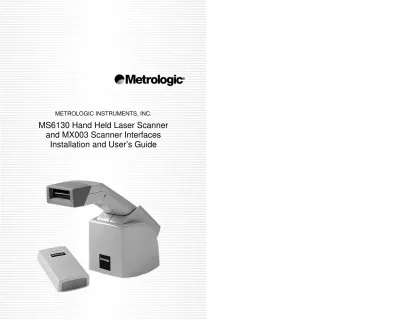
MS6130 Hand Held Laser Scanner and MX003 Scanner Interfaces Installation and User's Guide
Manual48 pagesPDF 849 KB
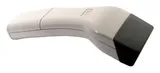
Installation and user's guide for the Metrologic MS6130 wireless hand-held laser scanner and its MX003 series RF scanner interfaces.
Covers · 1 model
The models it covers
Summary
What is in it
Metrologic installation and user's guide for the MS6130, a cordless hand-held laser scanner, and the MX003 series scanner interfaces that receive its radio data and pass it to an RS-232, keyboard wedge or light pen host. It covers the unpacking list, connecting the MX to hosts, a PC keyboard port, MS700i/MS720i scanners and the ScanPal data collector, keyboard wedge settings, changing the ID and matching, the stand and charger, LED and beep indicators, maintenance, troubleshooting, specifications, defaults and pin assignments.
Its parts
- MS6130 Hand Held Bar Code Scanner
- MX003 Series Scanner Interfaces
- Unpacking List
- Connections of the "MX" Interface to the Host Device
- Connections of the Keyboard Wedge "MX" Interface to the PC
- Connections of the MS700i/MS720i with "MX" to the Host Device
- Configuration of the MS700i/MS720i with "MX"
- Configuration of the MS700i/MS720i with "MX" to the Host System
- Configuration of the "MX" to the ScanPal Data Collector
- Configuration of the "MX" to the RS-232 Light Pen or Keyboard Wedge Host System
- Keyboard Wedge (KB) Interface
- Configuration of the MS6130 Hand-Held
- Enabling the MS700i/MS720i Scanner's RF Low Speed Option
- Changing the ID
- Matching Procedure
From the manual
Key facts from this manual
Each line names its page in the PDF.
Installation and user's guide for the Metrologic MS6130 wireless hand-held laser scanner and the MX003 Series Scanner Interfaces that receive its data. It also covers using the MX receiver with MS700i/MS720i scanners and a ScanPal data collector. It shows how to connect the receiver to a host, match scanner and receiver, set up the stands and chargers, read the indicators, and troubleshoot, and it lists the specifications.
- Device
- Wireless hand-held bar code scanner, up to 30 feet from its receiver p. 7
- Host interfaces
- Through an MX003 series receiver: RS-232, keyboard wedge or light pen p. 7
- Battery pack
- Replaceable pack of 3 AA NiCd cells, 3.6 VDC nominal, 600 mA capacity p. 7, 37
- Battery life
- Up to 8 hours of wireless scanning on a full charge p. 7
- Radio
- 418 MHz, 434 MHz or 912 MHz by country; FM, one-way, 50K baud p. 35
- Dimensions
- 216 mm long, 63 mm wide at head (48 mm at handle), 28 mm high p. 35
- Weight
- 289 g [10.5 oz] p. 35
- Laser
- VLD, 630 nm to 680 nm, 0.9 mW peak p. 35
- Receiver models
- MX003: 912 MHz; MX0033: 418 MHz; MX0034: 434 MHz; suffix -17 is the keyboard wedge version p. 11, 36
- Receiver specs
- MX003 series: 5Vdc, 90 x 50 x 24 mm, 80.3 g p. 36
- Receiver connector
- Shielded 10-pin modular jack; mating plug Steward Stamping #937-SP-361010 p. 42
- Power supply
- Regulated 5V supply MLPN 6090/6091 (115/220 VAC); MCA951 adapter p. 9
- Stands
- MS6130 series stand 45880; universal charging stand 45558 (115V), 45559 (230V), 45560 (240V UK) p. 26, 28
- Reconditioning charger
- NiCd battery charger with reconditioning: 45561 (115V), 45562 (230V) p. 29
What this manual walks you through
- Connecting the MX receiver to a host through the MCA adapter p. 10
- Connecting the keyboard wedge receiver (version 17) to a PC and keyboard p. 11
- Matching the MS6130 to its receiver p. 24
- Programming a new receiver ID with HANDSET p. 23
- Configuring the scanner with the MS4120 Programming Guide p. 21
- Enabling the RF low speed option on an MS700i/MS720i p. 22
- Assembling and mounting the MS6130 series stand p. 26, 27
- Installing the universal charging stand and reading its charge LED p. 28
- Reconditioning the NiCd batteries p. 29
- Reading the LED and beep indicators p. 30, 31, 32
Good to know
- In program mode, never scan the receiver options marked R; RF communication may stop and all RF setup must be redone. p. 34
- NiCd batteries must be fully discharged before charging to keep their capacity. p. 29
- On the 418MHz UK unit, remove the ESD cover to charge and put it back for use. p. 37
- The receiver port usually carries power, so take care when working with its cables. p. 42
- Circuits connected to the unit must meet SELV requirements per EN 60950. p. 10
Questions this manual answers
What battery does the MS6130 scanner use?
A replaceable pack of three AA NiCd rechargeable cells, 3.6 VDC nominal, 600 mA capacity. p. 37
How do I match an MS6130 to its MX receiver?
Scan the transmitter program mode, Recall Defaults and Enable RF Communications bar codes, exit program mode, then scan the serial number bar code on the receiver's label. p. 24
Why do both MS6130 LEDs blink or the scanner beep twice?
Both are low battery signs: the LEDs blink together and the scanner quietly beeps twice while scanning. p. 27, 31
Which MX003 receiver works as a keyboard wedge?
The versions with the suffix 17, such as MX003-17, connect between a PC and its keyboard. p. 11
How far can the MS6130 be from the receiver?
Up to 30 feet, conditions permitting. p. 35
Contents
Chapters and sections
Each line opens the PDF at its page.
The whole text · 5 parts
Read the manual here as text
Its text as extracted from the PDF, unedited, in parts; each page opens the PDF at that page.
The file