Manual · LXE
VX5 User's Guide
Manual118 pagesPDF 6.7 MB
User's guide for the LXE VX5 rugged vehicle mount computer: components, keyboards, installation on a vehicle and operation.
Covers · 1 model
The models it covers
Summary
What is in it
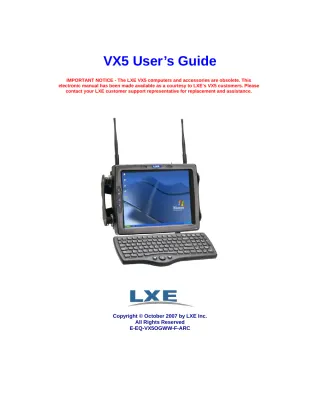
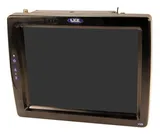
LXE's user's guide for the VX5 Vehicle Mount Computer, a rugged tablet-style PC running Windows 2000 or Windows XP for fork-lift trucks and other vehicles, with a wireless LAN radio. It covers environmental specifications, a quick start, components, the display, CardBus and ATA slots, the 95-key and 60-key keyboards, power supply and UPS battery pack, mounting and vehicle power installation, operation, key maps, and regulatory and safety information. The cover notes the VX5 is obsolete.
Its parts
- The VX5 Vehicle Mount Computer
- Installation
- Operation
From the manual
Key facts from this manual
Each line names its page in the PDF.
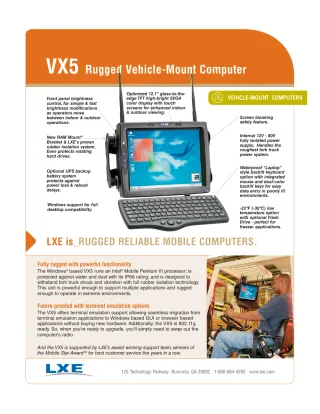
User's guide for the LXE VX5 vehicle mount computer, a rugged Windows PC for fork-lift trucks and other vehicles. It describes the unit's components, keyboards, power options and accessory part numbers, and walks through mounting, cabling and powering the unit on a vehicle.
- What it is
- Rugged tablet-style vehicle mount PC running Windows 2000 or Windows XP, with wireless data communications p. 11
- CPU and memory
- 933MHz Intel Pentium III; 256 or 512MB SDRAM (extended temperature versions 512MB only) p. 11
- Display
- Color TFT touch screen, VGA and SVGA modes, 800 x 600 maximum; indoor or outdoor display p. 11, 18
- Power input
- 12V to 80V DC vehicle power, no manual adjustment; optional external AC power supply p. 29
- Radio
- PCMCIA 2.4GHz spread spectrum wireless LAN radio, single or dual antenna p. 11
- Ports
- COM1/scanner (pin 9 +5V), COM2/3 (pin 9 RI), keyboard/mouse, Ethernet/USB, audio and power connectors p. 16
- Card slots
- Two hot-swappable CardBus/PCMCIA slots for Type I, II or III cards; one ATA PCMCIA slot for flash cards p. 18
- Keyboards
- LXE VMT 95-key QWERTY with pointing device, LXE VMT 60-key QWERTY, standard PS/2 keyboard by adapter cable, or on-screen keyboard p. 19
- UPS battery
- Optional lead acid UPS pack 9000A378UPSBATTPACK-R; at least 15 minutes at 25º C (77º F) when fully charged p. 29, 31
- Fuse
- 100V, 10A time delay (slow blow), Littlefuse 0234010 or Optifuse MSC-10A (5x20mm), user replaceable p. 81
- Environment
- Standard version 32°F to 122°F (0°C to 50°C); extended version operates -22º to 122º F (-30ºC to 50ºC); IP66 per IEC60529 p. 13
- Power accessories
- 9000A073CBLPWR12FT-R 12 ft input power cable; 9000A318PSACUS-R external AC supply with US cord; 9000A318PSACWW-R without cord p. 31
- Data cables
- 9000A071CBLD15USBETH D15 to USB and Ethernet; 9000A072CBLD9DUALPS2 keyboard/mouse dual PS2; 9000A053CBL6D9D25 printer/PC D9 to D25; 9000A054CBL6D9D9 PC D9 to D9 p. 31
- Mounting brackets
- VX5A001UBRACKET-R U style; VX5A001UBRKTWKBDMNT-R U style with keyboard mount; VX5A003BRKTRAMMOUNT-R RAM mount p. 30
What this manual walks you through
- Quick start: mounting, powering and connecting accessories in order p. 14
- Connecting the power cable and the optional UPS battery pack p. 72
- Connecting the optional external AC power supply p. 73
- Wiring the power cable to a fused circuit on the vehicle p. 74
- Connecting a serial barcode scanner to COM1 p. 65
- Replacing the external fuse p. 81
- Reading the power status LED p. 18
- Using the 95-key keyboard, its hidden keys and backlit lock keys p. 20
- Choosing brackets, cables, power supplies, antennas and scanners by part number p. 30, 31, 32, 33
Good to know
- The manual states that the VX5 and its accessories are obsolete. p. 1
- Vehicle power wiring is for trained service personnel only and needs a 10 Amp maximum slow blow fuse. p. 74
- Reversed polarity at the VX5 blows its fuse. p. 74
- The ATA slot is not hot swappable; power the VX5 down before inserting or removing a card there. p. 18
- The AC power adapter is only for ambient temperatures up to 25ºC (77ºF). p. 73
Questions this manual answers
What power does the LXE VX5 need?
12V to 80V DC from the vehicle, with no manual adjustment; an optional external supply converts AC wall power. p. 29
What fuse does the VX5 use?
A 100V, 10A time delay (slow blow) fuse, Littlefuse 0234010 or Optifuse MSC-10A (5x20mm). p. 81
How long does the VX5 UPS battery last?
Fully charged, at least 15 minutes at 25º C (77º F) ambient temperature. p. 29
What is the part number of the VX5 UPS battery?
9000A378UPSBATTPACK-R, a lead acid UPS battery for the VX5, VX6 and VX7. p. 31
What processor and memory does the LXE VX5 have?
A 933MHz Intel Pentium III CPU with 256 or 512MB of SDRAM. p. 11
Contents
Chapters and sections
Each line opens the PDF at its page.
- VX5 User’s Guide1
- The VX5 Vehicle Mount Computer11
- Installation35
- Install Mounting Brackets35
- Connect Keyboard62
- Connect Antenna64
- Connect Serial Barcode Scanner65
- Connect Serial Printer or PC67
- Connect USB Devices68
- Connect Ethernet Cable70
- Connect External Headset71
- Connect Power Cable and Optional UPS Battery Pack72
- External Power Supply, Optional73
- Vehicle 12-80VDC Power Connection74
- Power Adapter Cable80
- Fuse Replacement for the VX581
- Strain Relief Cable Clamps82
- Operation83
The whole text · 13 parts
Read the manual here as text
Its text as extracted from the PDF, unedited, in parts; each page opens the PDF at that page.
- VX5 User’s Guide1-10
- The VX5 Vehicle Mount Computer, pages 11 to 1811-18
- The VX5 Vehicle Mount Computer, pages 19 to 2619-26
- The VX5 Vehicle Mount Computer, pages 27 to 3427-34
- Installation, pages 35 to 4435-44
- Installation, pages 45 to 5445-54
- Installation, pages 55 to 6455-64
- Installation, pages 65 to 7465-74
- Installation, pages 75 to 8275-82
- Operation83-92
- Appendix A Key Maps93-100
- Appendix B Regulatory Notices and Safety Information101-114
- Index115-118
The file