Manual · LXE
6224 Session Manager Reference Guide
Manual78 pagesPDF 1.0 MB
Reference guide for the LXE 6224 Session Manager for 2.4 GHz RF networks: hardware, setup commands, Telnet and specs.
Covers · 1 model
The models it covers
Summary
What is in it
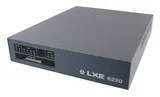
LXE's reference guide for the 6224 Session Manager, which manages host sessions for LXE DOS computers on 2.4 GHz RF data collection systems with ANSI, LDS or IBM hosts. It covers the front and back panels and cabling (Thinnet, AUI, twisted pair, power), first setup through a dumb terminal and the boot parameters, every setup command, autologin, Telnet security, opening a remote session with Telnet commands, and connector pinouts. The guide notes that the 6224 is obsolete and the manual is archived.
Its parts
- Introduction
- Hardware Configuration
- Software Configuration
- Opening a Remote Session
- Technical Specifications
From the manual
Key facts from this manual
Each line names its page in the PDF.
LXE's reference guide for the 6224 Session Manager, an Ethernet unit that manages host sessions for LXE DOS computers on 2.4 GHz wireless networks, with ANSI, LDS or IBM hosts. It covers the panels and cabling, first-time setup, how sessions are kept, and the specifications. Its first page states that the 6224 is obsolete.
- What it is
- Host session manager for LXE 2.4 GHz RF data collection systems; keeps or ends sessions between hosts and LXE DOS computers p. 11
- Host versions
- Three versions: ANSI, LDS or IBM host p. 11
- Capacity
- ANSI and IBM versions: up to 128 PC-host connections p. 12
- Network ports
- Ethernet THINNET (10Base2), AUI (10Base5) or TPE RJ-45 (10BaseT), one type at a time p. 21, 23
- Radio
- None: no antenna; it reaches the access points over Ethernet p. 12
- Power
- 110-240 VAC, 50-60 Hz (nominal), 2 Ampere max p. 69
- Setup port
- 25-pin console port, to a PC terminal program over a null modem cable (DA-9F to DB-25, 6 ft) p. 18, 22
- Operating temperature
- 0°C to 50°C (32°F to 122°F); humidity 0-95%, non-condensing p. 69
- Size and weight
- 2.5" high, 11.7" wide, 14.5" deep; 5.6 lb (2.54kg) p. 69
- Default ports
- RF PC listen port 4000; LDS host port 5000 p. 15, 16
- Remote setup
- Most settings by Telnet once an IP address is set; IP address, subnet mask, gateway and flags only at the console p. 11, 17
- Telnet security
- Optional user name and password for remote Telnet access to setup p. 12
- Software loading
- PCMCIA memory card slot downloads software into Flash RAM p. 20
- Status
- Obsolete; 6224 end of life May 31, 2004 p. 1, 5
What this manual walks you through
- Quick start for a new 6224 p. 14
- Setup steps for ANSI, IBM and LDS systems p. 15, 16
- How sessions are opened, kept and closed p. 17
- Logging in over Telnet when security is on p. 17
- Reading the front panel LEDs p. 20
- Back panel ports p. 21
- Connecting the 6224 to a PC with a null modem cable p. 22
- Ethernet cabling guidelines and connectors p. 23, 24
- Connecting the power cable p. 25
- RJ45 and AUI connector pinouts p. 70, 71
Good to know
- The 6224 must be connected to earth ground. p. 19
- Program a valid IP address before connecting the 6224 to the network. p. 14
- The lithium backup battery should be tested periodically and replaced when necessary. p. 14
- Thinnet lines take at most 30 T-connector taps, at least 0.5 meters apart. p. 23
- An AUI cable for 10Base5 Ethernet must not be longer than 50 meters. p. 23
Questions this manual answers
Does the LXE 6224 Session Manager have a radio?
No. It has no antenna and connects to the RF network, such as access points, by Ethernet cables. p. 12
How do I set up a new 6224 the first time?
Connect a PC terminal program to the console port, press Enter before the autoboot countdown ends, and assign the IP address, subnet mask and gateway. p. 14
How many sessions can the 6224 handle?
In ANSI and IBM systems it can establish and maintain up to 128 PC-host connections. p. 12
What is the 6224 default listen port?
The firmware assigns listen port 4000; it can be changed, but not to a well known port such as 23. p. 15
Can I change the 6224 IP address over Telnet?
No. The IP address, subnet mask, gateway and flags can only be seen or changed from a PC on the console connector. p. 17
Contents
Chapters and sections
Each line opens the PDF at its page.
The whole text · 10 parts
Read the manual here as text
Its text as extracted from the PDF, unedited, in parts; each page opens the PDF at that page.
- 6224 Session Manager Reference Guide1-10
- Chapter 1 Introduction11-18
- Chapter 2 Hardware Configuration19-26
- Chapter 3 Software Configuration, pages 27 to 3527-35
- Chapter 3 Software Configuration, pages 36 to 4436-44
- Chapter 3 Software Configuration, pages 45 to 5345-53
- Chapter 3 Software Configuration, pages 54 to 6254-62
- Chapter 4 Opening a Remote Session63-68
- Chapter 5 Technical Specifications69-72
- Index73-78
The file