Manual · Intermec
JANUS 2020 Battery Charger Quick Reference Guide
Manual12 pagesPDF 157 KB
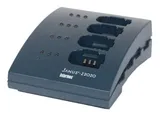
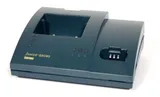
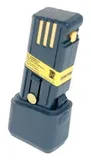
Quick reference guide for the Intermec JZ2020 four-slot battery charger for JANUS 2020 reader NiCad battery packs.
Names · 1 model
The models it names
Filed with · 3 models
Also filed with these models on the old site
Summary
What is in it
Intermec's quick reference guide for the JZ2020 battery charger, an accessory for the JANUS 2020 series readers (J2020, JR2020, JR2020G, JG2020). It describes the top and back panels, mounting the charger, connecting the Intermec 058399 power supply, first use, charging and discharging battery packs, the meaning of the battery status lights, and troubleshooting battery problems such as temperature, poor contact and packs that will not charge.
Its parts
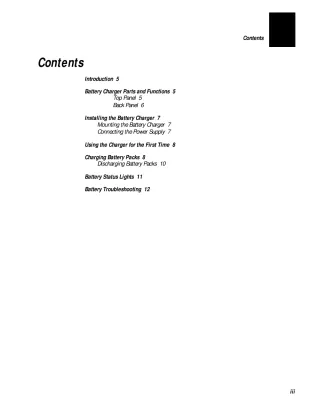
- Introduction
- Battery Charger Parts and Functions
- Installing the Battery Charger
- Using the Charger for the First Time
- Charging Battery Packs
- Discharging Battery Packs
- Battery Status Lights
- Battery Troubleshooting
From the manual · read page by page
Key facts from this manual
Some pages are scans or cannot be read; this says only what the readable text supports. Each line names its page in the PDF.
The Intermec quick reference guide (P/N 059955-002) for the JANUS 2020 Battery Charger, which the guide calls the JZ2020: a four-slot charger for the battery packs of the JANUS 2020 series readers (J2020, JR2020, JR2020G, JG2020). It covers mounting and powering the charger, charging and discharging battery packs, reading the status lights and fixing battery problems.
- Device
- JZ2020 four-slot battery charger for JANUS 2020 series reader battery packs p. 5
- Readers served
- J2020, JR2020, JR2020G, JG2020 p. 5
- Battery type
- JANUS 2020 NiCad battery packs only, up to four at once p. 8
- Charge time
- Each slot fully charges its pack within 2.5 hours, then holds it at full charge p. 9
- Power supply
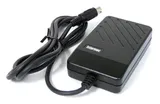
- Intermec part 058399, 100 to 240 VAC at 47 to 63 Hz, detachable cord p. 7
- Charger input
- 9.4 VDC from the external power supply p. 6
- Charging temperature
- Battery must be 50 to 104 F (10 to 40 C) to start; 68 F (20 C) is best p. 9, 12
- Status lights
- Discharge, Charge and Ready LEDs for each slot p. 6
- Discharge
- Button on the back panel starts a discharge cycle in each empty slot, then the pack recharges p. 6, 10
- Mounting
- Desktop or board, with two 4-40 UNC 2A screws p. 7
What this manual walks you through
- Mounting the charger on a desktop or board p. 7
- Connecting the power supply p. 7
- Testing the charger the first time p. 8
- Charging battery packs p. 8, 9
- Discharging a battery pack that no longer holds a full charge p. 10
- Reading the battery status lights p. 11
- Battery troubleshooting by light pattern p. 12
Good to know
- Charge only JANUS 2020 battery packs in this charger. p. 8
- Leave at least 8.0 in (203 mm) of clear space above the charger, and room behind it for the power cable and discharge button. p. 7
- Outside 50 to 104 F (10 to 40 C) battery temperature, the charger stops charging. p. 12
- A discharge cycle is normally not needed; use it only for a pack that no longer holds a full charge. p. 6, 10
- If power fails during a discharge, take the pack out and start the discharge again. p. 10
Questions this manual answers
How long does the JANUS 2020 charger take to charge a battery?
Up to 2.5 hours per pack; a pack that is not full by then may be bad. p. 9, 12
What power supply does the JZ2020 charger use?
Intermec power supply 058399, which runs on 100 to 240 VAC at 47 to 63 Hz. p. 2, 7
What does it mean when all three charger lights flash together?
The charger cannot bring the pack up to voltage; reinsert it, and if all three flash again the pack needs replacing. p. 11, 12
The whole text · 2 parts
Read the manual here as text
Its text as extracted from the PDF, unedited, in parts; each page opens the PDF at that page.
The file