Manual · Intermec
JANUS 2010 Communications Dock Quick Reference Guide
Manual22 pagesPDF 182 KB
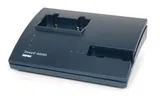
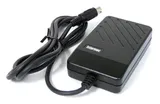
Quick reference guide for the Intermec JD2010 communications dock for the JANUS 2010 reader, with its 058399 power supply.
Names · 1 model
The models it names
Filed with · 1 model
Also filed with these models on the old site
Summary
What is in it
Intermec's quick reference guide for the JD2010 communications dock, an accessory for the JANUS 2010 reader that links the reader to a host, concentrator or modem and charges battery packs. It explains the top and back panels and LEDs, mounting the dock, the cables to use, configuring the reader and setting the DIP switches, connecting the 058399 power supply, communicating and charging, and gives reference data on operating environment, daisy chaining docks, battery status lights and troubleshooting, and connector pin assignments.
Its parts
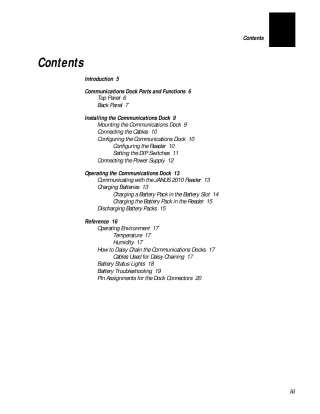
- Introduction
- Communications Dock Parts and Functions
- Installing the Communications Dock
- Operating the Communications Dock
- Reference
From the manual · read page by page
Key facts from this manual
Each line names its page in the PDF.
The Intermec quick reference guide (P/N 058429-003) for the JD2010 communications dock, the desktop dock for the JANUS 2010 (J2010) reader. It explains the dock's ports, DIP switch setup, cables, battery charging and discharging, battery light codes and connector pinouts. It names the 058399 power supply only as the dock's supply.
- What it is
- Communications dock and charger for the JANUS 2010 reader, with a reader slot and a spare battery slot p. 5, 6
- Ports
- Two 25-pin D connectors: Network (RS-232C DTE, RS-422 or RS-485 multi-drop) and Auxiliary (RS-232C DCE, RS-422/RS-485) p. 7, 20
- Power supply
- Intermec Part No. 058399, 100 to 240 VAC at 47 to 63 Hz, detachable cord p. 12
- Dock supply voltage
- 9.4 VDC for communications and battery charging p. 7
- Charge time, battery slot
- A J2010 battery pack is fully charged within 2.5 hours p. 15
- Charge time, in reader
- Within 15 hours with the reader off, 45 hours with it on p. 15
- Configuration
- Four DIP switches on the back select the port and cable interface p. 7
- Charging temperature
- 50 F to 104 F (10 C to 40 C); reader operating in dock -4 F to 122 F p. 17
- Humidity
- 10% to 90% relative, noncondensing p. 17
- Cables for Interlnk
- 3-wire RS-232 cables 047569, 052477 or 052908; 048668 and 048693 do not work with Interlnk p. 10
- TRAKKER cable
- 94XX TRAKKER to the dock Network port: RS-232 (25-10 pin) cable 048500 p. 10
- Concentrator cable
- 9161 or 9154 Concentrator: RS-485 (25-9 pin) cable 047653 p. 10
- Mounting
- Can be fixed to a desktop with two 10-32 UNC 2A screws p. 9
- Battery type
- J2010 NiCad battery packs only p. 14, 15
What this manual walks you through
- Mounting the dock and connecting it to a host, concentrator or modem p. 9, 10
- Setting the reader's SELPORT signal with bar codes p. 11
- Setting the DIP switches from the dock configuration table p. 11, 12
- Communicating with the JANUS 2010 reader in the dock p. 13
- Charging a spare battery pack in the battery slot p. 14, 15
- Discharging a battery pack that no longer holds a charge p. 15, 16
- Daisy chaining several docks to one host serial port p. 17
- Reading the battery status lights and fixing battery problems p. 18, 19
- Pin assignments for the Network and Auxiliary connectors p. 20, 21
Good to know
- Do not charge other types of battery packs in the dock. p. 14
- A battery pack must be between 50 F and 104 F (10 C and 40 C) to begin charging. p. 19
- The discharge button starts a discharge cycle only when the battery slot is empty; insert the pack within 15 seconds. p. 15, 16
- Only one RS-232 or RS-422 device can transmit at a time on a daisy chain. p. 17
- The network and auxiliary interfaces support only asynchronous protocols with the J2010. p. 7
Questions this manual answers
What power supply does the Intermec JD2010 dock use?
Intermec part number 058399, which runs on 100 to 240 VAC at 47 to 63 Hz and has a detachable cord. p. 12
How long does the JD2010 take to charge a JANUS 2010 battery?
About 2.5 hours in the battery slot; in the reader it takes up to 15 hours with the reader off or 45 hours with it on. p. 15
What does it mean when all three battery LEDs flash together on the JD2010?
The dock cannot raise the battery voltage to an adequate level; reinsert the pack, then discharge it, and replace it if the lights still flash. p. 18, 19
Can I connect several JD2010 docks to one computer?
Yes. Docks can be daisy chained, network port to auxiliary port, and the chain connected to a single serial port on the host. p. 17
Which cable connects a JD2010 to a 94XX TRAKKER?
Cable 048500 for the dock Network port, or 048864 for the dock Auxiliary port, both RS-232 (25-10 pin). p. 10
The whole text · 3 parts
Read the manual here as text
Its text as extracted from the PDF, unedited, in parts; each page opens the PDF at that page.
The file