Manual · Intermec
CN2G Handheld Computer User's Manual
Manual96 pagesPDF 2.1 MB
User's manual for the Intermec CN2G handheld computer: battery, keypad, scanning, network and security setup, apps and care.
Filed with · 3 models
Also filed with these models on the old site
Summary
What is in it
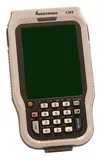
Intermec's user's manual for the CN2G Handheld Computer, a semi-rugged, lightweight Windows CE .NET handheld with a bar code scanner and optional 802.11b radio. It explains the battery, keypad, touch screen, status lights and beeps, scanning bar codes and the SD card, configuring the unit with the Setup Assistant and Intermec Settings, USB and 802.11b network setup, wireless security options, installing applications and upgrading the operating system, troubleshooting, and specifications and accessories such as the CN2 communications dock.
Its parts
- Using the CN2G Handheld Computer
- Configuring the CN2G
- Developing and Installing Applications
- Troubleshooting and Maintaining the CN2G
- Appendix A
From the manual
Key facts from this manual
Each line names its page in the PDF.
The 2004 Intermec user's manual for the CN2G Handheld Computer, a semi-rugged Windows CE .NET unit with an 802.11b radio and a 1D linear imager. It covers the battery, keypad, screen, status lights, scanning, the SD card, network and security setup, installing applications, troubleshooting, booting, specifications, accessories and default settings. It names the CN2G throughout (its accessories carry CN2 names) and does not mention the AD7 or AD8.
- Device
- Semi-rugged handheld computer on Windows CE .NET, with .NET Compact Framework and Internet Explorer 6 p. 12, 13
- Processor and memory
- 400 MHz processor; 64MB flash, 128MB RAM p. 13
- Radio
- IEEE 802.11b, Wi-Fi certified; CCX v1.0 and IPv6 support p. 12, 13
- Scanner
- 1D linear imager; Codabar, Interleaved 2 of 5, Code 39, UPC/EAN, Code 128; hold 15 to 25 cm (6 to 10 in) from the label p. 13, 25, 84
- Display
- Color touch screen, RGB 240 x 320 pixels, 8.9 cm (3.52 in) diagonal, ¼ VGA p. 84
- Battery
- Rechargeable 2150 mAh lithium-ion (CN2 Battery P/N 074201); NiMH 20 mAh backup; 3.7 V, 1.5 A peak p. 84, 85
- Charging
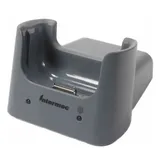
- CN2 communications dock P/N 074248 with AC power supply P/N 074246; full charge in about 4 hours p. 15
- Ports
- USB/serial port on the bottom; CN2 Serial Adapter P/N 074247 gives a DB9 male connector p. 12, 85
- Keypad
- 10-key keypad with Shift, Power, four arrow keys and a Scan button, plus two side Scan buttons p. 16
- Dimensions and weight
- 14.7 x 8.6 x 3.5 cm (5.8 x 3.4 x 1.4 in); 370 g (11.9 oz) p. 84
- Temperature
- Operating 0°C to 50°C; storage -10°C to 50°C; charging 0°C to 45°C; 5% to 95% RH noncondensing p. 84
- Environmental rating
- The manual states IP64 p. 84
- Storage card
- Ships with a 256MB SD card, in a slot under the battery; SanDisk SD cards only p. 26
- Other accessories
- CN2 Holster P/N 074490, CN2 Dust Cover P/N 074103, CAC Reader P/N 074102 p. 85
What this manual walks you through
- Installing and charging the battery p. 14, 15
- Making a battery charge last longer p. 15
- Reading the status lights and beeps p. 23, 24
- Scanning bar codes and enabling symbologies p. 24, 25
- Installing and removing the SD card p. 26
- Solving power, lockup, security and wireless problems p. 74, 75, 76, 77, 78
- Solving scanning problems p. 78, 79
- Warm booting and cold booting p. 80, 81, 82
- Cleaning the scanner window and screen p. 82
- Factory default scanner and network settings p. 86, 87
Good to know
- Fully charge the main battery before first use; the backup battery holds memory and the clock for at least 5 minutes during a battery change. p. 13
- Do not take apart, heat above 100°C (212°F) or burn the lithium-ion battery pack. p. 13
- A cold boot erases RAM storage and the date and time. p. 81, 82
- Only SanDisk SD cards are supported; fit a pull-tab before inserting one. p. 26
- WEP key values are not kept when the SSID is changed and must be entered again. p. 76
Questions this manual answers
What battery does the Intermec CN2G use?
The CN2 Battery, P/N 074201, a rechargeable 2150 mAh lithium-ion pack. p. 84, 85
How do I cold boot a CN2G?
Remove the battery, press the Reset button inside the battery compartment with the stylus, then refit the battery; RAM data and the date and time are lost. p. 81
Why is the battery light orange when the CN2G is in the dock?
The temperature may be outside the 0°C to 45°C charging range, or the battery may be damaged. p. 74
What is the default network name (SSID) on the CN2G?
INTERMEC. p. 75
How long does the CN2G take to charge?
About 4 hours in the CN2 communications dock. p. 15
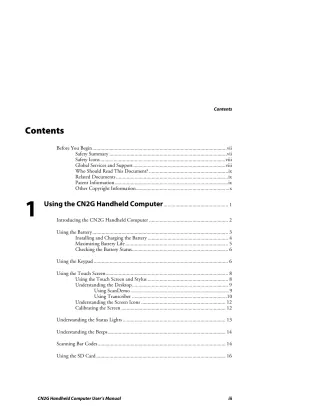
Contents
Chapters and sections
Each line opens the PDF at its page.
The whole text · 10 parts
Read the manual here as text
Its text as extracted from the PDF, unedited, in parts; each page opens the PDF at that page.
- Pages 1 to 101-10
- Chapter 1 - Using the CN2G Handheld Computer, pages 11 to 1911-19
- Chapter 1 - Using the CN2G Handheld Computer, pages 20 to 2820-28
- Chapter 2 - Configuring the CN2G, pages 29 to 3829-38
- Chapter 2 - Configuring the CN2G, pages 39 to 4839-48
- Chapter 2 - Configuring the CN2G, pages 49 to 5849-58
- Chapter 3 - Developing and Installing Applications59-72
- Chapter 4 - Troubleshooting and Maintaining the CN2G73-82
- Appendix A83-88
- Index89-96
The file