Manual · Intermec
9570 Wedge Reader User's Manual
Manual182 pagesPDF 1.9 MB
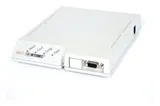
User's manual for the Intermec 9570 Wedge Reader (version B), a bar code reader that connects between a keyboard and a workstation.
Covers · 1 model
The models it covers
Summary
What is in it
Intermec's user's manual for the 9570 Wedge Reader, version B, with an August 1989 addendum on enabling Code 128 decoding and a May 1988 change notice. It covers hardware installation (wands, slot and laser scanners, power supplies, workstation cables), reader configuration, data entry operation and status lights, using portable readers through the auxiliary port, and scale operation. Appendices give specifications, troubleshooting, a command summary and keyboard equivalent tables.
Its parts
- Section 1 - Read This First
- Section 2 - Hardware Installation
- Section 3 - Reader Configuration
- Section 4 - Reader Operation
- Section 5 - Portable Reader Operation
- Section 6 - Scale Operation
From the manual
Key facts from this manual
Some pages are scans or cannot be read; this says only what the readable text supports. Each line names its page in the PDF.
Intermec's 1988 user's manual for the 9570 Wedge Reader, which sits between a terminal and its keyboard so scanned bar codes arrive as keystrokes. It covers connecting wands, scanners and power supplies, the status beeps and lights, the auxiliary port, specifications and troubleshooting; a 1989 addendum adds Code 128 for Option 03 readers.
- Device
- Keyboard wedge reader between terminal and keyboard; scanned data reaches the terminal as keystrokes p. 19
- Terminals
- IBM 3178, 3179, 3180, 3191, 3196, 5291, PC/XT/AT and PS/2 30, 50, 60; AT&T PC 6300; Decision Data 3761, 3781, 3791; Memorex 2178, 2179; Telex 078, 079, 080, 179, 180 p. 17, 19
- Bar codes
- All options: Code 39, Interleaved 2 of 5, Two of Five, UPC/EAN; Option 01 adds Codabar and Code 11, Option 02 Code 93, Option 03 Code 128 p. 20, 136, 137
- Input devices
- 1260, 1261, 1266 digital wands; 1352 digital slot scanner; 1403, 1404, 1405, 1420, 1421 hand-held scanners; 1500, 1600, 1620 laser scanners p. 132
- Rear panel
- Power supply connector; Modem connector (25-pin socket) for a computer or auxiliary device; Terminal connector (25-pin plug) for a CRT terminal p. 91
- Auxiliary port
- RS-232 point to point protocol with RTS and CTS, for a portable reader or a small scale p. 20, 91
- Power
- Keyboard power runs 1260-Series wands and limited RS-232; other input devices and the auxiliary port need an external supply p. 29
- Supply needed for
- 1400-Series devices, laser scanners, slot scanners, or more than +5V on the RS-232 line p. 31
- Power supplies
- Wand Power Supply 046791 (20 Watts); Laser Power Supply 046792 (45 Watts) p. 112
- Other-voltage supplies
- Wand: 046972, 046973, 046974; laser scanner: 046976, 046977, 046978 p. 30
- Status lights
- Read, Fault, Config and Power p. 89
- Dimensions
- Height 1.4 in, width 6.5 in, length 7.5 in p. 131
- Environment
- Operating 0°C to +50°C; storage -10°C to +60°C; 10% to 90% relative humidity, non-condensing p. 131
- In the box
- Reader, Operator Guide, rubber feet, wand holder and configuration record label; wand, cable and supply ship separately p. 25
What this manual walks you through
- Connecting a wand or slot scanner p. 27
- Connecting a laser scanner p. 28
- Choosing and connecting a power supply p. 29, 30, 31
- Reading the status beeps and adjusting beeper volume p. 88
- Reading the status lights p. 89
- Resetting jumpers J6 and J9 for an external power supply p. 113
- Setting up remote triggering of a fixed-mount laser scanner p. 132
- Cleaning the reader and wand tip p. 133
- Troubleshooting read, fault and transmit problems p. 133, 134
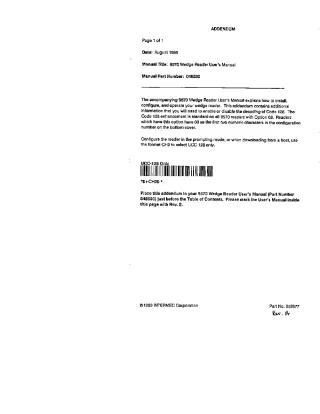
- Enabling Code 128 on Option 03 readers p. 2
Good to know
- The reader is spill resistant but not waterproof; keep liquids off it. p. 131
- Plug the power supply into the wall only after the reader is connected between terminal and keyboard. p. 31
- If the Config light comes on unexpectedly, consult the system programmer before doing anything else. p. 134
- The manual states the reader is UL listed when used with Intermec supplies 046791 and 046792. p. 30
Questions this manual answers
Does the Intermec 9570 need a power supply for a laser scanner?
Yes, a laser scanner needs extra power from the Laser Power Supply or the Wand Power Supply. p. 28
Which terminals does the 9570 wedge reader work with?
IBM 3178, 3179, 3180, 3191, 3196, 5291, PC/XT/AT and PS/2 models, AT&T PC 6300, and Decision Data, Memorex and Telex terminals. p. 17, 19
What do the four lights on the 9570 mean?
Read shows a decoded scan, Fault a fault condition, Config configuration mode, and Power that power is on. p. 89
Can the 9570 read Code 128?
Only readers with Option 03, shown by 03 as the first two digits of the configuration number on the bottom cover. p. 2
Why won't my 9570 read bar codes?
The manual suggests checking power, the supply part number, the input device connection, and the reader configuration. p. 133
Contents
Chapters and sections
Each line opens the PDF at its page.
The whole text · 21 parts
Read the manual here as text
Its text as extracted from the PDF, unedited, in parts; each page opens the PDF at that page.
- Addendum1-11
- Table of Contents12-17
- Section 1 - Read This First18-23
- Section 2 - Hardware Installation, pages 24 to 3124-31
- Section 2 - Hardware Installation, pages 32 to 3932-39
- Section 2 - Hardware Installation, pages 40 to 4540-45
- Section 3 - Reader Configuration, pages 46 to 5546-55
- Section 3 - Reader Configuration, pages 56 to 6556-65
- Section 3 - Reader Configuration, pages 66 to 7566-75
- Section 4 - Reader Operation76-89
- Section 5 - Portable Reader Operation, pages 90 to 9890-98
- Section 5 - Portable Reader Operation, pages 99 to 10799-107
- Section 6 - Scale Operation, pages 108 to 115108-115
- Section 6 - Scale Operation, pages 116 to 123116-123
- Section 6 - Scale Operation, pages 124 to 129124-129
- Appendix A - Specifications, pages 130 to 137130-137
- Appendix A - Specifications, pages 138 to 145138-145
- Appendix B - Keyboard Equivalent Tables, pages 146 to 154146-154
- Appendix B - Keyboard Equivalent Tables, pages 155 to 163155-163
- Appendix B - Keyboard Equivalent Tables, pages 164 to 171164-171
- Index172-182
The file