Manual · Intermec
600 Series Industrial Mobile Computer User's Guide
Manual76 pagesPDF 535 KB
User's guide for the Intermec 600 Series Industrial Mobile Computer: components, operation, care, troubleshooting and connector pin-outs.
Covers · 1 model
The models it covers
Summary
What is in it
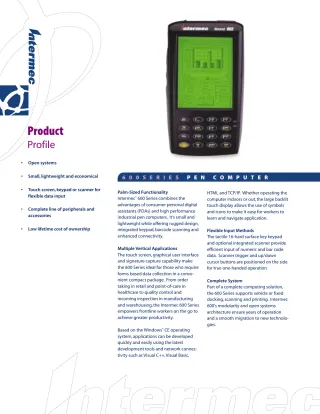
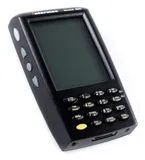
The user's guide for the Intermec 600 Series Industrial Mobile Computer, a rugged hand-held with a touch screen, signature capture, CompactFlash slot and optional scanner. It describes the components, 16-key keyboard, display and battery, then how to prepare the computer for use, including installing Windows CE components and reflashing, routine care such as recharging and cleaning, troubleshooting, connector pin-outs and the DOS Utilities Program setup screens.
Its parts
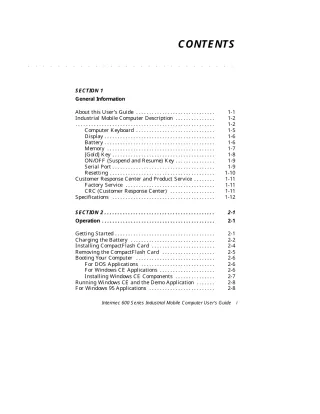
- General Information
- Operation
- Routine Care and Maintenance
- Troubleshooting
- Connector Pin-Outs
- DOS Utilities Program
From the manual
Key facts from this manual
Each line names its page in the PDF.
The Intermec 600 Series Industrial Mobile Computer User's Guide (PN 961-054-014, Revision F, August 2001), for the hand-held touch screen computer that runs MS-DOS, Windows CE or Windows 95. It explains the keys, display, battery, memory and card slots, how to charge, boot, reset, clean and troubleshoot the unit, the docking connector pin-outs, and the DOS Utilities communication setup with its error codes.
- Device
- Rugged hand-held computer with touch screen display, signature capture and a 16 key keyboard p. 8, 11
- Operating system
- MS-DOS, Windows CE, and Windows 95 p. 18
- Memory
- 16 MB DRAM standard, 32 MB option; 512K Flash ROM holds the BIOS only p. 13
- CompactFlash slots
- Internal CompactFlash Type I card is the boot drive; optional external CompactFlash Type II slot for storage or a modem p. 13
- Display
- Monochrome LCD, 240 x 320 pixels, 3.75 inches, touch screen for stylus or finger, backlight p. 12, 18
- Battery
- 3.8 V, 1550 mAh lithium ion; about four hours to recharge; 8 to 10 hours of operation p. 18, 20
- Communication
- RS-232, RS-485, Ethernet 10BASE-T (through dock); NPCP and TCP/IP protocols p. 18
- Docking connector
- 16-pin; carries Ethernet, RS-232 and charging power 10-30 Vdc, 0.5 amp p. 37
- Serial connections
- Serial cable (DB-9 male), data sync cable (DB-9 female), Single/Vehicle Dock (DB-9 male), Multidock (RS-485, two DB-9 female) p. 16
- Size and weight
- 9.1 cm (3.6 inches) wide, 15.5 cm (6.1 inches) long, 3.0 cm (1.2 inches) tall; 312 g (11 ounces) p. 18
- Operating temperature
- Recommended 0 to +50 C (32 to +122 F); extreme -20 to +60 C (-4 to +140 F); charging 0 to +50 C p. 18
- Humidity and static
- 5 to 95% noncondensing; static protection 17 kV (air discharge), 8 kV (current injection) p. 18
- Part numbers
- CF card pull tabs p/n 806-896-001; 600 Series Dock Installation Instructions P/N 962-040-002 p. 23, 35
- Modem options
- CompactFlash modem in the external slot, or the mini-land line modem through the docking connector p. 13, 14
What this manual walks you through
- Charging the battery and reading the Power Status LED p. 20, 21
- Installing and removing a CompactFlash card p. 22, 23
- Booting for DOS and Windows CE applications p. 24, 25
- Upgrading the BIOS flash and installing Windows CE components p. 25
- Resetting a locked-up computer p. 16
- Adjusting display contrast and the backlight p. 12, 14
- Cleaning the case and display p. 32
- Troubleshooting power and boot problems p. 33, 34, 35
- Docking connector pin-outs p. 37
- DOS Utilities communication error codes p. 50, 51, 52, 53
Good to know
- Charge the unit for at least 4 hours before using it the first time. p. 12
- Upgrading the flash erases the Windows CE registry and previous settings. p. 25
- Do not clean with abrasive compounds, ketonic solvents or aromatic solvents; they cause permanent damage. p. 32
- A CompactFlash modem that sticks out of the top can break if dropped; remove it between communication sessions. p. 13
- The Flash ROM cannot hold customer applications or data files. p. 13
Questions this manual answers
How do I reset an Intermec 600 that is locked up?
Press the [Gold], [Esc] and [0] keys at the same time and hold them for three seconds; the computer reboots to the start up screen. p. 16
What does the blinking red light on the Intermec 600 mean?
Blinking red on the Power Status LED means low battery; continuous red is charging, continuous green is charged and blinking green is standby. p. 21
How long does the Intermec 600 battery last?
About 8 to 10 hours on a full charge; a normal recharge takes four hours. p. 20
What does a 2xx modem error mean in the 600 DOS Utilities?
With MODEM/DIRECT and TTY, 2xx is a modem error where xx is the Hayes response code, such as 03 no carrier or 06 no dial tone. p. 51
The whole text · 8 parts
Read the manual here as text
Its text as extracted from the PDF, unedited, in parts; each page opens the PDF at that page.
The file