Manual · Intermec
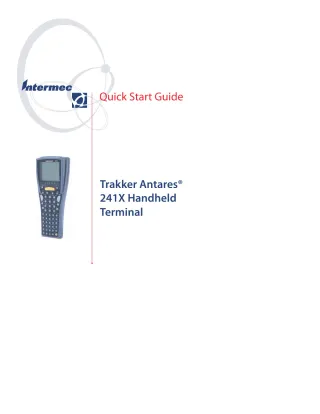
Trakker Antares 241X Handheld Terminal Quick Start Guide
Manual20 pagesPDF 269 KB
Quick start guide for the Intermec Trakker Antares 2410 and 2415 handheld terminals: first use, battery, settings, keypad and specs.
Covers · 2 models
The models it covers
Summary
What is in it
Quick start guide for the Intermec Trakker Antares 2410 batch and 2415 RF handheld data collection terminals. It lists the equipment needed, then walks through unpacking, charging and installing the battery pack, turning on the terminal, setting the time and date, serial port settings and, for the 2415, network and radio parameters. It also covers TE 2000 configuration, the keypad, bar code symbologies, status LEDs, beep volume, useful bar codes and specifications.
Its parts
- About This Guide
- Introducing the Trakker Antares 241X Terminals
- Equipment You Need to Get Started
- Using the Terminal for the First Time
- Choosing Your TE 2000 Configuration
- Using the Keypad
- Learning About the Bar Code Symbologies
- Learning About the Status LEDs
- Changing the Beep Volume
- Useful Bar Codes
- Specifications
- Where to Go From Here
From the manual · read page by page
Key facts from this manual
Each line names its page in the PDF.
Quick start guide for the Intermec Trakker Antares 2410 and 2415 handheld terminals. It takes a new user through charging the battery, the first power-up, setting the time and date and the serial port, and for the 2415 the network and radio settings, then explains the keypad, status LEDs and basic specifications.
- Device
- Small handheld data collection terminal; the 2415 adds radio (RF) network communications p. 5, 6
- Battery packs
- Lithium-ion: standard P/N 069428 or 073929; high performance P/N 069429 or 073930 p. 6
- Charging
- 2-pack battery charger P/N 069582, TZ2410 battery charger, or TD2410 communications dock p. 6
- Serial connection
- RS-232 through special cable P/N 069589 or through the communications dock p. 11
- Power
- Rechargeable lithium-ion pack (1350 mAh, 2400 mAh or 4800 mAh); rechargeable capacitor backup; rated 4V, 1A p. 19
- Charge time
- 1.25 to 9 hours, depending on the battery pack p. 7
- Weight
- 2410: 374 g (13.2 oz); 2415: 422 g (14.9 oz) p. 19
- Dimensions
- 19.3 cm (7.6 in) long; 8.4 cm (3.3 in) wide and 5.6 cm (2.2 in) high at the scanner p. 18, 19
- Radio
- 2415: WLI Forum OpenAir or IEEE 802.11b p. 13
- Preloaded applications
- Programmable terminals: APPTSK.BIN (default) and EM9560.BIN, which emulates part of the Intermec 95XX terminals p. 9
- Bar codes enabled
- Code 39, Code 128, UPC/EAN, and PDF417 (PDF417 scanner option only) p. 16
- Terminal emulation
- 2415 TE 2000: VT/ANSI by default, can be changed to 5250 or 3270 p. 14
- Status LEDs
- Good Read, User Defined, Network Connect, Modifier and Battery; Battery is amber, the others green p. 16, 17
- Related manuals
- 241X User's Manual P/N 069538; 2400 Family System Manual P/N 071389 p. 19
What this manual walks you through
- Charging and installing the battery pack p. 7, 8
- Turning on the terminal for the first time and using the Boot Menu p. 9
- Setting the time and date p. 10, 11
- Setting the serial port to match the host p. 11
- Setting IP address, subnet mask and router on the 2415 p. 12, 13
- Setting the OpenAir or 802.11b radio on the 2415 p. 13, 14
- Switching the TE 2000 emulation type p. 14
- Typing with the color-coded keypad p. 15, 16
- Changing the beep volume p. 17
- Bar codes for backlight, contrast, beep volume and default configuration p. 18
Good to know
- Replace the battery only with P/N 069428, 069429, 073929 or 073930; other packs may risk fire or explosion. p. 8
- Do not take the lithium-ion pack apart, heat it above 100°C (212°F) or burn it. p. 7
- The terminal will not operate without a battery pack, and one should stay in it at all times to prevent data loss. p. 6, 7
- Pressing the Suspend/Resume key to turn the terminal off puts it in Suspend mode rather than shutting it off. p. 8
- All RF devices that must talk to each other must contain the same radios. p. 13
Questions this manual answers
What do I need to start using an Intermec 2410?
A standard or high performance lithium-ion battery pack, plus a 2-pack charger, a TZ2410 charger or a TD2410 communications dock to charge it. p. 6
How long does the 241X battery take to charge?
Between 1.25 and 9 hours, depending on the battery pack. p. 7
How do I set the time and date on the 2410?
Open the TRAKKER Antares 2400 Menu System, choose the System Menu, then Set Time and Date, and enter the time and date. p. 10
How do I make the 2415 use DHCP?
Leave the terminal IP address at the default 0.0.0.0 and the 2415 acts as a DHCP client. p. 13
Which cable connects the 241X to a PC?
A special cable, P/N 069589; or put the terminal in the communications dock and connect the dock to the RS-232 device. p. 11
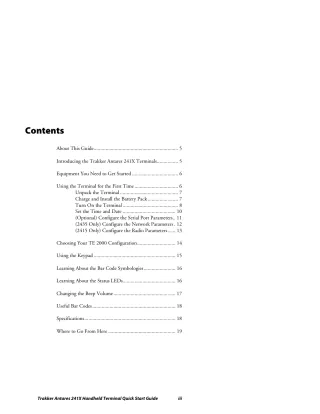
Contents
Chapters and sections
Each line opens the PDF at its page.
- About This Guide5
- Introducing the Trakker Antares 241X Terminals5
- Equipment You Need to Get Started6
- Using the Terminal for the First Time6
- Choosing Your TE 2000 Configuration14
- Using the Keypad15
- Learning About the Bar Code Symbologies16
- Learning About the Status LEDs16
- Changing the Beep Volume17
- Useful Bar Codes18
- Specifications18
- Where to Go From Here19
The whole text · 2 parts
Read the manual here as text
Its text as extracted from the PDF, unedited, in parts; each page opens the PDF at that page.
The file