Manual · Höft & Wessel
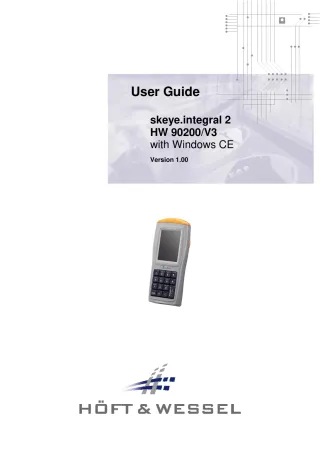
User Guide skeye.integral 2 HW 90200/V3 with Windows CE
Manual95 pagesPDF 1.8 MB
User guide for the Höft & Wessel skeye.integral 2 (HW 90200/V3) Windows CE mobile data entry terminal and its docking station.
What this file really is
The old site listed this file as a manual for the Höft & Wessel skeye dart and skeye-integral. The file is named as the skeye dart user guide, but the document is the user guide for the skeye.integral 2 (HW 90200/V3) and does not mention the skeye dart.
Filed with · 2 models
Also filed with these models on the old site
Summary
What is in it
User guide for the Höft & Wessel skeye.integral 2 (HW 90200/V3), a Windows CE mobile data entry device for storage, field sales and branch offices with laser scanner, imager or RFID data capture, wireless LAN and optional GSM/GPRS. It covers safety notes, first steps with Windows CE, the display, battery and scanner, system settings, WLAN setup, data backup with SysBackup, the docking station, data exchange with a PC through ActiveSync, technical data and troubleshooting.
Its parts
- Introduction
- The MDE skeye.integral 2
- Initial Steps
- Further Functions and Settings
- Advanced Programs and Settings
- Data Backup
- Docking Station (standard)
- Communication/Data Exchange
- Technical Data
- Troubleshooting
From the manual
Key facts from this manual
Each line names its page in the PDF.
Höft & Wessel's User Guide (version 1.00, 2009) for the skeye.integral 2 mobile data entry terminal, hardware HW 90200/V3, with Windows CE. It covers only the skeye.integral 2: the skeye dart is not mentioned, and the earlier skeye.integral appears only as the model it improves on. It explains charging and changing the battery, the docking station, ActiveSync data exchange, resets and troubleshooting, with technical data for the terminal and its docking station.
- Device
- skeye.integral 2 (HW 90200/V3) mobile data entry terminal with Windows CE 5.0 and a Marvell PXA 270 624 MHz processor p. 7
- Memory
- 64 MB RAM, 128 MB flash p. 80
- Display
- 3.5 in. QVGA color TFT, 240 x 320 pixels, 65536 colors, analog resistive touchscreen p. 80
- Keypad
- 15-key numeric as standard; 19-key numeric or 34-key alphanumeric as options p. 20
- Battery
- Replaceable lithium-ion HW 19200, 1700 mAh; optional HW 19201, 3400 mAh p. 20, 80
- Scanning
- Laser scanner as standard; options: 2D imager or long-range scanner (instead of the laser scanner), RFID module 13.56 MHz ISO 15693 p. 20
- Radio options
- WiFi 802.11b/g; GPRS (triband, class 10); Bluetooth (BT 1.2, class 2) p. 20
- Ports
- CF card, optional SIM card, charging connection, system interface (bar code pen, USB device, USB host, 2-wire RS232), 3-pole headset, infrared, internal SD p. 80
- Docking stations
- HW 50200 (USB/serial), HW 50200 modem, HW 50200 ISDN, HW 50201 Ethernet p. 20
- Power supply
- HW 14200, included p. 20
- Battery charger
- HW 16200, for 2 batteries (optional) p. 20
- Charging time
- In the docking station: approx. 2.5 h (HW 19200) or approx. 5 h (HW 19201) p. 65
- Identification
- Label HW 90200/V3 under the battery; Sysinfo shows Revision 2.1 in the HWI-Block p. 7
- Size and weight
- W 95 mm, H 48 mm, L 210 mm; approx. 500 g p. 80, 81
What this manual walks you through
- Charging the battery in the terminal, the docking station or the charger p. 40, 66
- Changing the battery p. 41
- Holding the terminal correctly for laser or imager scanning p. 42
- Changing the memory split between data and programs p. 45
- Connecting the docking station to a desktop PC p. 67
- Switching the PC connection between serial and USB p. 76, 77
- Software and hardware resets p. 82, 83
- Fixing an internet connection that cannot be established p. 84
- Fixing an ActiveSync connection, including the PC registry entries for serial links p. 85, 86, 87
- Telling which laser or imager option is fitted from the type designation p. 15
Good to know
- A hardware reset deletes all data and settings, including RAM data; a software reset keeps them. p. 82, 83
- The manual states IP 54 for the terminal only with the battery inserted and the interface cap fitted. p. 81
- Charge the lithium-ion battery only between 0 °C and +40 °C. p. 10
- Do not carry or store batteries with metal objects; use an insulated container. p. 10
- Recharge the battery in time, since a discharged battery can lose data. p. 40
Questions this manual answers
What battery does the skeye.integral 2 take?
The HW 19200 lithium-ion battery (1700 mAh), or the optional HW 19201 (3400 mAh). p. 20
How do I reset a frozen skeye.integral 2?
Try Start, Programs, System, Reset first; if the screen does not react, remove the battery, press the reset key under it gently and reinsert the battery. The hardware reset erases data. p. 82, 83
How long does the skeye.integral 2 battery take to charge?
About 2.5 to 3 hours when fully discharged; twice as long for the HW 19201 battery. p. 66
Which docking stations fit the skeye.integral 2?
The HW 50200 (USB/serial), HW 50200 modem, HW 50200 ISDN and HW 50201 Ethernet docking stations. p. 20
How can I tell which scanner my skeye.integral 2 has?
Check the type designation in the battery compartment: S5 laser scanner, S6 imager with laser aimer, S2 long range scanner, S7 imager with LED aimer. p. 15
The whole text · 10 parts
Read the manual here as text
Its text as extracted from the PDF, unedited, in parts; each page opens the PDF at that page.
The file