Manual · HHP
Dolphin VehicleBase User's Guide
Manual15 pagesPDF 1.1 MB
User's guide for the Hand Held Products Dolphin VehicleBase, the in-vehicle charging and communications dock for the Dolphin terminal.
Filed with · 1 model
Also filed with these models on the old site

Summary
What is in it
The user's guide for the Dolphin VehicleBase from Hand Held Products, a vehicle-powered dock that stores and charges the Dolphin terminal and, in its charging/communications version, links it to an RS-232 host. It covers setup, connecting the serial cable, powering the base from 12 or 24 volt DC with the optional Power Condition Module, selecting the baud rate, inserting the terminal and charging batteries, the side panel COMM LED, serial cable wiring for making your own cable, and the warranty and return procedure.
Its parts
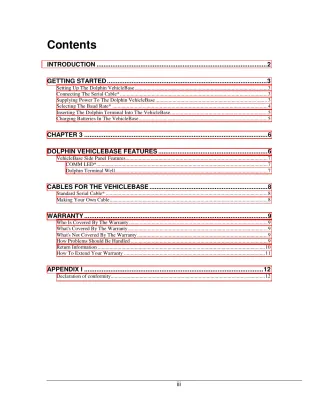
- Introduction
- Getting Started
- Dolphin VehicleBase Features
- Cables for the VehicleBase
- Warranty
From the manual · read page by page
Key facts from this manual
Each line names its page in the PDF.
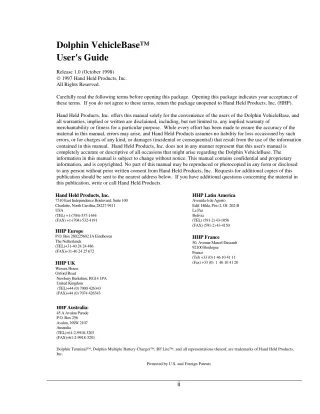
The HHP Dolphin VehicleBase User's Guide (Release 1.0, October 1998, P/N 80010107), for the vehicle dock that holds and charges a Dolphin terminal. It refers to the Dolphin terminal in general and does not name the 7200. It covers power hookup, the RS-232 port and baud rate switch, charging, the COMM LED and cable pinouts.
- Device
- Vehicle dock for the Dolphin terminal, in charging/communications or charge-only versions p. 4
- Communications
- Optical port mates with the Dolphin IrDA port; up to 115K baud; RS-232 Main Comm Port to the host p. 4, 5
- Power input
- 12 or 24 volt DC, by cigarette lighter adapter (12 volt) or fused cable assembly (12 and 24 volt) p. 5, 6
- Power Condition Module
- Optional in-line surge protector; optional at 12 volt, recommended at 24 volt p. 6
- Baud rate
- 1200 to 115200 by a three-position DIP switch; preset 9600 p. 6
- Host port type
- Main Communication Port is DCE: straight-through cable to a PC, null modem to a DCE device p. 10
- Port pinout
- 2 RD, 3 TD, 5 SG, 4 DTR, 6 DSR, 7 RTS, 8 CTS p. 10
- Charging temperature
- Recommended 10 to 35 C for NiCad or NiMH packs p. 7
- Guide part number
- P/N 80010107, Release 1.0 (October 1998) p. 1, 2
What this manual walks you through
- Connecting the RS-232 serial cable to a host p. 5
- Wiring vehicle power, with or without the Power Condition Module p. 5, 6
- Setting the baud rate switch p. 6
- Seating the terminal and charging its battery p. 7
- Reading the COMM LED p. 9
- Making a cable for a 9-pin or 25-pin host p. 10
Good to know
- Baud rate switch changes take effect only after power is cycled. p. 6
- The base must be connected to power for any type of operation. p. 5
- Recharge only battery packs made by HHP for the Dolphin terminal. p. 7
- The terminal can stay in the powered base indefinitely; it manages its own charging to avoid overcharge. p. 7
Questions this manual answers
What voltage does the Dolphin VehicleBase need?
A 12 or 24 volt DC source, by cigarette lighter adapter on 12 volt systems or a fused cable on 12 and 24 volt systems. p. 5, 6
How do I change the baud rate on the Dolphin VehicleBase?
Set the three-position DIP switch on the bottom (1200 to 115200; preset 9600), then cycle power. p. 6
What cable connects the VehicleBase to a PC?
A standard straight-through RS-232 cable, because the base port is DCE; a DCE device needs a null modem. p. 10
What does a green COMM LED mean on the charge-only VehicleBase?
The Dolphin terminal is seated in the well. p. 9
Contents
Chapters and sections
Each line opens the PDF at its page.
The whole text · 2 parts
Read the manual here as text
Its text as extracted from the PDF, unedited, in parts; each page opens the PDF at that page.
The file