Manual · Datalogic
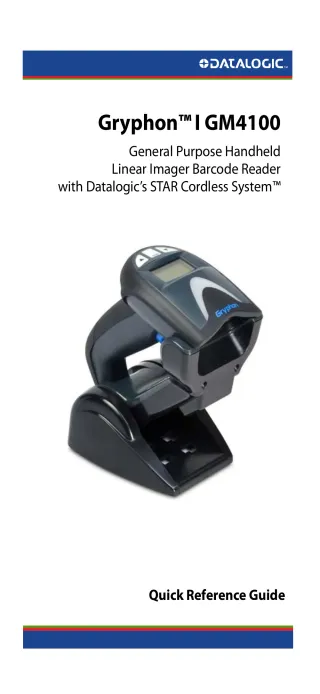
Gryphon I GM4100 General Purpose Handheld Linear Imager Barcode Reader with Datalogic's STAR Cordless System Quick Reference Guide
Manual52 pagesPDF 1.4 MB
Quick reference guide for the Datalogic Gryphon I GM4100 cordless linear imager and its base station: setup, interfaces and specifications.
Covers · 1 model
The models it covers

Summary
What is in it
Datalogic's quick reference guide for the Gryphon I GM4100 cordless handheld linear imager, which uses the STAR Cordless System and a radio base station. It covers configuring and connecting the base station, the BC40xx radio base, charging and replacing the batteries, linking the reader to a base, choosing and configuring the host interface, keyboard country mode and caps lock settings, programming with barcodes, technical specifications, LED and beeper indications, error codes and regulatory information.
Its parts
- Setting Up the Reader
- Configure the Base Station
- Using the BC40xx Radio Base
- Charging the Batteries
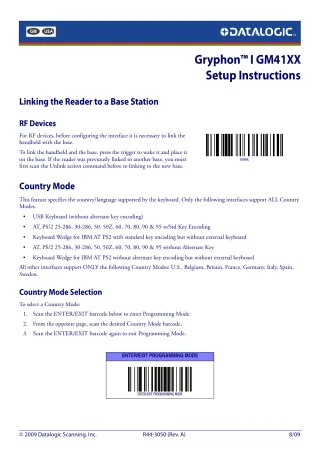
- Linking the Reader to a Base Station
- System and Network Layouts
- Select the Interface Type
- Keyboard Interface
- Country Mode
- Caps Lock State
- Numlock
- Programming
- Technical Specifications
- LED and Beeper Indications
- Error Codes
From the manual
Key facts from this manual
Each line names its page in the PDF.
Quick reference guide for the Datalogic Gryphon I GM4100, a cordless handheld linear imager that works with a radio base station and charger. It walks through setting up and connecting the base, charging and replacing the battery, linking the reader, choosing the host interface and restoring defaults. It also lists technical specifications, LED and beeper signals and the error codes.
- Device
- Cordless handheld linear imager barcode reader with a radio base station p. 1
- Host interfaces
- General Purpose models: RS-232, RS-232 OPOS, USB, Keyboard Wedge; Retail Point of Sale models: RS-232, RS-232 OPOS, USB, IBM 46XX p. 25
- Base station
- BC40xx radio base, also the battery charger p. 16
- Battery
- Li-Ion battery pack p. 38
- Charge time
- 4 hours with the external power supply; up to 22 hours on host power, from full discharge p. 38
- Base power input
- 4.75-14 VDC, under 8 W; 500 mA max when host or bus powered p. 38
- Operating autonomy
- 50,000 reads typical, continuous reading p. 38
- Radio
- 433 MHz model (433.920 MHz) or 910 MHz model (910.000 MHz) p. 40
- Display
- Optional FSTN display with white LED backlight p. 17
- Depth of field
- 13 mil: 1.2 to 23.6 in (3 to 60 cm); 20 mil: 1.2 to 31.5 in (3 to 80 cm) p. 38
- Dimensions
- Height 7.1 in (181 mm), length 3.9 in (100 mm), width 2.8 in (71 mm) p. 38
- Weight
- About 8.7 oz (246 g), reader with display p. 38
- Temperature
- Operating 32 to 122 F (0 to 50 C); charging 32 to 104 F (0 to 40 C) p. 39
- Drops and sealing
- Scanner withstands 18 drops from 1.8 m (5.9 ft) to concrete; IEC 529-IP52 (scanner only) p. 39
What this manual walks you through
- Setting the base station to standing, horizontal or wall position p. 11, 12, 13
- Connecting the base station to the host and to power p. 13, 14, 15
- Reading the base station LEDs p. 16, 17, 44
- Charging the battery p. 18
- Replacing the reader's battery p. 21, 22
- Linking the reader to a base station p. 23
- Selecting the host interface type p. 25
- Using programming barcodes and restoring factory defaults p. 37
- LED and beeper indications p. 41, 42, 43
- Error codes from LED flashes and beeps p. 43
Good to know
- For interface selection scan only the one interface barcode; do not scan an ENTER/EXIT barcode first. p. 25
- When the base is powered by the terminal instead of the external supply, the charger is set to slow charge. p. 13
- Factory defaults depend on the interface type, so set the interface before scanning the defaults label. p. 37
- Li-Ion cells are rated at 500 charge cycles, and annual replacement of the battery pack is recommended. p. 18, 20
- Readers previously linked to another base must scan the Unlink command before relinking. p. 23
Questions this manual answers
What host interfaces does the Gryphon GM4100 support?
General Purpose models support RS-232, RS-232 OPOS, USB and Keyboard Wedge; Retail Point of Sale models support RS-232, RS-232 OPOS, USB and IBM 46XX. p. 25
How do I pair a GM4100 with its base?
Press the trigger to wake the reader and place it on the base. If it was linked to another base, scan the Unlink barcode first. p. 23
How long does the GM4100 battery take to charge?
About 4 hours with the external power supply, and up to 22 hours when the base runs on host power, from full discharge. p. 38
What does a long tone at power-up mean on the GM4100?
The reader failed its automatic self-test and entered FRU isolation mode; the number of LED flashes or beeps that follows identifies the error. p. 43
How do I reset the GM4100 to factory settings?
Set the correct interface first, then scan the Standard Product Default Settings barcode in the guide. p. 37
Contents
Chapters and sections
Each line opens the PDF at its page.
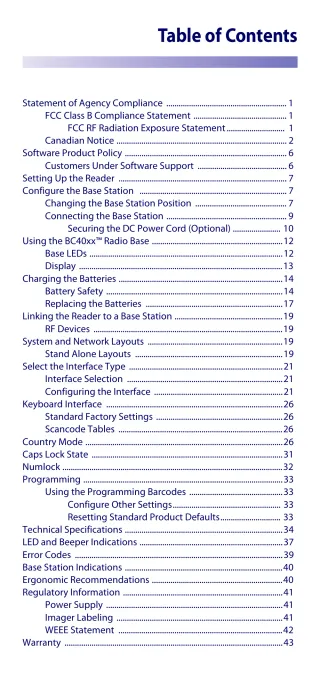
- Gryphon™ I GM4100 Quick Reference Guide5
- Statement of Agency Compliance5
- Software Product Policy10
- Setting Up the Reader11
- Configure the Base Station11
- Using the BC40xx™ Radio Base16
- Charging the Batteries18
- Linking the Reader to a Base Station23
- System and Network Layouts23
- Select the Interface Type25
- Keyboard Interface30
- Country Mode30
- Caps Lock State35
- Numlock36
- Programming37
- Technical Specifications38
- LED and Beeper Indications41
- Error Codes43
- Base Station Indications44
- Ergonomic Recommendations44
- Regulatory Information45
- Warranty47
The whole text · 6 parts
Read the manual here as text
Its text as extracted from the PDF, unedited, in parts; each page opens the PDF at that page.
The file