Manual · Datalogic
Datalogic Gryphon I GM41XX Setup Instructions
Manual2 pagesPDF 108 KB
Both pages are below, each with its text.
Covers · 1 model
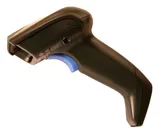
The models it covers
From the manual · read page by page
Key facts from this manual
Each line names its page in the PDF.
This two-page sheet gives setup instructions for the Datalogic Gryphon GM41XX handheld reader. It explains how to link an RF reader to its base station and how to set the keyboard country mode with programming bar codes.
- Linking to base
- RF devices: press the trigger to wake the handheld and place it on the base p. 1
- Re-linking
- Scan the Unlink command first if the reader was linked to another base p. 1
- Country modes, all interfaces
- U.S., Belgium, Britain, France, Germany, Italy, Spain, Sweden p. 1
- Other country modes
- Japanese 106-key, Norway, Poland, Croatia, Portugal, Czechoslovakia, Romania, Denmark, Slovakia, Hungary, Switzerland, on the listed keyboard interfaces only p. 2
- Full country mode interfaces
- USB Keyboard without alternate key encoding; AT, PS/2 with standard key encoding; Keyboard Wedge for IBM AT PS2 without external keyboard p. 1
- Programming mode
- Entered and left by scanning the ENTER/EXIT PROGRAMMING MODE bar code p. 1
- Document
- R44-3050 (Rev. A), 8/09 p. 1
What this manual walks you through
Good to know
- On RF devices, link the handheld with the base before configuring the interface. p. 1
- Interfaces other than the listed keyboard ones support only eight country modes. p. 1
Questions this manual answers
How do I pair a Gryphon GM41XX with its base?
Press the trigger to wake the handheld and place it on the base; if it was linked to another base, scan Unlink first. p. 1
How do I change the keyboard language on a Gryphon GM41XX?
Scan ENTER/EXIT to enter programming mode, scan the Country Mode bar code you want, then scan ENTER/EXIT again. p. 1, 2
Which country modes work with every interface?
U.S., Belgium, Britain, France, Germany, Italy, Spain and Sweden. p. 1
The file
Size and text
Every page · 2
Read it here
Each page as it is printed, and its words beside it, so a phone can search and copy them.
Page1of 2
Open in the PDF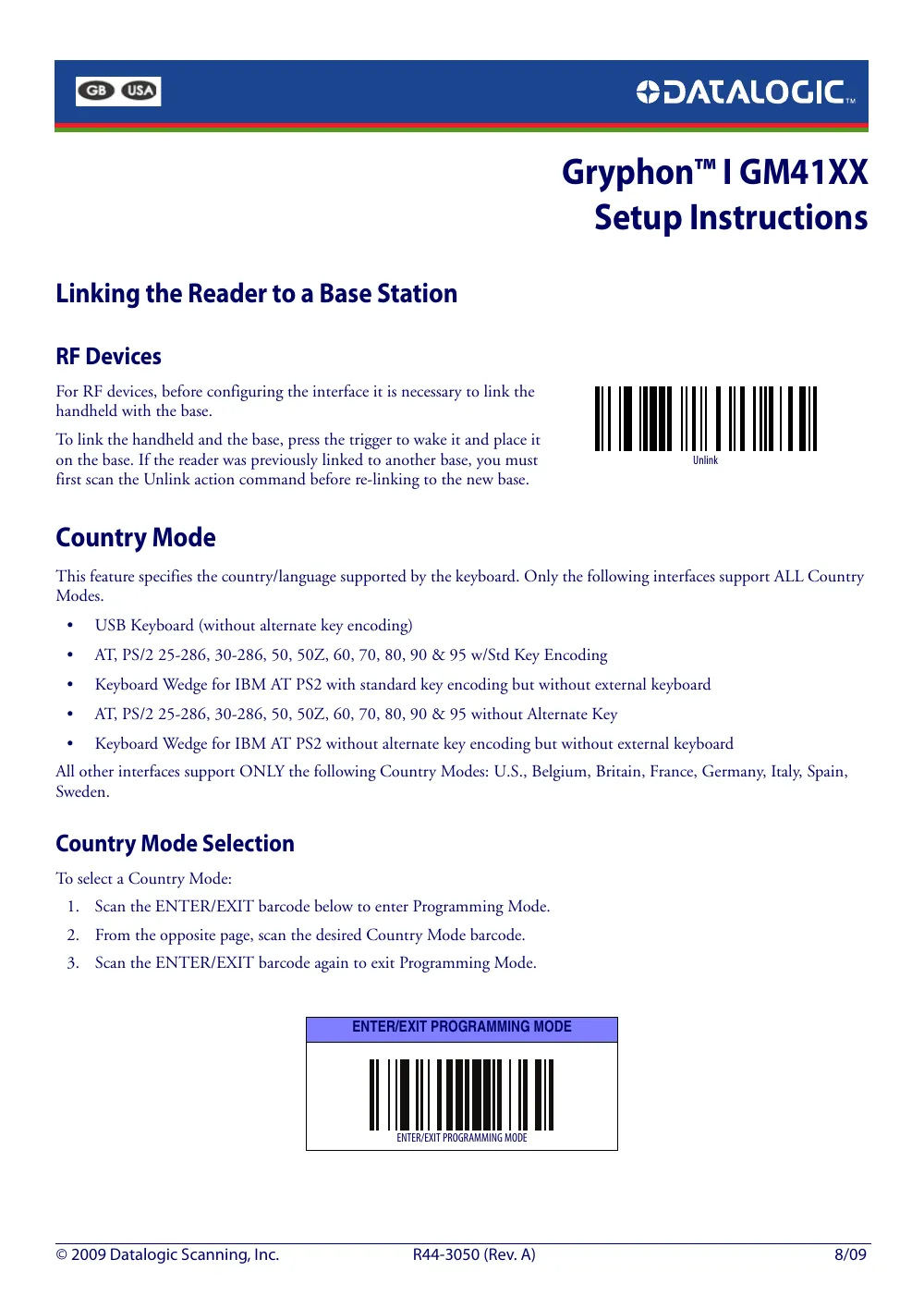
The text of page 1, from the PDF itself
Gryphon™ I GM41XX Setup Instructions Linking the Reader to a Base Station RF Devices For RF devices, before configuring the interface it is necessary to link the handheld with the base. To link the handheld and the base, press the trigger to wake it and place it on the base. If the reader was previously linked to another base, you must first scan the Unlink action command before re-linking to the new base.
Unlink
Country Mode This feature specifies the country/language supported by the keyboard. Only the following interfaces support ALL Country Modes.
USB Keyboard (without alternate key encoding)
AT, PS/2 25-286, 30-286, 50, 50Z, 60, 70, 80, 90 & 95 w/Std Key Encoding
Keyboard Wedge for IBM AT PS2 with standard key encoding but without external keyboard
AT, PS/2 25-286, 30-286, 50, 50Z, 60, 70, 80, 90 & 95 without Alternate Key
Keyboard Wedge for IBM AT PS2 without alternate key encoding but without external keyboard
All other interfaces support ONLY the following Country Modes: U.S., Belgium, Britain, France, Germany, Italy, Spain, Sweden.
Country Mode Selection To select a Country Mode: 1. Scan the ENTER/EXIT barcode below to enter Programming Mode. 2. From the opposite page, scan the desired Country Mode barcode. 3. Scan the ENTER/EXIT barcode again to exit Programming Mode.
ENTER/EXIT PROGRAMMING MODE
ENTER/EXIT PROGRAMMING MODE
© 2009 Datalogic Scanning, Inc.
R44-3050 (Rev. A)
8/09
Page2of 2
Open in the PDF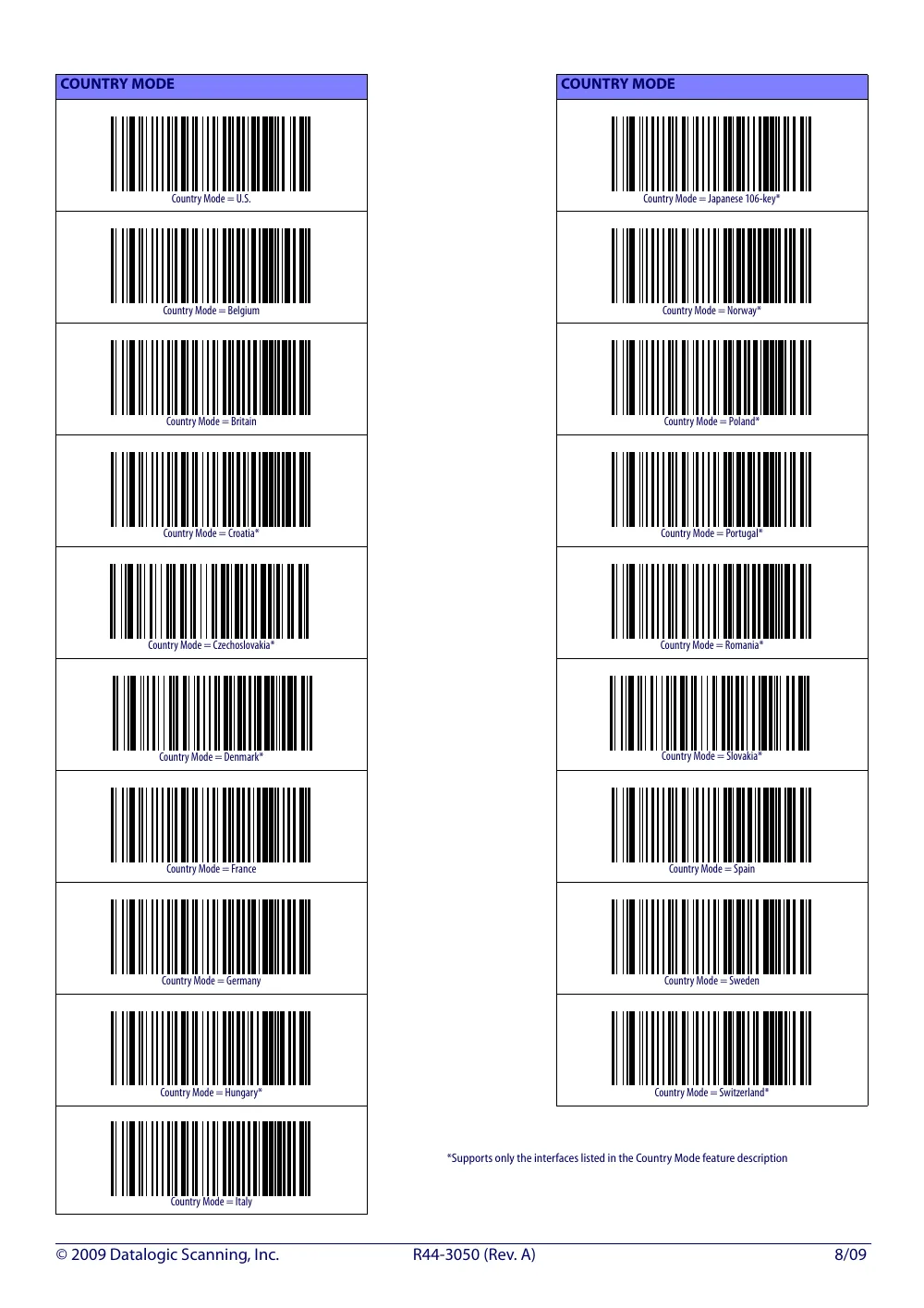
The text of page 2, from the PDF itself
COUNTRY MODECOUNTRY MODECountry Mode = U.S.
Country Mode = Japanese 106-key*
Country Mode = BelgiumCountry Mode = Norway*Country Mode = BritainCountry Mode = Poland*
Country Mode = Croatia*
Country Mode = Portugal*
Country Mode = Czechoslovakia*
Country Mode = Romania*
Country Mode = Denmark*
Country Mode = Slovakia*
Country Mode = FranceCountry Mode = SpainCountry Mode = GermanyCountry Mode = Sweden
Country Mode = Hungary*
Country Mode = Switzerland*
*Supports only the interfaces listed in the Country Mode feature description
Country Mode = Italy
© 2009 Datalogic Scanning, Inc.
R44-3050 (Rev. A)
8/09