Manual · Datalogic
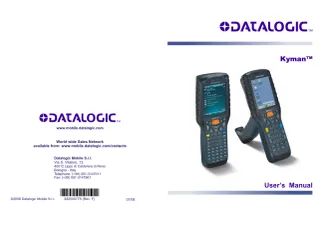
Kyman User's Manual
Manual117 pagesPDF 6.8 MB
User's manual for the Datalogic Kyman rugged mobile computer: setup, connections, data capture, configuration and care.
Names · 1 model
The models it names
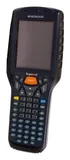
Filed with · 1 model
Also filed with these models on the old site
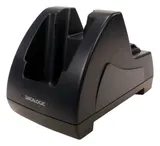
Summary
What is in it
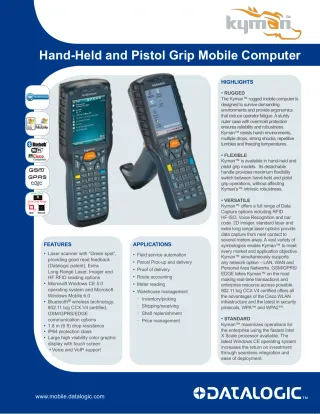
User's manual for the Datalogic Kyman rugged mobile computer, available in handheld and pistol-grip models with laser, imager or RFID data capture. It covers package contents, handle mounting, SIM and SD cards, RS232/USB, WLAN, WPAN, WWAN and cradle connections, startup, the 53-key and 36-key keyboards, status indicators, data capture configuration, the control panel, ActiveSync, Bluetooth and FTP setup, firmware updates, battery charging and replacement, technical data, reading diagrams and test codes.
Its parts
- Introduction
- Connections
- Use and Functioning
- Maintenance
- Technical Features
- Test Codes
From the manual
Key facts from this manual
Some pages are scans or cannot be read; this says only what the readable text supports. Each line names its page in the PDF.
User's manual (software version 3.00, 2008) for the Datalogic Kyman rugged mobile computer, in handheld and pistol-grip models running Windows CE or Windows Mobile. It lists the accessories with their order numbers and walks through card installation, cable and radio connections, startup, the status lights and battery care. It ends with technical data for the laser and imager models.
- Device
- Rugged mobile computer, handheld or pistol-grip with an add-on handle p. 19
- Data capture options
- Laser, imager, RFID, laser plus RFID, or extra-long-range laser p. 20
- Radios
- Wi-Fi 802.11b/g, Bluetooth (Class 2, Version 1.2), GSM/GPRS or GSM/GPRS/EDGE, by model p. 20, 101
- Operating system
- Windows CE 5.0 Professional or Windows Mobile 6 Professional p. 103
- Processor and memory
- Intel XScale PXA 270 520 MHz; 128 MB flash, 128 MB RAM p. 101
- Display
- 64K color TFT LCD, 320 x 240 pixels, LED backlight, touch screen p. 101
- Keypad
- Numeric or alphanumeric backlit layout, 53 or 36 keys p. 19, 101
- Wired interfaces
- RS232 and USB 1.1 by cable; RS232, USB and Ethernet through cradles p. 35, 101
- Battery
- 94ACC1302 Standard Battery Pack, Li-Ion 2200 mAh at 7.4 V p. 28
- Size and weight
- No handle: 23.8 x 9.1 x 5.5 cm, 550 - 630 g; with handle: 23.8 x 9.1 x 16.2 cm, 660 - 690 g (incl. battery) p. 102
- Cradles
- 94A151101 Single Cradle Desk (RS232, USB, spare battery slot); 94A151107 Vehicle Cradle; 94A151115 Ethernet Desk Multi Cradle p. 28
- Battery charger
- 94A151102 Multi-Battery Pack Charger (4 slots) p. 28
- Power supplies
- 94ACC4595 FPS18 (Single Cradle Desk, Multi-Battery Charger, PWR cables); 94ACC1337 FPS19 (Ethernet Desk Multi Cradle) p. 28
- Cables
- 94A051008 serial, 94A051009 USB, 94A051014 serial with power, 94A051015 USB with power, 94A051012 vehicle power p. 28
What this manual walks you through
- Using the belt clip p. 22, 23
- Mounting the pistol-grip handle p. 24
- Installing and removing the SIM and SD cards p. 25, 26, 27
- Connecting to a host computer by RS232 or USB cable p. 30
- Setting up Wi-Fi, Bluetooth and GSM/GPRS connections p. 31, 32, 33, 34
- Pin assignments of the serial and USB cables p. 36, 37
- Starting up the mobile computer p. 38
- Reading the status LEDs and taskbar icons p. 54, 55
- Charging and replacing the battery pack p. 96, 98
Good to know
- Battery packs come uncharged; charge them before first use. p. 96
- USB communication may be unreliable while the batteries charge; avoid connecting the power supply while the USB link is active. p. 30
- Batteries must be charged between 0 and +45 °C (+32 to +113 °F). p. 97
- Suspending the unit powers off the radios; Wi-Fi takes about 10 to 30 seconds to re-associate on resume. p. 32
- If a replaced battery is not charged enough, the unit does not turn on. p. 100
Questions this manual answers
What battery does the Datalogic Kyman use?
The 94ACC1302 Kyman Standard Battery Pack, a Li-Ion pack rated 2200 mAh at 7.4 V. p. 28
How long does a Kyman battery take to charge?
A completely run-down pack takes at most about 3 hours to recharge if the unit is idling. p. 96
Which cable connects a Kyman to a PC by USB?
The 94A051009 WIN-NET USB CABLE; the 94A051015 WIN-NET USB PWR CABLE adds a power connection. p. 28
What operating system does the Kyman run?
It comes in two models, one with Windows CE and one with Windows Mobile. p. 29
What is the Bluetooth range of the Kyman?
The manual gives a range of 10 m for a Bluetooth device such as a printer. p. 33
Contents
Chapters and sections
Each line opens the PDF at its page.
13 more lines, from page 92 on
The whole text · 16 parts
Read the manual here as text
Its text as extracted from the PDF, unedited, in parts; each page opens the PDF at that page.
- CONTENTS1-4
- Pages 5 to 155-15
- GENERAL VIEW16-18
- INTRODUCTION19-29
- CONNECTIONS30-37
- USE AND FUNCTIONING, pages 38 to 4738-47
- USE AND FUNCTIONING, pages 48 to 5748-57
- USE AND FUNCTIONING, pages 58 to 6758-67
- USE AND FUNCTIONING, pages 68 to 7768-77
- USE AND FUNCTIONING, pages 78 to 8778-87
- USE AND FUNCTIONING, pages 88 to 9588-95
- MAINTENANCE96-100
- TECHNICAL FEATURES101-106
- TEST CODES107-109
- GLOSSARY110-112
- Pages 113 to 117113-117
The file