Manual · DAP
CE5000 User's Guide
Manual57 pagesPDF 2.1 MB
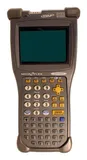
User's guide for the DAP Technologies CE5000 Windows CE handhelds: CE5240, CE5320 and the Xscale CE5240X and CE5320X.
Covers · 1 model
The models it covers
Summary
What is in it
The user's guide for the DAP Technologies CE5000 family of rugged Windows CE hand-held computers: the CE5240 and CE5320 with StrongArm processor and Win-CE 3.0, and the CE5240X and CE5320X with Xscale processor and Windows CE.NET 4.2. It gives a quick tour of the unit, then covers getting started, battery charging and power management, the keyboard, PC cards, the IrDA interface, the optional laser scanner, the communication and Ethernet cradles, storage and maintenance, operating environment, resetting and ActiveSync.
Its parts
- Precautions
- Warranty Statements
- Quick Tour
- Get Started
- Advanced Battery Options
- Use of the Keyboard
- Use of PC Cards
- IrDA Interface
- Barcode Laser Scanner (CE5240LS and CE5320LS)
- Use of the Cradle
- Storage & Maintenance
- Operating Environment
- Advanced User Information
From the manual
Key facts from this manual
Each line names its page in the PDF.
User's guide for the DAP Technologies CE5000 hand-held computers. It applies to the CE5240 and CE5320 (StrongArm processor, Win-CE 3.0) and to the CE5240X and CE5320X (Xscale processor, Windows CE.NET 4.2). It explains charging, cradles, the laser barcode scanner option and the operating limits.
- Device
- Hand-held computer; CE5320 with StrongArm processor and Win-CE 3.0, CE5320X with Xscale processor and Windows CE.NET 4.2 p. 5, 10
- Keypad
- Numeric keypad, cursor pad, four function keys, TAB, BLUE and Shift keys p. 16
- Connectors
- LEMO round communication connector with a proprietary pin-out (optional second LEMO), PC Card access door, charging contacts p. 9, 17
- Battery
- Lithium-ion main battery p. 50
- Charger
- Modular charger CS810 (110Vac) or CS820 (220Vac) with communication cable DO-C-0040 p. 20
- Operating temperature
- -20°C to +50°C (-4°F to +122°F) p. 51
- Charge time
- Up to 5 hours; charge only between 5°C (44°F) and 45°C (113°F) p. 20
- Barcode scanner
- Optional laser scanner (CE5240LS and CE5320LS), triggered with the F3 SCAN key p. 45
- Drop rating
- Two meters (six feet) onto a hard surface; one meter (three feet) with the barcode scanner p. 51
- Water
- Withstands rain and occasional immersion; the unit floats p. 51
- Cradles
- Office: UC840 (serial RS232, CE5320 and CE5240 only), CBCE540E (Ethernet). Vehicle: CBCE540VC (charge only), CBCE540V (serial), CBCE540V1 (Ethernet to serial converter) p. 47
- Vehicle power
- CS512 12 Vdc adapter with 240 cm (95") cable or CS512SCH with 15 cm (6") cable; vehicle cradles need 12 to 18 Vdc p. 21
- Replaceable parts
- Part numbers DC800, DC801 and DCCE500 p. 50
- Auto shutoff
- Turns off after three minutes without use; press F1 to turn on p. 22
What this manual walks you through
- Charging the battery through the LEMO cable p. 20
- Charging in an office or vehicle cradle p. 21
- Charging a spare battery in the external charger p. 22
- Turning the unit on and automatic shutoff p. 22
- Inserting and removing the LEMO cable p. 9
- Scanning barcodes with the laser option p. 45
- Choosing a cradle p. 47
- Setting up the Ethernet cradle p. 48
- Packing the unit for shipping p. 50
Good to know
- Never recharge the unit with the battery removed: it may reset and corrupt data not saved to flash. p. 20
- Use only cables supplied or recommended by DAP, and never twist the LEMO connector. p. 9
- Long exposure below -40°C (-40°F) may damage the screen; above +60°C (+140°F) damages the main battery. p. 51
- Water resistance can be lost if the battery or PC Card doors are badly closed or their gaskets worn. p. 51
- Do not look into the laser beam of units with the barcode reader option. p. 45
Questions this manual answers
What charger does the DAP CE5320 use?
The modular charger CS810 (110Vac) or CS820 (220Vac), connected through the communication cable DO-C-0040. p. 20
How long does a CE5000 take to charge?
Up to five hours; the battery status light turns green when charging is complete. p. 20
Which cradles work with the CE5320?
The UC840 office cradle and CBCE540V vehicle cradle (serial) fit the CE5320 and CE5240; the Ethernet cradles need an X model or the Ethernet option. p. 47
How do I turn on a DAP CE5000?
Press the F1 key. It turns itself off after about three minutes without use. p. 22
What temperature can the CE5000 work in?
From -20°C to +50°C (-4°F to +122°F). p. 51
The whole text · 6 parts
Read the manual here as text
Its text as extracted from the PDF, unedited, in parts; each page opens the PDF at that page.
The file