Manual · Compsee
Apex III / Apex IV Technical Reference Manual, Second Edition
Manual168 pagesPDF 1.2 MB
Technical reference manual for the Compsee Apex III and Apex IV portable data collection terminals: hardware, BIOS, DOS and programming.
Names · 2 models
The models it names
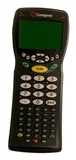 Compsee Apex IIIPortable batch data collection terminal from$995.0014 in stock
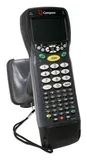 Compsee Apex IV802.11b wireless portable data collection terminal from$1,595.0013 in stock
Filed with · 1 model
Also filed with these models on the old site
Summary
What is in it
Compsee's technical reference manual for the Apex III and Apex IV portable data collection terminals, written for technicians, programmers and resellers who set the terminal up for an application. It covers laser and battery safety, pinouts, DIP switches, memory map, display and keyboard, the BIOS and its extensions, ROM-DOS, the bar code driver and other utilities, PowerBASIC and C libraries, PC cards, IR and serial communications, power management and technical specifications.
Its parts
- General Information
- Safety
- Hardware Configuration
- Basic Input Output System (BIOS)
- Operating System
- Utility Programs
- Apex Programming Resource
- Using PC Cards
- Apex PDT Communications
- Power Management
- Technical Specifications
From the manual
Key facts from this manual
Each line names its page in the PDF.
The Technical Reference Manual, second edition (manual number COAM30002, revision 2.00, 2002), for the Compsee Apex III and Apex IV portable data collection terminals. Written for technicians and programmers, it covers connector pinouts, DIP switches, system architecture, display modes, BIOS functions and POST errors, utility and programming resources, and the technical specifications.
- Device
- Portable data collection terminal running Datalight ROM-DOS 6.22 with PhoenixPICO BIOS Version 4.05 p. 3, 154
- Processor
- AMD Elan AM486 SC400, 33 MHz, 8 KB L1 cache p. 154
- Memory
- 8 or 16 MB Flash, 4 MB RAM; PC Cards up to 64 MB Linear Flash, 512 MB ATA Flash or 64 MB RAM p. 154
- Display
- Backlit 240 × 160 pixel graphic LCD, 30 × 10 characters standard, up to 30 × 20 p. 153
- Keypad
- 56-key full alphanumeric, 4 dedicated function keys plus 8 shifted, large Scan key p. 153
- Communications
- Infrared up to 115 Kbps; RS-232 by internal connection or optional Serial End Cap p. 154
- PC Card slots
- 2 user-accessible slots (2 Type I or II, or 1 Type III), PCMCIA Release 2.1 p. 153
- Operating temperature
- 14° F to 122° F (−10° C to 50° C) p. 154
- Apex III battery
- Apex III: 1500 mAh NiMH pack; Apex III Dock with IR and one charging slot; External Charger with two slots p. 154
- Apex IV battery
- Apex IV: 3100 mAh Li-Ion standard pack or 4650 mAh Li-Ion extended use pack p. 154
- Apex III size
- Apex III: 8.4 x 3.32 x 1.8 in.; 18.1 to 20.6 oz. with battery pack p. 153
- Apex IV size
- Apex IV: 8.4 in. long, 3.32 in. wide, 7.75 in. high; 25.0 or 27.0 oz. with battery pack p. 153
- Wand port
- Apex III: optional DB9 wand port for light pens, CCD devices or tethered lasers (not offered on the Apex IV) p. 22
- Serial connectors
- Onboard 8-pin Molex 53261-0890; Serial End Cap 10-pin phone type; RS-232 To DB9 Cable PN 0227001 p. 21, 23
What this manual walks you through
- Pinouts of the Serial End Cap, onboard serial connector and Apex III wand port p. 21, 22
- Setting the internal DIP switches, including PC Card boot and +5 V on the RS-232 port p. 23
- System architecture, drives A: to C: and the memory map p. 24, 25
- Display video modes and changing font sizes p. 26, 27
- Battery pack care, charging and disposal p. 19
- Reading POST error messages and beep codes p. 53, 54
- Laser decode zones by laser option p. 155
Good to know
- Do not leave the terminal without a battery pack for more than 5 minutes. p. 19
- Do not keep operating the terminal after it powers down for low battery; leave the pack in until it can be charged or swapped. p. 19
- The +5 V output to the wand port and RS-232 port is a nominal 400 mA in total. p. 21
- Only a qualified technician should change the DIP switches; all are OFF in normal operation. p. 23
Questions this manual answers
What battery does the Compsee Apex IV use?
A 3100 mAh Li-Ion standard pack, or a 4650 mAh Li-Ion extended use pack. The Apex III uses a 1500 mAh NiMH pack. p. 154
What operating system does the Compsee Apex III run?
Datalight ROM-DOS 6.22, with the PhoenixPICO BIOS. p. 24
Can a wand or tethered scanner be connected to the Apex IV?
No. The optional DB9 wand port is for the Apex III; the Apex IV has an integrated handle and no wand port option. p. 22
What bar codes can the Compsee Apex read?
Codabar, Code 11, Code 39 (standard and full ASCII), Code 93, Code 128, several 2 of 5 codes, MSI Plessey, and UPC/EAN/JAN with supplementals. p. 154
The whole text · 17 parts
Read the manual here as text
Its text as extracted from the PDF, unedited, in parts; each page opens the PDF at that page.
- Pages 1 to 101-10
- Pages 11 to 2011-20
- Pages 21 to 3021-30
- Pages 31 to 4031-40
- Pages 41 to 5041-50
- Pages 51 to 6051-60
- Pages 61 to 7061-70
- Pages 71 to 8071-80
- Pages 81 to 9081-90
- Pages 91 to 10091-100
- Pages 101 to 110101-110
- Pages 111 to 120111-120
- Pages 121 to 130121-130
- Pages 131 to 140131-140
- Pages 141 to 150141-150
- Pages 151 to 160151-160
- Pages 161 to 168161-168
The file