Manual · CipherLab
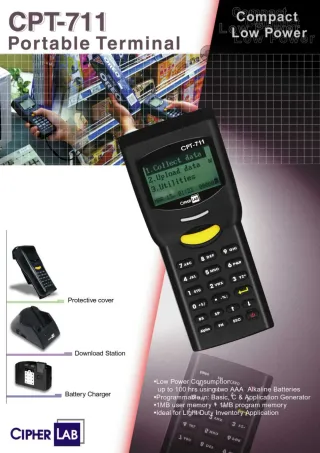
CPT-711 Portable Data Terminal
Manual20 pagesPDF 198 KB
User's manual for the CipherLab CPT-711 portable data terminal with laser or CCD scanner: specifications, setup and operation.
Covers · 1 model
The models it covers
Summary
What is in it
A short user's manual for the CPT-711, a compact batch data terminal powered by two AAA batteries with a built-in laser or long-range CCD scanner. It lists the electrical, environmental and physical specifications, memory, scanner, display, keypad and communication features, shows RS-232, IrDA and RF connections, explains the kernel, system and application software modules, and describes keypad operation, the system and kernel menus, and troubleshooting.
Its parts
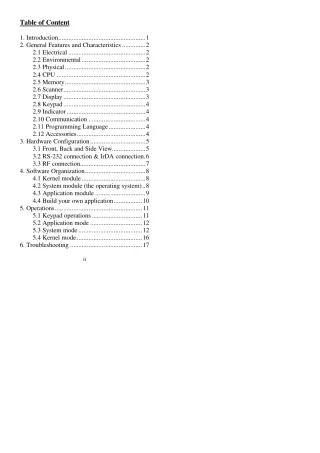
- Introduction
- General Features and Characteristics
- Hardware Configuration
- Software Organization
- Operations
- Troubleshooting
From the manual · read page by page
Key facts from this manual
Each line names its page in the PDF.
User manual for the CipherLab CPT-711 portable data terminal, published by Syntech Information. It lists the specifications and explains the keypad, the preloaded data collection program, the system and kernel menus, program download and troubleshooting.
- Device
- Compact handheld data terminal with an integrated laser or CCD barcode scanner p. 3
- Battery
- Two AAA size batteries, disposable or rechargeable p. 4
- Backup battery
- 3.0V, 7.0mAh rechargeable lithium battery for SRAM and calendar p. 4
- Working time
- Over 100 hours and more than 80,000 readings (CPU in low speed mode, 1 reading every 5 seconds) p. 4
- Memory
- 1 M Bytes flash for programs, 1 M Bytes SRAM for data p. 5
- Scanner options
- CPT-711L (laser) or CPT-711C (long range CCD) p. 5
- Laser scanner
- CPT-711L: visible laser diode, depth of field 5 to 95 cm depending on barcode resolution p. 5
- CCD scanner
- CPT-711C: 100 scans/sec, depth of field 20cm, resolution 0.15mm to 1.00mm p. 5
- Display
- 128x64 graphic dots FSTN LCD with LED backlight and adjustable contrast p. 3, 5
- Keypad
- 21 rubber keys: alphanumeric, arrow, function and scan trigger keys p. 6
- Communication
- RS-232 and infrared (IrDA 1.0 and high speed IR) up to 115200bps; RF up to 9600bps, up to 100 m p. 6
- Operating temperature
- -20 to 60 °C p. 4
- Size and weight
- 145mm x 63mm x 33.5mm; 180g with batteries p. 4
- Accessories
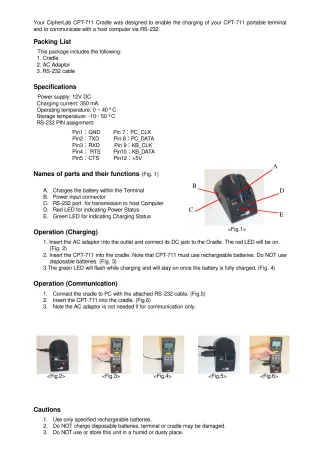
- RS-232 cable, high speed IR transceiver, cradle, RF base station p. 6
What this manual walks you through
- Connecting by RS-232, IrDA or to an RF base with up to 32 units p. 8, 9
- Using the preloaded data collection program p. 11, 12
- Using the keypad, alpha mode and function keys p. 13, 14
- Entering system mode and setting clock, backlight, CPU speed and auto off p. 14, 15, 16
- Testing the scanner, buzzer, display and keys p. 16, 17
- Downloading user programs by RS-232, cradle, IR or IrDA p. 17, 18
- Updating the kernel from kernel mode p. 18
- Troubleshooting power, download, keypad and scanning problems p. 19, 20
Good to know
- Clear Data erases all transaction data for good. p. 11
- Initializing or testing the data memory wipes its contents. p. 15
- After a kernel update, do not power off until the system restarts itself. p. 18
- When the battery-low icon shows, less than 25% of fresh battery power remains. p. 17
- Test & Calibrate in kernel mode is for manufacturing use only. p. 19
Questions this manual answers
What batteries does the CipherLab CPT-711 use?
Two AAA size batteries, disposable or rechargeable. A 3.0V rechargeable lithium backup battery keeps the SRAM and calendar. p. 4
How do I enter system mode on the CPT-711?
Press the 7, 9 and POWER keys at the same time. p. 14
Which scanners can the CPT-711 have?
A laser scanner (CPT-711L) or a long range CCD scanner (CPT-711C). p. 5
How fast does the CPT-711 transfer data?
RS-232 and infrared run up to 115200bps; RF runs up to 9600bps over up to 100 m. p. 6
What if the CPT-711 scanner does not scan?
Check that the symbologies used are enabled and that the battery-low indicator is not shown; change the batteries if it is. p. 20
The whole text · 2 parts
Read the manual here as text
Its text as extracted from the PDF, unedited, in parts; each page opens the PDF at that page.
The file