Manual · CipherLab
CipherLab CPT-711 and CPT-711 Cradle Manual
Manual2 pagesPDF 183 KB
Both pages are below, each with its text.
Names · 1 model
The models it names
Filed with · 1 model
Also filed with these models on the old site
From the manual · read page by page
Key facts from this manual
Each line names its page in the PDF.
Two-page guide to the CipherLab CPT-711 Cradle, which charges the CPT-711 portable terminal and links it to a host computer over RS-232. It gives the packing list, specifications, RS-232 pin assignment, parts and LEDs, and the steps for charging and for communication.
- What it is
- Cradle that charges the CPT-711 portable terminal and connects it to a host computer via RS-232 p. 1
- Power supply
- 12V DC from the included AC adaptor p. 1
- Charging current
- 350 mA p. 1
- Host port
- RS-232 port for transmission to the host computer p. 1
- In the box
- Cradle, AC adaptor and RS-232 cable p. 1
- Indicators
- Red LED for power status; green LED flashes while charging and stays on when fully charged p. 1
- Temperature
- Operating 0 ~ 40 ºC; storage -10 ~ 50 ºC p. 1
- RS-232 pins
- Pin1 GND, Pin2 TXD, Pin3 RXD, Pin4 RTS, Pin5 CTS, Pin7 PC_CLK, Pin8 PC_DATA, Pin9 KB_CLK, Pin10 KB_DATA, Pin12 +5V p. 1
What this manual walks you through
- Parts of the cradle and what each one does p. 1
- Charging the CPT-711 in the cradle p. 1
- Connecting the cradle to a PC for communication p. 1
Good to know
- Only the specified rechargeable batteries may be charged; charging disposable batteries can damage the terminal or cradle. p. 1
- Do not use or store the cradle in a humid or dusty place. p. 1
- Unplug the AC adaptor from the wall outlet when the cradle is not in use. p. 2
Questions this manual answers
What power supply does the CPT-711 cradle use?
12V DC from the AC adaptor packed with it; it charges at 350 mA. p. 1
How do I know the CPT-711 is fully charged?
The green LED on the cradle flashes while charging and stays on once the battery is full. p. 1
Can the CPT-711 cradle charge disposable batteries?
No. The terminal must use rechargeable batteries; disposable ones must not be charged. p. 1
Do I need the AC adaptor to transfer data through the cradle?
No. For communication only, the RS-232 cable to the PC is enough. p. 1
The file
Size and text
Every page · 2
Read it here
Each page as it is printed, and its words beside it, so a phone can search and copy them.
Page1of 2
Open in the PDF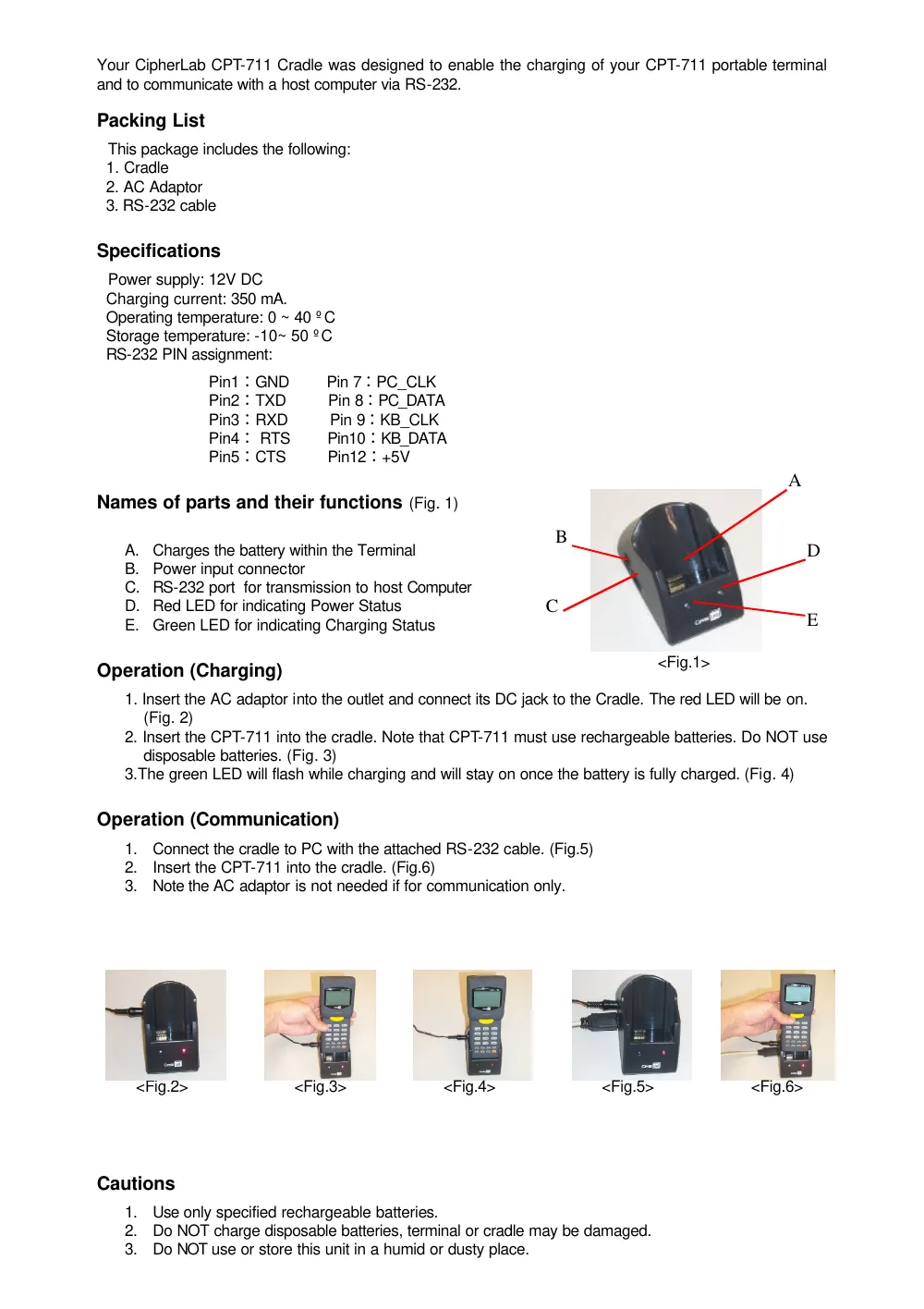
The text of page 1, from the PDF itself
Your CipherLab CPT-711 Cradle was designed to enable the charging of your CPT-711 portable terminal and to communicate with a host computer via RS-232.
Packing List This package includes the following: 1. Cradle 2. AC Adaptor 3. RS-232 cable
Specifications Power supply: 12V DC Charging current: 350 mA. Operating temperature: 0 ~ 40 ºC Storage temperature: -10~ 50 ºC RS-232 PIN assignment: Pin1:GND Pin2:TXD Pin3:RXD Pin4: RTS Pin5:CTS
Pin 7:PC_CLK Pin 8:PC_DATA Pin 9:KB_CLK Pin10:KB_DATA Pin12:+5V
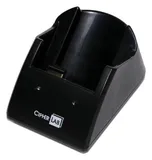
A Names of parts and their functions (Fig. 1) A. B. C. D. E.
Charges the battery within the Terminal Power input connector RS-232 port for transmission to host Computer Red LED for indicating Power Status Green LED for indicating Charging Status
BDCE <Fig.1>Operation (Charging)
1. Insert the AC adaptor into the outlet and connect its DC jack to the Cradle. The red LED will be on. (Fig. 2) 2. Insert the CPT-711 into the cradle. Note that CPT-711 must use rechargeable batteries. Do NOT use disposable batteries. (Fig. 3) 3.The green LED will flash while charging and will stay on once the battery is fully charged. (Fig. 4)
Operation (Communication) 1. Connect the cradle to PC with the attached RS-232 cable. (Fig.5) 2. Insert the CPT-711 into the cradle. (Fig.6) 3. Note the AC adaptor is not needed if for communication only.
<Fig.2><Fig.3><Fig.4><Fig.5>
Cautions 1. Use only specified rechargeable batteries. 2. Do NOT charge disposable batteries, terminal or cradle may be damaged. 3. Do NOT use or store this unit in a humid or dusty place.
<Fig.6>
Page2of 2
Open in the PDF
The text of page 2, from the PDF itself
4. When not in use, please remove the AC adaptor from the wall outlet. Syntech Information Co., Ltd. - 8F, No.210 Ta -Tung Road, Sec3, Hsi-Chih, Taipei Hsien, Taiwan
Tel: +886-2-26438866 - Fax : +886-2-26438800 - http://www.cipherlab.com.tw