Manual · CipherLab
Cipher 1300 Series User's Manual
Manual27 pagesPDF 304 KB
User's manual, part 1, for the CipherLab 1300 series CCD barcode scanners: configuration, features, interfaces and data formats.
Covers · 3 models
The models it covers
Summary
What is in it
The first part of the user's manual for the CipherLab 1300 series linear imaging CCD barcode scanners, describing operation and programmable features (the setup barcodes are in the second part). It explains entering and leaving configuration mode and setting parameters, general features such as the buzzer, indicator, reading redundancy, the eight scan modes and negative barcodes, the keyboard wedge, wand emulation, RS232 and memory interfaces, data output format (prefix, postfix, code ID, length code), symbology parameters and data editing formats.
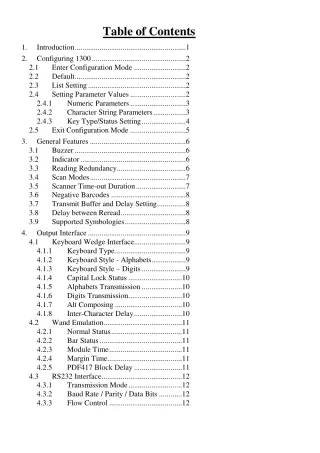
Its parts
- Introduction
- Configuring 1300
- General Features
- Output Interface
- Data Output Format
- Symbology Parameters
- Data Editing
From the manual
Key facts from this manual
Each line names its page in the PDF.
The first part of the Cipher 1300 Series User's Manual (document 6790-0116) for CipherLab 1300 series linear imaging CCD barcode scanners. It explains configuring the scanner by reading setup labels and describes scan modes, symbologies, the keyboard wedge, RS232 and wand emulation interfaces, memory settings and the data output format. It names models 1301, 1311 and 1321 for PDF417 support and models 1310 and 1311 for memory.
- Device
- 1300 series linear imaging CCD barcode scanner p. 5
- Interfaces
- Keyboard wedge, RS232 (single or dual port), wand emulation p. 5
- Scan modes
- Eight: Auto Off, Continuous, Auto Power Off, Alternate, Momentary, Repeat, Laser, Test p. 11
- Symbologies
- Code 39, Italy and French Pharmacode, Industrial/Interleave/Matrix 25, Codabar, UPCA, UPCE, EAN8, EAN13, Code 93, Code 128, EAN 128, MSI, Plessey p. 12
- RS232 settings
- Baud 38400/19200/9600/4800/2400/1200/300/110; parity None/Even/Odd; 8 or 7 data bits p. 16
- Keyboard types
- PCAT (several languages), PS2-30, PS-55, IBM 5550, IBM 3477, IBM 34XX/319X and Memorex Telex (122 keys) p. 13
- PDF417
- 1301, 1311 (and 1321) only: PDF417 support p. 5
- Memory
- 1311 (and 1310) only: data memory that can be sent to the host or cleared p. 5, 17
- Indicator and beeper
- Dual color indicator; good-read tone of 8, 4, 2 or 1 kHz p. 10
- Default scan mode
- Auto Off for scanners with trigger switch; 10 second time-out p. 11
- Data editing
- Up to 7 data editing formats p. 5
- Prefix and postfix
- Up to 10 characters each; up to 10 characters of Code ID per symbology p. 18
- Inter-character delay
- 0 to 255 ms (keyboard wedge and RS232), zero by default p. 14, 17
- Document
- Document Number 6790-0116, release date November 06, 1998 p. 1
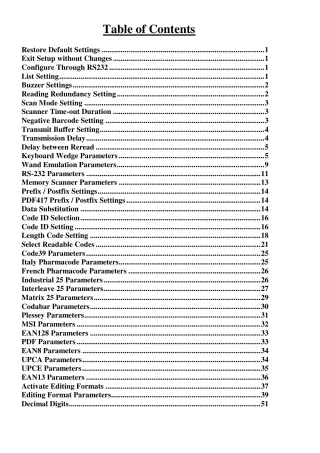
What this manual walks you through
- Entering and leaving configuration mode with setup labels p. 6, 9
- Restoring default settings p. 6
- Sending the current settings to the host computer p. 6
- Choosing a scan mode and time-out p. 11
- Setting up the keyboard wedge interface p. 13, 14
- Setting up wand emulation p. 15
- RS232 single or dual port operation and flow control p. 16
- Clearing and sending data stored in memory models p. 17
- Data output format: prefix, postfix, Code ID, length code and substitution p. 18
Good to know
- The scanner cannot list its settings while the wand emulation interface is configured. p. 6
- The alphabet layout setting (AZERTY, QWERTZ) works only with a US keyboard type. p. 13
- Capital lock auto detection works only with certain keyboard types. p. 14
- RS232 flow control can be set only in single port transmission mode. p. 16
Questions this manual answers
What interfaces does the CipherLab 1300 scanner support?
Keyboard wedge, RS232 (single or dual port) and wand emulation. The interface is changed by using the matching cable and configuring the interface type. p. 5, 13
Does the CipherLab 1300 read PDF417?
The manual lists PDF417 support for models 1301, 1311 and 1321. p. 5
How do I restore default settings on a CipherLab 1300?
Read the "Default" setup label; the scanner beeps twice and all parameters return to their default values. p. 6
Which CipherLab 1300 series models have memory?
Models 1310 and 1311. Stored data can be sent to the host or cleared with the CLEAR and CONFIRM labels. p. 5, 17
What baud rates does the CipherLab 1300 support over RS232?
38400, 19200, 9600, 4800, 2400, 1200, 300 and 110 baud, with None, Even or Odd parity and 8 or 7 data bits. p. 16
The whole text · 3 parts
Read the manual here as text
Its text as extracted from the PDF, unedited, in parts; each page opens the PDF at that page.
The file