Manual · Allied Telesis
AT-FS724L Fast Ethernet Switch Installation Guide
Manual46 pagesPDF 420 KB
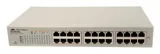
Installation guide for the Allied Telesyn AT-FS724L, an unmanaged 24-port 10/100 Fast Ethernet switch for desktop or rack mounting.
Covers · 1 model
The models it covers
Summary
What is in it
The installation guide for the Allied Telesyn AT-FS724L Fast Ethernet switch, a 24-port 10/100Base-TX switch that needs no software configuration. It describes the key features, status LEDs, port speed and duplex auto-negotiation, auto MDI/MDI-X, the MAC address table, store and forward switching, flow control, the internal power supply and example network topologies, then covers package contents, site planning, desktop and rack installation, troubleshooting, technical specifications and pinouts.
Its parts
- Overview
- Installation
- Troubleshooting
From the manual
Key facts from this manual
Each line names its page in the PDF.
The Allied Telesyn installation guide (PN 613-50464-00 Rev A, 2003) for the AT-FS724L, a 24-port 10/100 Fast Ethernet switch with an internal power supply. It explains the ports, LEDs and switching features, and walks through desktop and rack installation, cabling, and troubleshooting.
- Type
- Unmanaged 10/100 Mbps Fast Ethernet switch; no software configuration or management needed p. 9
- Ports
- 24 10/100Base-TX twisted pair ports, RJ-45, up to 100 m (328 ft) p. 9
- Port features
- Auto-Negotiation (IEEE 802.3u), auto MDI/MDI-X, half or full duplex, backpressure and flow control (IEEE 802.3x) p. 9, 10
- MAC table
- Up to 4,000 MAC addresses; aging time 300 seconds p. 10
- Packet buffer
- 256KB or more, store and forward p. 10
- Power
- Internal universal switching power supply, 50/60 Hz, 0.5A; 15W maximum consumption p. 15
- Cabling
- Category 3 or better for 10Base-T; Category 5 or better for 100Base-TX; 100 m (328 ft) maximum p. 20
- LEDs
- POWER; LNK/ACT and 100M per port p. 11
- Dimensions
- 11.6 in x 7.8 in x 1.72 in (WxDxH) p. 29
- Weight
- 2.5 kg (5.5 lbs) p. 29
- Operating environment
- 0° to 40° C (32° to 104° F); 5% to 80% humidity non-condensing; up to 3,048 meters (10,000 feet) p. 29
- Storage temperature
- -25° to 70° C (-13° F to 158° F) p. 29
- In the box
- Switch, four protective feet, installation guide, AC power cord, rackmounting kit p. 19
- Other features
- Broadcast storm protection; desktop or rackmount use p. 10
What this manual walks you through
- Reading the status LEDs p. 11
- How Auto-Negotiation sets port speed and duplex p. 11, 12
- Power workgroup and cascade network layouts p. 16, 17
- Planning cabling and choosing a site p. 20
- Installing the switch on a table or desktop p. 22
- Rackmounting the switch p. 23, 24
- Troubleshooting POWER and LINK/ACTIVITY LEDs that stay off p. 27
- RJ-45 pin signals in MDI and MDI-X p. 31
Good to know
- The switch is designed for a maximum ambient temperature of 40 degrees C. p. 21
- An end-node that does not Auto-Negotiate can cause a duplex mismatch: the port falls back to half-duplex. p. 12
- The switch runs a self-diagnostic test at power up that takes about 20 seconds. p. 22
- Screws for securing the switch to the rack are not provided. p. 24
- Keep twisted pair cabling away from electrical noise such as radios, power lines, motors and fluorescent fixtures. p. 20
Questions this manual answers
How many MAC addresses does the AT-FS724L store?
Up to 4,000 MAC addresses; an address is dropped after 300 seconds without traffic. p. 13, 14
Do I need a crossover cable to cascade the AT-FS724L?
No. Its ports are auto MDI/MDI-X, so a crossover or straight-through Category 5 or better cable can be used. p. 17
What does the AT-FS724L draw from the wall?
Its internal power supply draws 0.5A at 50/60 Hz, and the switch uses 15W at most. p. 15
Why is a LINK/ACTIVITY LED off on the AT-FS724L?
Check that the end-node is on, the cable is seated at both ends, under 100 meters and the right category, and the end-node runs at 10 or 100 Mbps. p. 27
The whole text · 5 parts
Read the manual here as text
Its text as extracted from the PDF, unedited, in parts; each page opens the PDF at that page.
The file