Manual · Acroprint
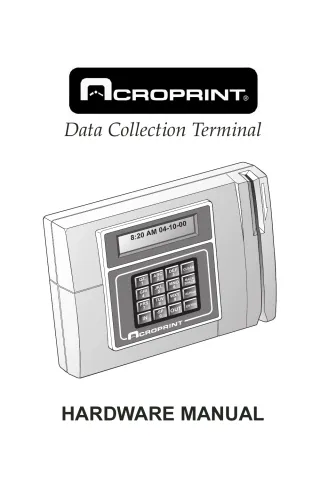
Data Collection Terminal Hardware Manual
Manual28 pagesPDF 1.8 MB
Hardware manual for the Acroprint DataLog and ADCT data collection terminals: specs, setup, ports, cables and accessories.
Covers · 1 model
The models it covers
Summary
What is in it
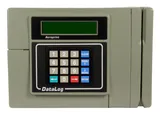
Acroprint's hardware manual for its data collection terminals: the DataLog and the Acroprint Data Collection Terminal (ADCT), in LAN (RS-485), modem and Ethernet versions with optional internal visible or infrared bar code readers. It lists the part numbers and general specifications, then covers site requirements, mounting and power up, the keypads and card reader, configuring date, time, ports and readers with the configuration badge, each port with its cables, and companion products such as printers, readers, power supplies and relay boxes.
Its parts
- Introduction
- Setup
- Operator interface
- Ports and connections
- Companion products
From the manual · read page by page
Key facts from this manual
Each line names its page in the PDF.
Hardware manual for the Acroprint data collection terminal, covering both the DataLog and the Acroprint Data Collection Terminal (ADCT) in their LAN, modem and Ethernet versions. It gives the specifications, setup through the configuration badge, wiring for the RS-232, RS-485, modem, wand and parallel ports, and part numbers of printers, readers, power supplies and cables.
- Device
- Data collection terminal with magnetic stripe reader, 2-row by 20-character display and 16-key keypad p. 4
- Interfaces
- RS-232 and RS-485 on RJ-11, 25-pin parallel port, 6-pin DIN bar code wand port; Ethernet 10BASE-T on Ethernet versions p. 4, 5, 13
- Power
- Wall mount transformer, 9 V AC/DC 800 mA minimum or 10 V AC/DC 700 mA minimum, 2.1 x 5.5 mm plug p. 5
- Memory
- Z-180 microprocessor; up to 512 Kbyte, most commonly 64K ROM and 128K RAM; lithium battery backed RAM p. 5
- Operating temperature
- 0 to 50 C (32 to 122 F); 0 to 90% RH non-condensing p. 6
- Size
- 8.7 in (23 cm) wide x 6.1 in (16 cm) tall x 2.3 in (6 cm) deep p. 5
- Modem
- Modem versions: 300, 1200 and 2400 baud over phone lines, RJ-11 p. 4, 18
- RS-485 network
- Up to 32 terminals on one host port, runs up to 4000 feet p. 16
- DataLog part numbers
- 01-0120-000 (LAN, RS-485), 01-0120-002 (modem), 01-0120-008 (Ethernet) p. 4
- Power supplies
- 120VAC to 9VAC Power Supply 56-0113-000; Lighter Power 12 VDC Adaptor 72-0160-000 p. 25
- Printer and wand
- Thermal printer 74-0108-003 (40 columns) or 74-0108-004 (80 columns); Bar Code Wand and Holder 74-0106-002 p. 24
- Cables
- Serial DIN Cable 72-0158-002, Y-Cable 72-0159-000, Junction Box 63-0169-000, RS-232 to RS-485 Converter Assembly 25-0121-000 p. 26, 27
What this manual walks you through
- Setting the date and time with the configuration badge p. 10
- Selecting the port and baud rate p. 10, 11
- Setting up an Ethernet terminal (address, gateway, port, netmask) p. 11
- Turning the card and bar code readers on p. 12
- Mounting the terminal on a wall or desk p. 7
- Cabling the RS-232 port to a host PC p. 14
- Connecting the modem to a phone line p. 19
- Connecting a bar code wand and Y-cable p. 21
- Connecting a parallel printer p. 23
Good to know
- The lithium battery on the circuit board is not to be replaced by the user. p. 2
- Modem versions have no RS-485 port. p. 18
- The terminal must be powered off and on again before new TCP/IP settings take effect. p. 12
- Ethernet runs over TCP/IP 10BASE-T only. p. 13
- Disconnect power before connecting the bar code wand. p. 21
Questions this manual answers
What power supply does the Acroprint DataLog need?
A wall mount transformer giving 9 V AC/DC at 800 mA minimum or 10 V AC/DC at 700 mA minimum, with a 2.1 x 5.5 mm plug. p. 5
How many DataLog terminals can share one RS-485 line?
Up to 32 terminals can connect to one host port, over runs of up to 4000 feet. p. 16
What speeds does the DataLog modem support?
The internal modem talks to a host over phone lines at 300, 1200 and 2400 baud. p. 18
What is the part number of the 120 V power supply?
The 120VAC to 9VAC Power Supply is part number 56-0113-000. p. 25
What temperature can the terminal run in?
The operating range is 0 to 50 C (32 to 122 F), with storage from -20 to 60 C. p. 6
The whole text · 3 parts
Read the manual here as text
Its text as extracted from the PDF, unedited, in parts; each page opens the PDF at that page.
The file