Manual · Videx
Windows DLL Functions for Developers of TimeWand I and DuraWand Applications (Windows 95/98/NT)
Manual11 pagesPDF 39 KB
Developer reference for DLOAD32.DLL, the Windows library for initializing and downloading Videx TimeWand I and DuraWand data collectors.
Names · 2 models
The models it names
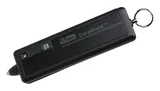 Videx DuraWand ScannerPortable barcode wand from$595.0061 in stock
 Videx TimeWand IPortable barcode reader Call for availability
Filed with · 1 model
Also filed with these models on the old site
Summary
What is in it
A developer reference for DLOAD32.DLL, a 32-bit Windows 95/98/NT library from Videx that lets Windows applications retrieve data from the TimeWand I and DuraWand. It documents each function (InitializeWand, DownLoadWand, DownLoadWandList, SerOpen, SerClose, SetStatusMode and SetProgress) with its parameters, lists the error return values, explains the application file format for hierarchy and sequence applications, and gives Visual Basic declarations and sample calls, including a cancel callback.
From the manual · read page by page
Key facts from this manual
Each line names its page in the PDF.
A Videx developer document (GCO# 1120) for DLOAD32.DLL, the 32-bit Windows 95/98/NT library that lets an application load and download TimeWand I and DuraWand data collectors through the recharger/downloader. It defines each function and its parameters, lists the error return values, explains the application file format, and gives Visual Basic declarations and sample calls.
- Library
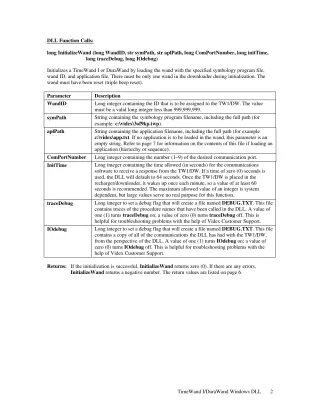
- DLOAD32.DLL, a 32-bit DLL for Windows 95/98/NT that retrieves data from the TimeWand I or DuraWand p. 1
- Functions
- InitializeWand, DownLoadWand, DownLoadWandList, SerOpen, SerClose, SetStatusMode, SetProgress p. 8
- Serial ports
- COM port number 1 to 9 p. 2
- Wand ID
- A long integer less than 999,999,999, assigned at initialization p. 2
- Timeout
- Zero defaults to 64 seconds; at least 60 seconds recommended because a wand in the downloader wakes once a minute p. 2
- Return values
- 0 means no error; -1 to -12 are Windows errors; -13 to -52 are DLL errors p. 6
- Common errors
- -25 timeoutErr (wand stopped responding), -30 wandNotFound (wand did not respond), -44 wandNotCleared (wand has valid data) p. 6
- Output files
- Data to an ASCII text file; MEMORY.DMP for a memory dump; STATUS.TXT for status; DEBUG.TXT for debug traces p. 1, 3
- Application file
- Same format as the DOS dload.exe utility; TW1.EXE or DW.EXE writes it as TW1LIST.TXT; 19 parameters for a hierarchy, 44 for a sequence p. 7
- Examples
- Visual Basic declarations and sample calls p. 8, 9, 10
What this manual walks you through
- Initializing a wand with a symbology program, wand ID and application p. 2
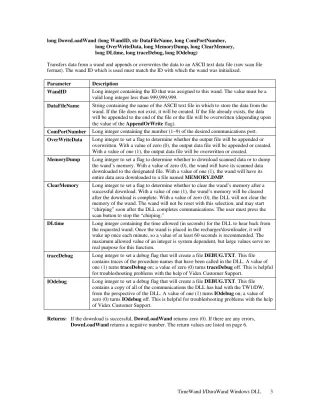
- Downloading scanned data from one wand p. 3
- Downloading several wands from a list of IDs p. 4
- Setting status file options and a cancel callback p. 5
- Reading the error return values p. 6
- Writing a hierarchy or sequence application file p. 7
- Calling the DLL from Visual Basic p. 8, 9, 10
Good to know
- Only one wand may be in the downloader during initialization, and it must first be triple-beep reset. p. 2
- If memory is not cleared after a download the wand may start chirping until the scan button is pressed. p. 3
- Spaces in the symbology file path in the application file make communication fail. p. 7
- SerOpen and SerClose are called automatically by the main functions and should not be called alongside them. p. 5
- Hierarchy level characters must be uppercase, as Code 3 of 9 has no lowercase. p. 7
Questions this manual answers
How do I download a TimeWand I from my own Windows program?
Call DownLoadWand in DLOAD32.DLL with the wand ID, a data file name and the COM port; it returns 0 on success. p. 3
What does error -30 mean in DLOAD32.DLL?
wandNotFound: the wand did not respond. p. 6
What timeout should I use when downloading a DuraWand?
At least 60 seconds, because a wand in the recharger/downloader wakes up once each minute; zero gives the 64 second default. p. 2, 3
Can I download several TimeWands at once?
Yes, DownLoadWandList reads a text file of wand IDs, one per line, and downloads each wand in turn to one data file. p. 4
The whole text · 2 parts
Read the manual here as text
Its text as extracted from the PDF, unedited, in parts; each page opens the PDF at that page.
The file