Manual · Vernier
Vernier LabPro User's Manual
Manual35 pagesPDF 771 KB
User's manual for the Vernier LabPro data-collection interface, used with a computer, TI graphing calculator or on its own.
Names · 1 model
The models it names
Filed with · 1 model
Also filed with these models on the old site
Summary
What is in it
Vernier's user's manual for LabPro, a data-collection interface for the classroom or the field. It describes the buttons, lights, beeps, battery and AC power and the analog and digital sensor ports, then explains collecting data on a Macintosh or Windows computer with Logger Pro and on a TI graphing calculator with DataMate or EasyData, each with a temperature tutorial. It also covers remote, stand-alone data logging and sensor warm-up times, with appendices on troubleshooting, beep sequences, support materials and operating system updates.
Its parts
- Introduction
- Using LabPro with a Computer
- Tutorial: Temperature Measurement with Logger Pro
- Using LabPro with a Calculator
- Tutorial: Temperature Measurement with DataMate
- Tutorial: Temperature Measurement with EasyData
- Using LabPro Remotely
From the manual
Key facts from this manual
Each line names its page in the PDF.
The Vernier LabPro User's Manual (tenth edition) for the LabPro data-collection interface. It shows how to power LabPro, connect sensors, and collect data with a Macintosh or Windows computer running Logger Pro, with a TI graphing calculator, or as a stand-alone data logger. Appendixes cover troubleshooting, beep sequences, sensor adapters and operating system updates.
- Device
- Data-collection interface used with a computer, a TI graphing calculator, or as a stand-alone data logger; more than 60 Vernier sensors work with it p. 5
- Channels
- Four analog channels (CH 1 to CH 4) and two digital channels (DIG/SONIC 1 and DIG/SONIC 2) p. 5
- Connections
- Serial and USB computer connections behind a sliding door, plus a calculator I/O port p. 5, 7
- Sensor plugs
- British Telecom-style plugs: right-hand connector on analog ports, left-hand on digital ports p. 6
- Power
- Four AA batteries or the 6-volt AC power supply p. 6
- Controls
- TRANSFER, QUICK SET-UP and START/STOP buttons; red (error), yellow (ready) and green (collecting) lights; piezo speaker p. 5, 6
- Package contents
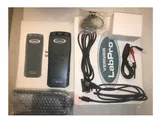
- LabPro interface, User's Manual, Voltage Probe, 43 cm and short calculator link cables, and two TI calculator cradles p. 5
- Software
- Logger Pro on a Macintosh or Windows computer; DataMate or EasyData on a TI graphing calculator p. 7, 11
- DataMate calculators
- TI-73, TI-73 Explorer, TI-82, TI-83, TI-83 Plus, TI-84 Plus, TI-86, TI-89, TI-89 Titanium, TI-92, TI-92 Plus, Voyage 200 p. 11
- Remote logging
- Quick Setup: 99 points per auto-ID sensor; time-based method set up from a computer: up to about 12,000 points p. 18
- Serial cable
- PC serial cable with a round mini-DIN end on LabPro; a Mac serial adapter for Macintosh serial ports p. 7
- Older sensor adapters
- DIN-BTA for 5-pin DIN analog sensors; PG-BTD Digital Photogate Cable; MDC-BTD Motion Detector Cable; CBL-RJ11 Adapter p. 30
- Firmware
- Flash operating system, updated over the LabPro serial or USB cable or a TI-GRAPH LINK cable p. 35
What this manual walks you through
- Powering LabPro with batteries or the AC power supply p. 6
- Connecting LabPro to a Macintosh or PC by serial or USB p. 7
- Starting Logger Pro and fixing a failed connection p. 8
- A first temperature experiment with Logger Pro p. 10
- Connecting a TI graphing calculator and choosing DataMate or EasyData p. 11
- Collecting data away from the computer and retrieving it p. 18
- Troubleshooting connection, sensor and noise problems p. 25
- What the beep sequences mean p. 27
- Adapting sensors bought before LabPro p. 30
- Updating the LabPro operating system p. 35
Good to know
- LabPro cannot be used with TI-Nspire or TI-Nspire CAS handhelds or software. p. 11
- QUICK SET-UP works only with auto-ID sensors. p. 6
- If batteries are already installed, plugging in AC power does not run the self-test lights and beeps. p. 25
- If an operating system update is canceled, Logger Pro 3 cannot talk to LabPro; USB is much faster than serial for the update. p. 35
- Noisy readings may come from nearby electrical devices; keep LabPro at least 30 cm from a computer. p. 25
Questions this manual answers
Logger Pro Collect button greyed out with Vernier LabPro
The computer cannot talk to the interface. Check that the cables are firmly attached, the right port is used and working, and LabPro has AC or battery power. p. 25
What batteries does the Vernier LabPro take?
Four AA batteries, in the compartment on the underside. It can also run from the 6-volt AC power supply. p. 6
LabPro makes five bad beeps
Five bad beeps mean an overcurrent condition was detected, which causes an error and more beeps. p. 27
Does LabPro work with a TI-Nspire?
No. LabPro cannot be used with TI-Nspire or TI-Nspire CAS handhelds or computer software. p. 11
How do I connect an old Vernier DIN sensor to LabPro?
Older analog sensors with a round 5-pin DIN plug need the DIN-to-BTA adapter, order code DIN-BTA. p. 30
The whole text · 4 parts
Read the manual here as text
Its text as extracted from the PDF, unedited, in parts; each page opens the PDF at that page.
The file