Manual · VeriFone
PINpad 1000SE Installation Guide
Manual26 pagesPDF 419 KB
Installation guide for the VeriFone PINpad 1000SE PIN entry device: setup, connections, specifications and troubleshooting.
Covers · 1 model
The models it covers

Summary
What is in it
Installation guide for the VeriFone PINpad 1000SE, a peripheral device that accepts and encrypts customer PINs for debit, EBT and other PIN-based transactions. It gives an overview of the unit and its security features, then explains choosing a location, unpacking, connecting to a POS controller or a PC/AT, the stand adapter and privacy shield, startup and the keypad, specifications, cleaning, service returns, accessories and basic troubleshooting.
Its parts
- Introduction
- Setup
- Specifications
- Service and Support
- Troubleshooting Guidelines
From the manual · read page by page
Key facts from this manual
Each line names its page in the PDF.
The VeriFone installation guide (part number 22902, Revision C) for the PINpad 1000SE PIN entry device. It covers choosing a location, connecting the unit to a terminal or a PC/AT, the stand adapter, specifications, accessory part numbers, cleaning, service returns and troubleshooting.
- Device
- Peripheral PIN entry device that accepts and encrypts PINs, run by a POS controller p. 7
- Encryption
- Single and 3DES encryption; Master/Session or DUKPT key management; MAC support p. 8
- Connector
- Modular four-wire port on the rear panel for power and communication with the controller p. 13
- Power
- 6-14 V DC, maximum 36.5 mA p. 19
- Display
- 8-character LCD that scrolls through up to 16 characters p. 8
- Keypad
- 10-key telco-style keypad, three programmable function keys, three color-coded keys (CLEAR, BACKSPACE, ENTER) p. 13
- Compatible controllers
- VeriFone Omni or TRANZ terminals, ZON II microcomputers, other microcomputer-based systems; backward-compatible with PINpad 1000 and PINpad 101 p. 7, 9
- Terminal cables
- 07042-xx coiled (Omni 32xx, 33xx, 36xx, 37xx); 10441-xx coiled and 01582-xx straight 6-pin DIN (most Tranz); 03021-xx coiled mini-DIN (Omni 4xx, 7000MPD, Everest, Everest Plus) p. 23
- PC/AT cables
- 10776-01 (DB25 plug), 10776-02 (DB9 plug) p. 23
- Power supply
- CPS04951-xx DC power supply; CPS11220-3A universal DC power pack; 07152-xx power cord (USA) p. 23
- Accessories
- E-100674051 stand adapter, E-100675051 privacy shield, 02746-01 cleaning kit p. 23, 24
- Weight
- 190 g (6.67 oz) p. 19
- Environment
- 0 to 40 °C (32 to 104 °F); 15% to 90% relative humidity, no condensation p. 19
What this manual walks you through
- Choosing a location for the unit p. 11, 12
- Unpacking and checking for tampering or damage p. 12
- Connecting the unit to an Omni 37xx terminal p. 14
- Connecting the unit to an IBM PC/AT with a powered cable p. 14, 15
- Mounting and using the stand adapter p. 15, 16
- Startup, the idle prompt and entering a PIN p. 17
- Cleaning the unit p. 21
- Returning a unit for repair with an MRA number p. 21, 22
- Troubleshooting a dead display or an unresponsive keypad p. 25
Good to know
- The unit is not waterproof or dustproof and is for indoor use only. p. 11
- Turn off or unplug the controller when connecting or disconnecting the PIN pad, or memory corruption and data loss can result. p. 13
- Do not use a unit that has been tampered with or damaged. p. 12
- An incorrectly rated power supply can damage the unit or stop it working properly. p. 15
- Never clean with thinner, trichloroethylene or ketone-based solvents, and never spray cleaner directly onto the keypad or display. p. 21
Questions this manual answers
What power supply does the VeriFone PINpad 1000SE use?
The guide recommends CPS04951-xx and also supports CPS11220-3A with a country-specific power cord. p. 15
Which cable connects a PINpad 1000SE to an Omni 37xx terminal?
Cable 07042-xx, a coiled 4PC plug to MOD10 plug cable for Omni 32xx, 33xx, 36xx and 37xx terminals. p. 23
Is the PINpad 1000SE compatible with the PINpad 1000 and PINpad 101?
Yes, it is backward-compatible with the PINpad 1000 and PINpad 101 families. p. 9
What voltage does the PINpad 1000SE need?
6 to 14 V DC, with a maximum of 36.5 mA. p. 19
What should I check if the PINpad 1000SE display does not work?
Check the cable connections and the controller's power, reload the controller's application, then run the display reliability test (option 5) from the Reference and Programmers Manual. p. 25
Contents
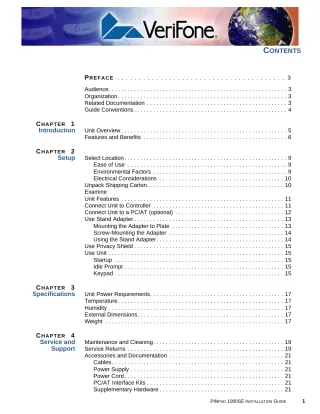
Chapters and sections
Each line opens the PDF at its page.
The whole text · 3 parts
Read the manual here as text
Its text as extracted from the PDF, unedited, in parts; each page opens the PDF at that page.
The file