Manual · Unitech
MS910 Pocket Wireless Scanner Quick Guide
Manual20 pagesPDF 1.7 MB
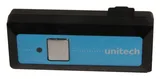
Quick guide for the Unitech MS910 pocket wireless scanner: charging, beeps and lights, and connecting to Windows, Windows Mobile and Android.
Covers · 1 model
The models it covers
Summary
What is in it
A short user's guide for the Unitech MS910 pocket wireless bar code scanner. It explains charging the battery over mini USB, what each beep and LED pattern means, and step-by-step connection in SPP and HID modes to a Windows PC, a Windows Mobile device and an Android device (with the BluetoothConnect app), including how to enter a pincode by scanning bar codes. Configuration bar codes follow.
Key facts · 5
In its own words
Each line is quoted from the file.
supports SPP , HID two modes of wireless communication
All major 1D barcodes incl.
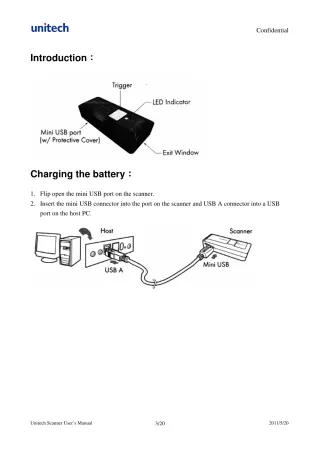
Insert the mini USB connector into the port on the scanner
The default pincode is “1234”
III. Android OS
The file