Manual · Symbol
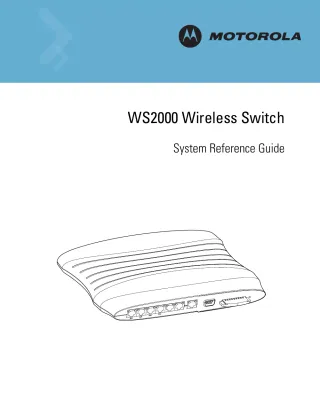
WS2000 Wireless Switch System Reference Guide
Manual346 pagesPDF 11 MB
System reference guide for the Symbol WS2000 Wireless Switch: setup, LAN, WAN, wireless, security and administration.
Covers · 1 model
The models it covers
Summary
What is in it
System reference guide for administrators of the WS2000 Wireless Switch, which combines wireless LANs and wired networks for sites with one to six Access Ports. It covers the hardware and specifications, a step-by-step getting started procedure, LAN subnets, the WAN interface with firewall, NAT, VPN and content filtering, wireless LAN setup and security, administrator and user access, switch administration and firmware updates, HotSpot and DDNS.
Its parts
- Product Overview
- Getting Started
- LAN/Subnet Configuration
- WAN Configuration
- Wireless Configuration
- Administrator and User Access
- Switch Administration
- Configuring HotSpot
- Using DDNS
From the manual
Key facts from this manual
Each line names its page in the PDF.
Motorola's 2009 System Reference Guide for the Symbol WS2000 Wireless Switch, covering setup, LAN, WAN and wireless configuration, administration, status screens and syslog messages. It walks an administrator through installing the switch, setting up subnets, WLANs and security, and updating the firmware.
- Device
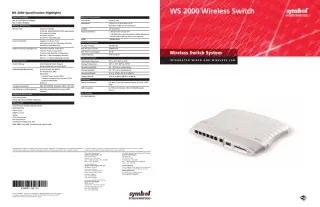
- Wireless switch and WAN/LAN gateway for sites with one to six Access Ports p. 13
- Ports
- One RJ-45 WAN port; six 10/100 Mbit/sec. RJ-45 LAN ports, four with 802.3af PoE; DB-9 serial port; CompactFlash slot p. 14
- Console cable
- Symbol Null-Modem cable, Part No. 25-632878-0, for the DB-9 serial port p. 14
- Power
- 90-256 VAC, 47-63 Hz, 3A maximum; operating voltage 48 VDC at 1A; peak current 1.6A p. 14
- Dimensions
- Width 203 mm, height 38 mm, depth 286 mm p. 14
- Weight
- 0.64 kg p. 14
- Environment
- Operating 0ºC to 40ºC; storage -40ºC to 70ºC; humidity 10% to 85% non-condensing; altitude 2.4 Km operating, 4.6 km storage p. 14
- WLANs and subnets
- Up to four ESSIDs per Access Port; up to six subnets p. 13, 21
- WLAN security
- Kerberos, WEP-64, WEP-128, 802.1x with RADIUS or shared key, KeyGuard, WPA/WPA2-TKIP, WPA2/CCMP (802.11i); set per ESSID p. 13
- Software services
- DHCP, Telnet and FTP/TFTP servers, SNTP client, redundant secondary switch, web GUI and SNMP, 802.1x RADIUS client, SSL, firewall, NAT, Layer 3 routing, VPN p. 16
- LEDs
- Blue power LED; speed and activity LEDs on every port; PoE ports 1-4 add a power LED, green when delivering 48 volts, red for a faulty power device p. 15
- Firmware
- Updated from an FTP or TFTP server or the CompactFlash card; boots from Onboard Flash or CF Card; firmware files are over 20MB p. 152
- Web management
- Browser at 192.168.0.1 using Internet Explorer with Sun JRE 1.4 or higher p. 18
What this manual walks you through
- Installing the switch and connecting the WAN, a computer and an Access Port p. 18
- First login, setting a new admin password and the country p. 18, 19
- Setting the system name, location, domain and DNS server p. 20
- Changing the open default SNMP settings p. 21
- Enabling and configuring subnets p. 21, 22
- Checking an Access Port when WLAN1 does not appear p. 22
- Enabling the WAN interface and making it a DHCP client p. 23
- Checking for and installing firmware updates p. 151, 152, 153
- Formatting a CompactFlash card p. 153
- Receiving firmware and configuration files automatically by DHCP p. 153
Good to know
- For a TFTP firmware update, the TFTP server must support files larger than 16MB. p. 152
- LAN ports 5 and 6 do not provide power. p. 18
- The country must be set correctly because each country limits emissions and RF signal strength. p. 20
- The CompactFlash card's FAT16 file system holds at most 512 root directory entries. p. 153
- Formatting a CompactFlash card erases all its data, with no undo. p. 153
Questions this manual answers
What cable connects to the WS2000 console port?
The guide names Symbol's Null-Modem cable, Part No. 25-632878-0, for the DB-9 serial port. p. 14
Which WS2000 ports provide Power over Ethernet?
Ports 1-4 supply 802.3af Power over Ethernet; ports 5 and 6 do not provide power. p. 15, 18
How do I reach the WS2000 web interface the first time?
Connect a computer set for DHCP to a LAN port and browse to 192.168.0.1 with Internet Explorer and Sun JRE 1.4 or higher. p. 18
Why does a WS2000 firmware update over TFTP fail?
The firmware files are over 20MB, so the update fails if the TFTP server does not support files larger than 16MB. p. 152
What does a red PoE LED mean on the WS2000?
The switch has found the powered device on that port faulty; the light stays red until a non-faulty connection is made. p. 15
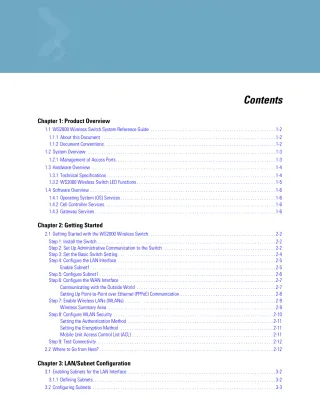
Contents
Chapters and sections
Each line opens the PDF at its page.
- WS2000 Wireless Switch1
- Product Overview11
- Getting Started17
- LAN/Subnet Configuration29
- WAN Configuration49
- Wireless Configuration81
- Administrator and User Access127
- Switch Administration145
- Configuring HotSpot205
- Using DDNS215
- Trunking VLANs Through the WAN Port221
- Status & Statistics225
- WS2000 Use Cases247
- Syslog Messages309
- Index337
The whole text · 36 parts
Read the manual here as text
Its text as extracted from the PDF, unedited, in parts; each page opens the PDF at that page.
- Pages 1 to 71-7
- Pages 8 to 178-17
- Pages 18 to 2718-27
- Pages 28 to 3728-37
- Pages 38 to 4738-47
- Pages 48 to 5748-57
- Pages 58 to 6758-67
- Pages 68 to 7768-77
- Pages 78 to 8778-87
- Pages 88 to 9788-97
- Pages 98 to 10798-107
- Pages 108 to 117108-117
- Pages 118 to 127118-127
- Pages 128 to 137128-137
- Pages 138 to 147138-147
- Pages 148 to 157148-157
- Pages 158 to 167158-167
- Pages 168 to 177168-177
- Pages 178 to 187178-187
- Pages 188 to 197188-197
- Pages 198 to 207198-207
- Pages 208 to 217208-217
- Pages 218 to 227218-227
- Pages 228 to 237228-237
- Pages 238 to 247238-247
- Pages 248 to 257248-257
- Pages 258 to 267258-267
- Pages 268 to 277268-277
- Pages 278 to 287278-287
- Pages 288 to 297288-297
- Pages 298 to 307298-307
- Pages 308 to 317308-317
- Pages 318 to 327318-327
- Pages 328 to 337328-337
- Pages 338 to 341338-341
- Pages 342 to 346342-346
The file