Spec sheet · Symbol
WS 2000 Wireless Switch
Spec sheet12 pagesPDF 11 MB
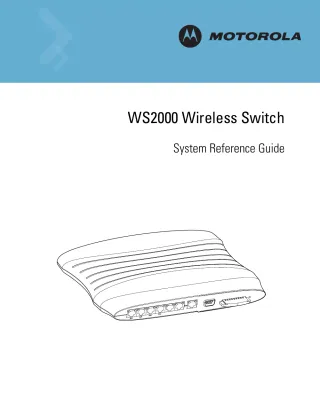
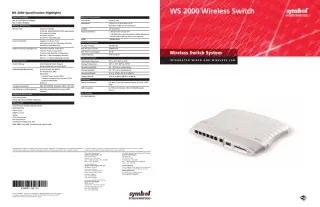
Brochure and specification sheet for the Symbol WS 2000 Wireless Switch, an integrated wired and wireless LAN switch for small sites.
Covers · 1 model
The models it covers
Summary
What is in it
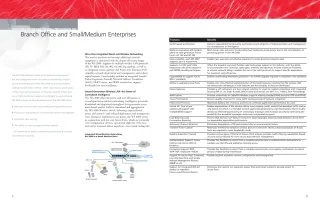
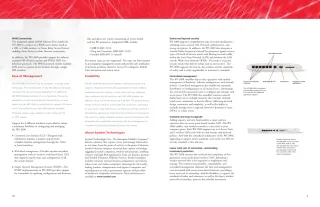
A product brochure with specification highlights for the Symbol WS 2000 Wireless Switch, an all-in-one wired and wireless networking unit for branch offices and small to medium sites. It describes how the switch works with Symbol Access Ports, its WLAN features (virtual AP, load balancing, pre-emptive roaming, channel selection, voice prioritization), routing, DHCP, NAT, the stateful inspection firewall, authentication and encryption options, management interfaces, and gives physical, power, environmental and regulatory specifications.
From the sheet
Key facts from this sheet
Each line names its page in the PDF.
Symbol Technologies' 2004 brochure and specification sheet for the WS 2000 Wireless Switch, an all-in-one wired and wireless LAN switch that runs up to 6 Access Ports. It lists the physical, power, wireless, security and management specifications and explains the networking, firewall and encryption features.
- Device
- Wireless switch combining wired and wireless networking for small and medium enterprises and branch offices p. 2
- Part number
- WS-2000-SME-WW p. 1
- Interfaces
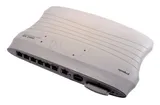
- 1 RS232 serial console port; 7 10/100 Ethernet ports including 1 WAN uplink port; 4 ports with 802.3af Power-over-Ethernet p. 1
- Access Ports
- Up to 6 Access Ports and 3 wireless LANs; works with Symbol AP 100 and AP 200 Access Ports p. 2, 3
- Radios
- 802.11b and 802.11a Access Port radios in the 2.4 and 5 GHz bands; 802.11g to follow p. 4
- Power
- 100-250 VAC, 47 Hz to 63 Hz; max input current 3A at 230 VAC; max 120 W p. 1
- Dimensions
- 1.75 in. H x 11.25 in. W x 8 in. D (44.5 mm x 286 mm x 203 mm); standard 1RU p. 1
- Weight
- 1.41 lb/0.64 kg p. 1
- Management
- CLI over serial or Telnet, web-based GUI, SNMP v1/v2/v3, Syslog, TFTP and FTP client/server p. 1
- Security
- WEP 40/128, KeyGuard, WPA-TKIP and AES encryption; PSK, 802.1x/EAP, TLS, TTLS, PEAP and Kerberos authentication p. 1
- Network services
- Up to 3 subnets; RIP v1 and v2 and static routes; NAT; DHCP client and server p. 5
- Storage
- CompactFlash card slot; the switch serves stored software updates to Symbol mobile devices by FTP p. 3, 5
- MTBF
- More than 50,000 hours p. 1
What this sheet walks you through
- Connecting to a DSL or cable modem through the WAN uplink port p. 3
- Splitting the network into up to 3 subnets with their own policies p. 5
- Setting each interface as a static address, DHCP client or DHCP server p. 5
- Choosing a NAT mode: one-to-one, many-to-one or port forwarding p. 4
- Firewall defaults and configurable attack filters p. 4
- Choosing an encryption method: WEP, WPA-TKIP or KeyGuard-MCM p. 6
- Mounting the switch on a desk, wall or rack p. 3
- Copying one switch's configuration to other switches p. 3
Good to know
- Kerberos authentication needs an external Key Distribution Center, such as a Windows 2000 server. p. 6
- RIP routing suits small networks of less than 15 hops. p. 5
- Specifications are subject to change without notice. p. 1
Questions this sheet answers
How many access ports can a WS 2000 run?
Each WS 2000 supports up to 6 Access Ports and 3 wireless LANs. p. 3
Does the WS 2000 have Power-over-Ethernet?
Yes. Four of its 10/100 Ethernet ports support 802.3af Power-over-Ethernet, which can power the Access Ports. p. 1, 2
What power does the WS 2000 need?
100-250 VAC at 47 Hz to 63 Hz, with a maximum power consumption of 120 W. p. 1
Can the WS 2000 be rack mounted?
Yes. It has a standard 1RU form factor for a network rack and can also sit on a desk or mount on a wall. p. 3
The whole text · 2 parts
Read the sheet here as text
Its text as extracted from the PDF, unedited, in parts; each page opens the PDF at that page.
The file