Manual · Symbol
PSM20i Bar Code Scanner Attachment Programmer's Guide
Manual80 pagesPDF 773 KB
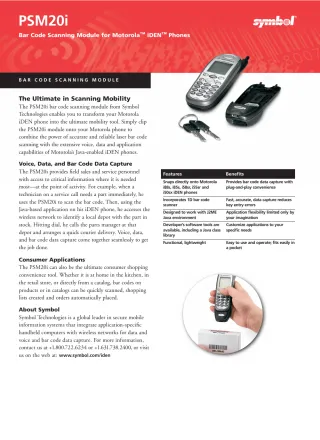
Programmer's guide to the J2ME SDK for the Symbol PSM20i bar code scanner attachment for Motorola iDEN phones.
Covers · 1 model
The models it covers
Summary
What is in it
Symbol's programmer's guide for the PSM20i Bar Code Scanner Attachment SDK, the API that lets J2ME applications on Motorola iDEN phones (i88, i85s, i58, i55sr and i50sx) enable and configure the attached scan engine. It covers the required items, getting the iDEN Java Application Loader and handset provisioning, installing the SDK, every basic, decode configuration and miscellaneous function, code identifiers and a sample program.
Its parts
- About This Guide
- Getting Started
- Function Definitions
From the manual
Key facts from this manual
Some pages are scans or cannot be read; this says only what the readable text supports. Each line names its page in the PDF.
Programmer's guide for the Symbol PSM20i Bar Code Scanner Attachment, which adds bar code scanning to Motorola iDEN phones. It defines the Java (J2ME) programming interface of the scanner SDK, explains how to set up the development tools, and lists the scanner settings, supported bar codes and code identifiers, with a sample program.
- Device
- Bar code scanner attachment that adds data capture to J2ME applications on Motorola iDEN phones p. 7
- Compatible phones
- Motorola iDEN i88, i85s, i58, i55sr and i50sx p. 7, 11
- PC cable
- Motorola PC Data Cable p/n NKN6544, for loading applications from a PC p. 11, 12
- SDK
- Symbol Attachment Scanner SDK, built with the J2ME Wireless Toolkit 1.0.4; file AScanner.jar; class BarCodeReader p. 8, 13
- Required tools
- Sun Java 2 Standard Edition, Sun J2ME Wireless Toolkit, Motorola iDEN Java Application Loader p. 11
- Bar codes
- UPC-A, UPC-E, UPC-E1, EAN-8, EAN-13, EAN-128, Code 39, Trioptic Code 39, Code 93, Code 128, ISBT-128, Bookland EAN, Interleave 2 of 5, Discrete 2 of 5, MSI Plessey, Codabar, Coupon Code p. 18
- Enabled by default
- UPC-A, UPC-E, EAN-8, EAN-13, EAN-128, Code 39, Code 128, ISBT-128, Interleave 2 of 5; the rest start disabled p. 18
- Laser on time
- Default 3.0 seconds; settable from 0.5 seconds to 9.9 seconds p. 26
- Prefix and suffixes
- Prefix default NULL; suffix1 default LF (0x0a); suffix2 default CR (0x0d) p. 29, 30, 31
- Linear security
- Levels 1-4: levels 1-3 read set codes twice, level 4 three times p. 27
- Code IDs
- None, AIM code ID or Symbol code ID in front of the data p. 33
- Related documents
- PSM20i Owner's Guide p/n 72-55997-xx; Motorola i85s & i50sx Developers' Guide p/n NTN9880A p. 8
What this manual walks you through
- Getting the iDEN Java Application Loader and handset provisioning p. 12
- Installing the scanner SDK p. 13
- Enabling, disabling and resetting the scanner from an application p. 19, 20, 23, 24
- Reading decoded data and the bar code type p. 21, 22, 32
- Setting the prefix, suffixes and data format p. 25, 29, 30, 31
- Setting laser on time and linear security p. 26, 27, 28
- Turning individual bar code types on or off p. 16, 17
- Symbol and AIM code identifiers p. 61, 62, 63, 64
- Sample program that scans Code 39 and Trioptic Code 39 p. 65
Good to know
- For an accurate decode the phone should not be transmitting while the scanner decodes. p. 7
- enable must succeed before any other scanner call. p. 20
- Resetting the scanner returns it to factory defaults and loses settings made by the application. p. 24
- The iDEN Java Application Loader is for testing only and allows up to 5 phones before developer access is deactivated. p. 12
- Higher security levels make the scanner less aggressive, so set only the level an application needs. p. 27
Questions this manual answers
Which phones does the PSM20i scanner work with?
Motorola iDEN i88, i85s, i58, i55sr and i50sx phones. p. 7
What cable connects the iDEN phone to a PC for the PSM20i SDK?
The Motorola PC Data Cable, p/n NKN6544. p. 11
What does startDecode return when the PSM20i cannot read a bar code?
It returns 'NR' when the decode fails or times out. p. 32
How long does the PSM20i laser stay on?
3.0 seconds by default; setLaserOnTime sets it from 0.5 to 9.9 seconds. p. 26
Which bar codes does the PSM20i read out of the box?
UPC-A, UPC-E, EAN-8, EAN-13, EAN-128, Code 39, Code 128, ISBT-128 and Interleave 2 of 5 are enabled by default. p. 18
Contents
Chapters and sections
Each line opens the PDF at its page.
The whole text · 11 parts
Read the manual here as text
Its text as extracted from the PDF, unedited, in parts; each page opens the PDF at that page.
- Pages 1 to 41-4
- Pages 5 to 105-10
- Chapter 1 Getting Started11-14
- Chapter 2 Function Definitions, pages 15 to 2415-24
- Chapter 2 Function Definitions, pages 25 to 3425-34
- Chapter 2 Function Definitions, pages 35 to 4435-44
- Chapter 2 Function Definitions, pages 45 to 5445-54
- Chapter 2 Function Definitions, pages 55 to 6055-60
- Appendix A Programming Reference61-64
- Appendix B Sample Program65-76
- Index77-80
The file