Manual · Symbol
PSM20i Bar Code Scanner Attachment Owner's Guide
Manual17 pagesPDF 4.4 MB
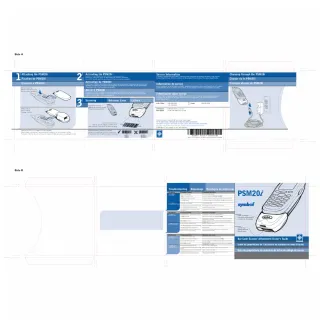
Owner's guide and regulatory sheet for the Symbol PSM20i bar code scanner attachment for Motorola i85s, i50sx and i55sr phones.
Covers · 1 model
The models it covers
Summary
What is in it
Symbol's owner's guide for the PSM20i, a laser bar code scanner module that attaches to a Motorola phone, with its regulatory booklet. In English, French and Portuguese it shows how to attach the module, activate it with a scanning application, scan, charge through the PSM20i and troubleshoot common problems, followed by ergonomic recommendations, FCC and Canadian RF and laser regulatory notices and the warranty.
Its parts
- PSM20i Owner's Guide
- PSM20i Regulatory
From the manual
Key facts from this manual
Some pages are scans or cannot be read; this says only what the readable text supports. Each line names its page in the PDF.
Symbol PSM20i Bar Code Scanner Attachment Owner's Guide (Revision A, September 2002), in English, French and Portuguese, with a regulatory booklet. It shows how to attach the module to a Motorola iDEN phone, activate it with a scanning application, scan, and fix common problems. The fold-out sheet is a scan read by OCR.
- Device
- Bar code scanner attachment for Motorola phones, made by Symbol under license from Motorola p. 4
- Phones listed
- Motorola i85s, i50sx and i55sr p. 4
- Software needed
- The phone needs a scanning application from an application provider p. 1
- Attaching
- Remove the phone's battery door, then place, slide and click the module until fully engaged p. 1
- Scanning
- Press the assigned button and aim the scan line at the bar code; decode feedback depends on the application p. 1
- Charging
- The module has a power connector; the guide shows charging through the PSM20i p. 1
- Laser label
- 630-680nm laser, 1.0 mW max output, Class II laser product (label on the back of the module) p. 7
- Regulatory
- The manual states FCC Part 15 Class B and Canadian ICES-003 Class B compliance p. 6
What this manual walks you through
- Attaching the PSM20i to the phone p. 1
- Activating the PSM20i with a scanning application p. 1
- Scanning a bar code p. 1
- Troubleshooting a module that is not working or not decoding p. 1
- Laser labels and regulatory information p. 5, 6, 7
Good to know
- Do not stare into the laser beam. p. 7
- Controls, adjustments or procedures other than those specified may cause hazardous laser light exposure. p. 6
- The guide says the product may not be marketed, sold or shipped outside a listed set of countries. p. 4
Questions this manual answers
How do I attach the PSM20i to my phone?
Remove the phone's battery door, then place, slide and click the module on until it is fully engaged. p. 1
Why does my PSM20i not scan after attaching it?
The phone needs a scanning application; the guide says to contact the application provider for download and activation steps. p. 1
What should I try if the PSM20i will not decode a bar code?
Try a different bar code, move closer to or farther from it, or change the scanning angle. p. 1
Which Motorola phones does the PSM20i owner's guide list?
The i85s, i50sx and i55sr. p. 4
Contents
Chapters and sections
Each line opens the PDF at its page.
The whole text · 2 parts
Read the manual here as text
Its text as extracted from the PDF, unedited, in parts; each page opens the PDF at that page.
The file