Manual · Symbol
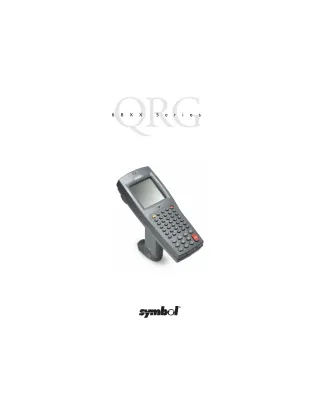
68XX Series Quick Reference
Manual144 pagesPDF 6.9 MB
Quick reference guide for the Symbol PDT 68XX series rugged handheld computers: batteries, charging, keyboard, scanning and communications.
Names · 3 models
The models it names
 Symbol PDT-6800Portable batch data collection terminal from$695.0091 in stock Symbol PDT-6810900 MHz wireless portable data collection terminal from$895.0022 in stock Symbol PDT-6842802.11 (2 Mbps) wireless portable data collection terminal from$895.0011 in stock
Filed with · 2 models
Also filed with these models on the old site
Summary
What is in it
Symbol's operator quick reference for the 68XX series hand-held portable computers, including the batch models and the Spectrum One (681X) and Spectrum24 (684X) RF models. It shows the parts of the terminal, required and optional accessories, installing and charging the NiCd and Lithium Ion battery packs, powering on, contrast, backlight, the keyboard, the integrated laser scanner, communications, switching the PDT 6842 from 802.11 to Spring RF protocol, and troubleshooting. The guide is repeated in French, German, Italian, Spanish, Japanese and Chinese.
Its parts
- Introduction
- About This Guide
- Parts of the 68XX
- Required Accessories
- Optional Accessories
- Providing Power
- Operating the 68XX
- Switching from 802.11 to Spring RF Protocol (PDT 6842)
- Troubleshooting
From the manual
Key facts from this manual
Some pages are scans or cannot be read; this says only what the readable text supports. Each line names its page in the PDF.
Symbol's quick reference guide for the 68XX Series hand-held computers, naming the PDT 6810, the PDT 684X and the PDT 6842. It shows how to fit and charge the battery, use the keyboard, scanner and display, talk to a host, printer or RF network, and fix common problems. The guide repeats in several languages; this summary is drawn from the English pages and the regulatory pages.
- Device
- Rugged, weather-resistant hand-held computer with 8088 16-bit PC architecture, DR-DOS compatible p. 3
- Display
- 16 lines by 21 characters, 8 contrast levels, backlight p. 3, 9
- Keyboard
- 35-key or 46-key alphanumeric p. 3
- Radio
- PDT 6810: Spectrum One RF network; PDT 684X: Spectrum24 RF network; internal antenna p. 3, 14
- Battery
- Lithium Ion or NiCd rechargeable pack p. 6
- Battery part numbers
- 21-32801-01, 21-35217-01, 21-35241-01 or 21-38796-01 (listed under NiCd charging) p. 8
- Lithium Ion battery
- p/n 21-40340-01, charged out of the terminal in a UBC 2000 battery adapter p/n 21-32665-24 p. 8
- Cradles
- CCM 38/6860 4-slot module with spare battery slot, CRD 38/6865 1-slot cradle, CRD 38/6866 4-slot cradle; RS-232 cables and one power supply per cradle p. 5
- Wall mount
- Wall mounting kit p/n 3866-000 p. 5
- Other accessories
- UBC battery charger, 10-hour trickle charger (wall cube), PC adapter, printer interface module (PIM), holster p. 5
- Printer link
- Printer interface module (PIM): optical connector on the terminal, DB-9 connector to the printer p. 14
- Scanner
- Integrated laser; long-range versions have a two-level trigger (aiming beam, then decode); tilt up to 55° forward or back p. 11, 12
What this manual walks you through
- Installing and removing the battery pack p. 6, 7
- Locking the battery with the key on the key-lock terminal version p. 6, 7
- Charging the NiCd and Lithium Ion batteries p. 8
- Powering on, adjusting contrast and switching the backlight p. 9
- Using the 35-key and 46-key keyboards p. 9, 10
- Scanning bar codes and aiming at an angle p. 10, 11, 12
- Communicating with a host through a cradle or PC Adapter p. 12, 13
- Connecting a printer and reading the RF status LED p. 14
- Switching the PDT 6842 to the Spring RF protocol p. 15, 16
- Troubleshooting power, display, scanning and keypad problems p. 16, 17
Good to know
- The Series 3800 NiCd battery packs cannot be used in the 68XX. p. 6
- The Lithium Ion battery does not charge in a cradle; the cradle is only for communications with that battery fitted. p. 8
- Do not take the terminal out of the cradle while the cradle's red COMM LED is blinking. p. 13
- For FCC RF exposure, belt clips and holsters must keep 2.0 cm between the body and the back of the terminal. p. 140
- Clean the scan window with eyeglass lens tissue, never tissue with lotion. p. 17
Questions this manual answers
What battery does the PDT 6800 series take?
A Lithium Ion or NiCd rechargeable pack. The Lithium Ion pack is p/n 21-40340-01, and the guide lists Symbol batteries 21-32801-01, 21-35217-01, 21-35241-01 and 21-38796-01. p. 6, 8
Does the PDT 6800 Lithium Ion battery charge in the cradle?
No. Take it out of the terminal and charge it in a UBC 2000 battery adapter, p/n 21-32665-24. p. 8
What operating system does the PDT 68XX run?
The guide describes it as DR-DOS compatible, built on 8088 16-bit PC-standard architecture. p. 3
What does the Double Key error on a PDT 68XX mean?
Two or more keys were pressed at the same time; press the keys one after another. p. 17
Contents
Chapters and sections
Each line opens the PDF at its page.
- Introduction3
- About This Guide3
- Parts of the 68XX4
- Required Accessories5
- Optional Accessories5
- Providing Power6
- Operating the 68XX9
- Switching from 802.11 to Spring RF Protocol (PDT 6842)15
- Troubleshooting16
- Présentation19
- A propos de ce guide19
- Composants du 68XX20
- Accessoires indispensables21
- Accessoires optionnels21
- Alimentation22
- Utilisation du terminal 68XX25
136 more lines, from page 31 on
- Passer de 802.11 au protocole radio Spring (PDT 6842)31
- Dépannage32
- Einführung35
- Informationen zu dieser Kurzübersicht35
- Die Einzelteile des 68XX36
- Erforderliches Zubehör37
- Optionales Zubehör37
- Stromversorgung38
- Die Bedienung des 68XX42
- Vom 802.11 zum Spring RF Protokoll (PDT 6842) wechseln49
- Fehlerbehebung51
- Introduzione53
- Informazioni sulla guida53
- Parti del 68XX54
- Accessori indispensabili55
- Accessori opzionali55
- Alimentazione56
- Uso del 68XX60
- Risoluzione dei problemi68
- Introducción71
- Acerca de esta guía71
- Partes del 68XX72
- Accesorios necesarios73
- Accesorios opcionales73
- Suministro de energía74
- Funcionamiento del 68XX78
- Cambio del 802.11 al protocolo RF Spring (PDT 6842)84
- Solución de problemas85
- はじめに89
- このガイドについて89
- 68XX の各部名称90
- 必要なアクセサリ91
- オプションのアクセサリ91
- 電源の供給92
- 68XX の操作方法96
- 802.11 から Spring RF プロトコルへの交換 (PDT 6842)102
- トラブルシューティング103
- 介绍107
- 关于本指南107
- 68XX的部件108
- 必需附件109
- 可选附件109
- 所提供电源110
- 对锂离子电池充电112
- 操作68XX113
- 从802.11切换至Srping RF 协定(PDT 6842)119
- 소개123
- 이 제품 설명서에 대해123
- 68XX¿« ºŒ«°124
- 필수 악세서리125
- 옵션 악세서리125
- 전원 공급하기126
- 68XX ¿¤µø«œ±‚129
- 802.11에서 Spring RF 프로토콜(PDT 6842)로 전환하기135
- Ergonomic Recommendations139
- Regulatory Information139
The whole text · 15 parts
Read the manual here as text
Its text as extracted from the PDF, unedited, in parts; each page opens the PDF at that page.
- Pages 1 to 101-10
- Pages 11 to 2011-20
- Pages 21 to 3021-30
- Pages 31 to 4031-40
- Pages 41 to 5041-50
- Pages 51 to 6051-60
- Pages 61 to 7061-70
- Pages 71 to 8071-80
- Pages 81 to 9081-90
- Pages 91 to 10091-100
- Pages 101 to 110101-110
- Pages 111 to 120111-120
- Pages 121 to 130121-130
- Pages 131 to 140131-140
- Pages 141 to 144141-144
The file