Manual · Symbol
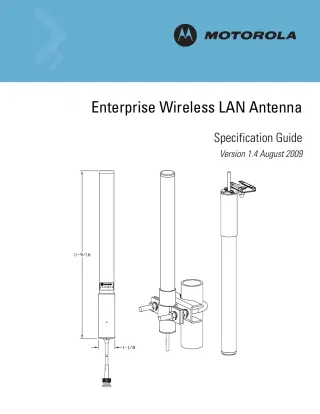
Enterprise Wireless LAN Antenna Specification Guide
Manual138 pagesPDF 4.0 MB
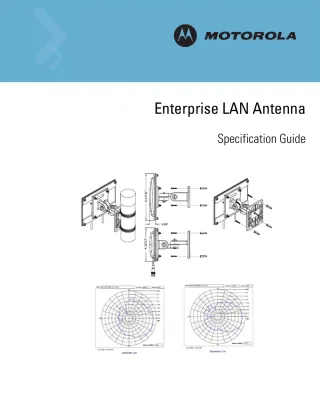
Antenna specification guide for Motorola (Symbol) AP-5131, AP-5181 and AP-7131 access points and the AP300 access port.
Filed with · 1 model
Also filed with these models on the old site
Summary
What is in it
Catalog of antennas and accessories for Motorola (Symbol) enterprise wireless LANs. It explains how to choose an antenna (pattern, type, gain, cable loss, connectors), lists FCC compatibility, and describes the 802.11b/g, 802.11a and dual-band antenna suites plus cables, adapters, lightning arrestors and mounting kits. Later chapters show antenna connections for the AP-5131 and AP300 and transmit power settings for the AP-7131 series.
Its parts
- Antenna Selection and Description
- Product Compatibility
- 802.11b/g Antenna Suite
- 802.11a Antenna Suite
- 2.4GHz - 5.2GHz Dual Band Antenna Suite
- Antenna Cables
- Supported Antenna Adapters
- Supported Lightning Arrestors
- Mounting Kits
- AP-5131 Antenna Connections
- AP300 Antenna Connections
- AP-7131 Transmit Power
From the manual
Key facts from this manual
Each line names its page in the PDF.
Motorola Enterprise Wireless LAN Antenna Specification Guide, version 1.4 from August 2009: a catalog of antennas, cables, adapters, lightning arrestors and mounting kits for the AP-5131, AP-5181 and AP-7131 access points and the AP300 access port. It explains how to choose an antenna and which connectors each access point uses, and lists accessory part numbers with their losses. It is a general antenna guide, not a guide to an AP-5181 mounting kit.
- What it is
- Catalog of antennas and accessories for AP-5131, AP-5181 and AP-7131 access points and the AP300 access port p. 5, 7
- AP-5181
- Outdoor access point, part number AP-5181-13040-WWR; 2.4 GHz and 5 GHz; N-Type-Female connectors; lightning protection built in p. 8
- Connector types
- 2.4 GHz: RP-BNC female; 5 GHz: RP-SMA female; dual band: RP-SMA female (AP-5131) or N-Female (AP-5181) p. 9
- AP300
- Part No. WSAP-5100-100-WWR, no integrated antennas; two RPSMA-Female (5 GHz) and two RPBNC-Female (2.4 GHz) connectors p. 8
- Part number code
- 2499 in an antenna part number: 2.4 GHz; 5299: 5 GHz; 2452: dual band p. 12
- Magnetic base kit
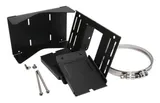
- ML-1499-APAMK-01R: magnetic base for ML-2452-APA2-01 with 6 Ft. RG-178 cable, RP-SMA male to female; 2.6 dB @ 2.4 GHz, 4.6 dB @ 5.5 GHz p. 89, 90
- I-beam mount kit
- ML-1499-SD3MK-01R: articulating I-beam mount for the ML-2499-SD3-01 omni antenna p. 89, 90
- N jumper cables
- ML-1499-10JK-01R (10 ft.), ML-1499-25JK-01R (25 ft.), ML-1499-50JK-01R (50 ft.), ML-1499-100JK-01R (100 ft.): Ultralink TL 93605, N (m) to N (m), 2 - 6 GHz p. 75, 76, 77
- Jumper loss
- At 2.4 GHz / 5.8 GHz: 10 ft. 2.0 / 2.9 dB; 25 ft. 2.5 / 4.0 dB; 50 ft. 4.5 / 7.0 dB; 100 ft. 10.6 / 15.5 dB p. 76, 77
- Plenum jumper
- ML-1499-72PJ-01R: 6 ft. RP BNC female to RP BNC male, CMP plenum RG-58, 2.3 dB, 2400-2500 MHz p. 78
- Adapters
- ML-1499-RBNCA1-01R, ML-1499-RBNCA2-01R (N to RP BNC female, 1 ft.); 25-85391-01R, 25-85392-01R (RP-SMA male to Type N, 3.5 in.); 25-72178-01 (RP-SMA(M) to RP-BNC(F)); 25-90262-01R; 25-90263-01R p. 79
- Lightning arrestors
- ML-1499-LAK1-01R (1 ft., N male to RP BNC male); ML-1499-LAK2-01R (with N male to N male barrel adapter); ML-2452-LAK1-01R (N female to N female, with N male to RP-SMA male adapter) p. 85
- ML-2452-LAK1-01R
- 100-6000 MHz; operating temperature - 40° to 85°C; 4.5 oz; 12 in. cable p. 88
- Version
- Version 1.4, August 2009 p. 1
What this manual walks you through
- Choosing an antenna by pattern, type and performance figures p. 13, 14, 15
- Connector types and reverse polarity p. 9
- Using the product compatibility chart to match antennas, cables and arrestors p. 17
- Extending the cable between access point and antenna p. 12
- Antenna cable specifications p. 75, 76, 77, 78
- Antenna adapter specifications p. 79, 80, 81, 82, 83
- Lightning arrestor specifications p. 85, 86, 87, 88
- Antenna mounting kits p. 89, 90
Good to know
- Antenna and accessory choices should be confirmed by on-site testing, since signal loss adds up with each connection. p. 5
- Outdoor antennas may be used indoors, but indoor antennas should not be used outdoors. p. 12
- The grounding lug on a lightning arrestor must be grounded to local electrical codes. p. 85
- The ML-1499-LAK1-01R and ML-1499-LAK2-01R arrestors are not for use above 2500 MHz. p. 86, 87
- The global compatibility chart does not apply to FCC USA compatibility; the antenna suite summary does. p. 17
Questions this manual answers
Does the AP-5181 need a separate lightning arrestor?
No. The guide says lightning protection is built into the AP-5181, so no additional protection is required. p. 8
What antenna connectors does the AP-5181 have?
N-Type female connectors. p. 8
What does 2452 mean in a Motorola antenna part number?
A dual band antenna for 2.4 GHz and 5 GHz; 2499 marks 2.4 GHz and 5299 marks 5 GHz antennas. p. 12
Which mounting kits are in the Motorola antenna guide?
ML-1499-APAMK-01R, a magnetic base for the ML-2452-APA2-01, and ML-1499-SD3MK-01R, an articulating I-beam mount for the ML-2499-SD3-01 omni antenna. p. 89
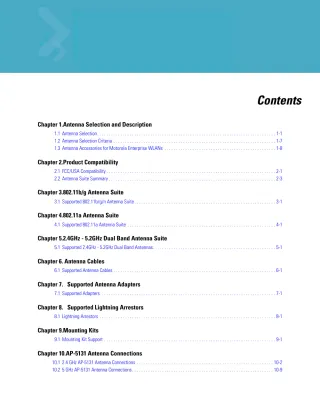
Contents
Chapters and sections
Each line opens the PDF at its page.
- Antenna Selection and Description7
- Product Compatibility17
- 802.11b/g Antenna Suite21
- 802.11a Antenna Suite47
- 2.4GHz - 5.2GHz Dual Band Antenna Suite61
- Antenna Cables75
- Supported Antenna Adapters79
- Supported Lightning Arrestors85
- Mounting Kits89
- AP-5131 Antenna Connections91
- AP300 Antenna Connections103
- AP-7131 Transmit Power115
The whole text · 16 parts
Read the manual here as text
Its text as extracted from the PDF, unedited, in parts; each page opens the PDF at that page.
- Contents1-6
- Antenna Selection and Description7-16
- Product Compatibility17-20
- 802.11b/g Antenna Suite, pages 21 to 2921-29
- 802.11b/g Antenna Suite, pages 30 to 3830-38
- 802.11b/g Antenna Suite, pages 39 to 4639-46
- 802.11a Antenna Suite47-60
- 2.4GHz - 5.2GHz Dual Band Antenna Suite61-74
- Antenna Cables75-78
- Supported Antenna Adapters79-84
- Supported Lightning Arrestors85-88
- Pages 89 to 10289-102
- AP300 Antenna Connections103-114
- AP-7131 Transmit Power, pages 115 to 122115-122
- AP-7131 Transmit Power, pages 123 to 130123-130
- AP-7131 Transmit Power, pages 131 to 138131-138
The file